
Order control & worker guidance
From ERP order to operation.
Digitally, right up to the machine.
EVOMECS provides production orders and operations digitally at the workstation, together with the production documents needed for machining. In the digital worker interface, employees see what is due, work step by step to instructions and checklists, and report progress directly in the order.
- Orders and operations digitally at the workstation
- Digital worker interface for the shop floor
- Work instructions, checklists and operator self-inspection
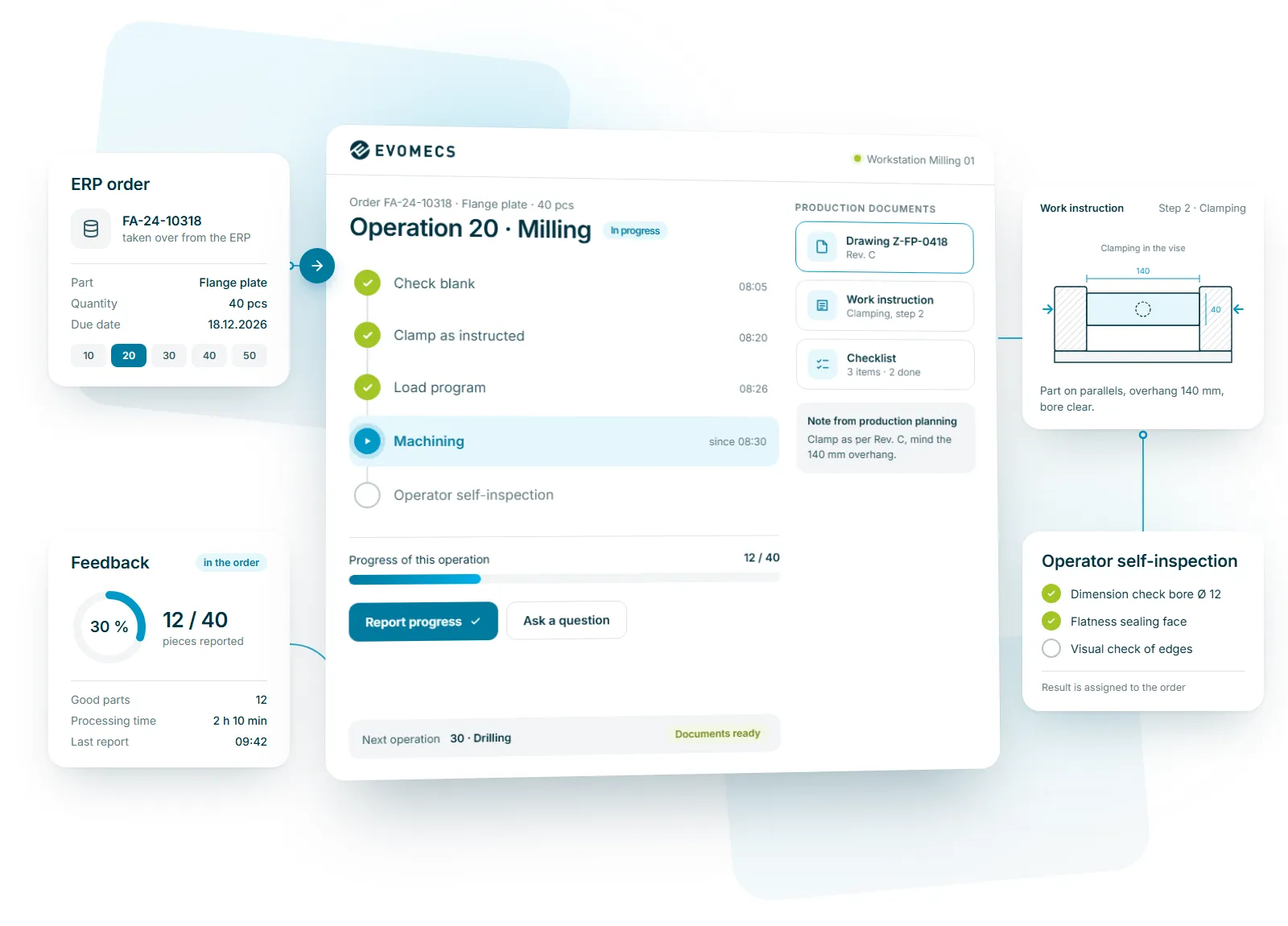
One flow of information between office and shop floor.
In many shops, the digital order ends at the printer. At the machine there is an order folder whose status nobody knows for certain, and feedback travels back to production planning on slips of paper.
EVOMECS takes production orders from your ERP system via suitable, project-specific interfaces and provides them, operation by operation, at the relevant workstations and machines. Whatever is machined, inspected and reported there flows back into the same order, so production planning and the shop floor work from a shared status.
Which order data is imported and reported back depends on the ERP system and the project-specific interface.
- 01
ERP order
Order and operations are imported
- 02
EVOMECS
Operations with documents at the workstation
- 03
Worker interface
Work to instruction and checklist
- 04
Feedback
Progress and inspection result in the order
What the workstation needs for the order.
01
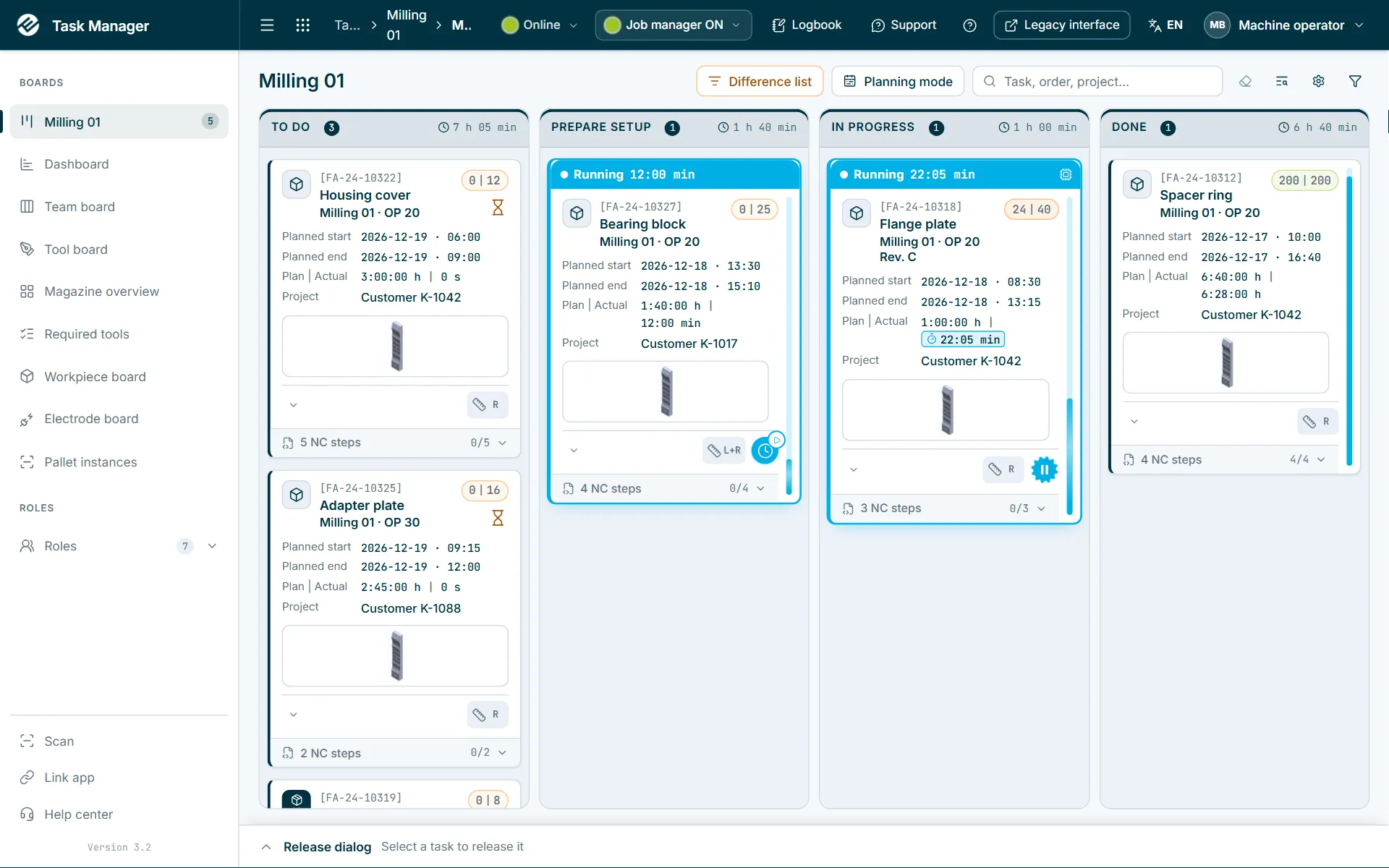
Provide orders and operations
Each workstation sees the operations due there, with order number, article, status and the associated production documents. Instead of a printed order folder, employees work from the same digital status as production planning.
02
Guide with work instructions and checklists
Work instructions and digital checklists guide employees through the individual steps of an operation, from set-up to final check. Especially with one-off parts, changing components and new colleagues, this creates a consistent routine without everyone having to keep every detail in their head.
03
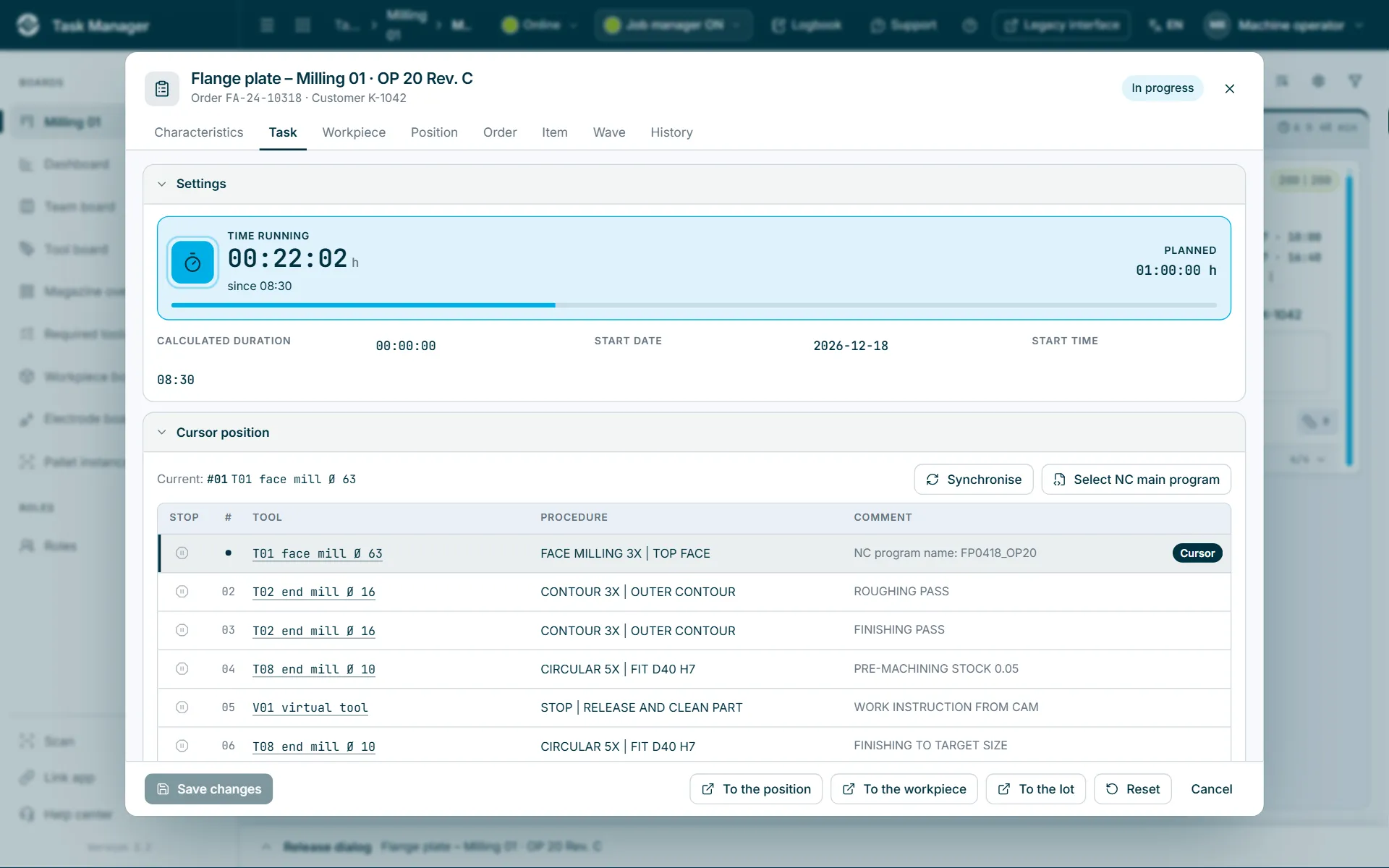
Report progress in the order
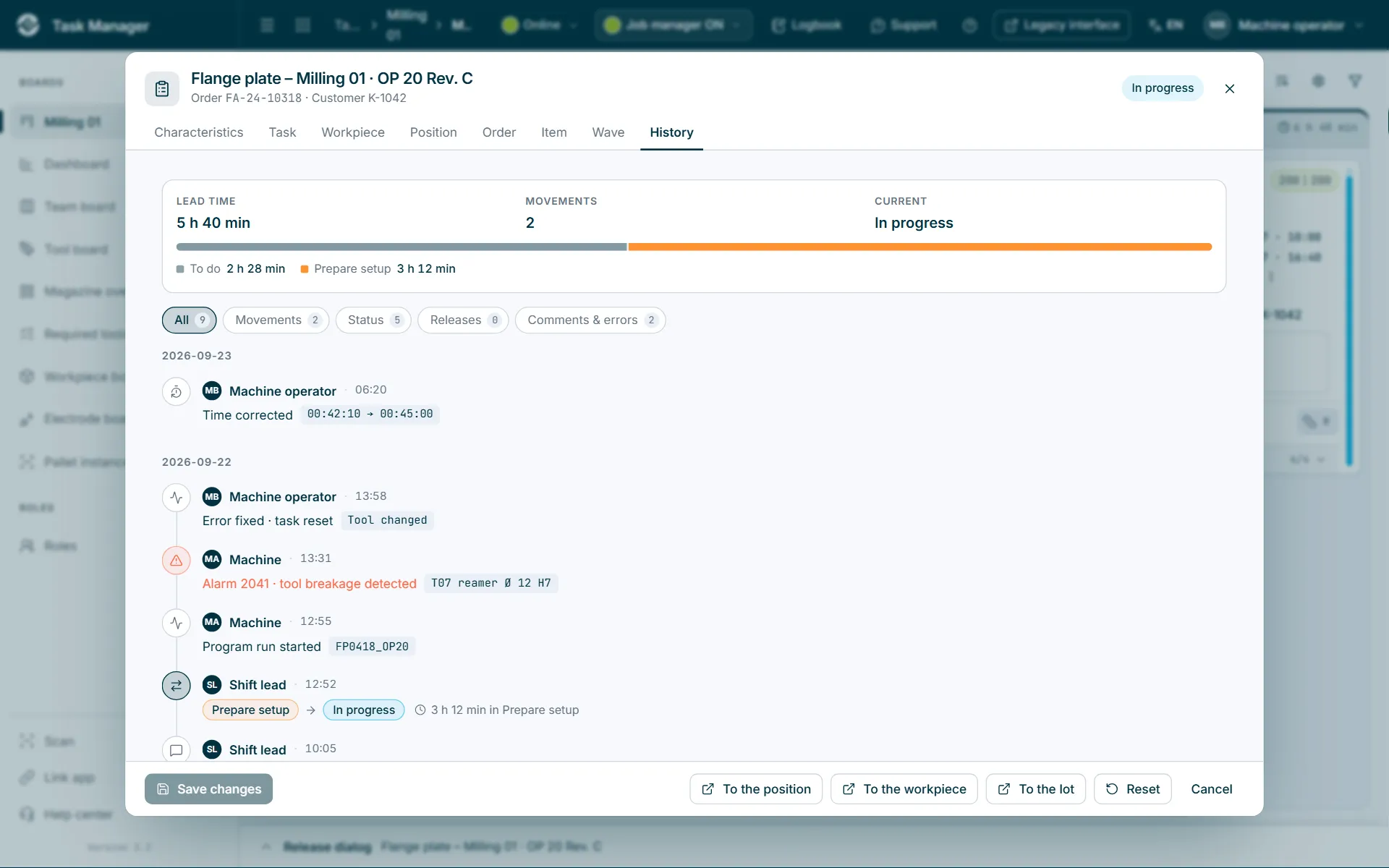
Employees record progress and feedback directly in EVOMECS, against the order and operation they are working on. Production planning can see where an order stands. How activities, times and machine states are captured in detail is covered by production and machine data collection.
More on production & machine data collection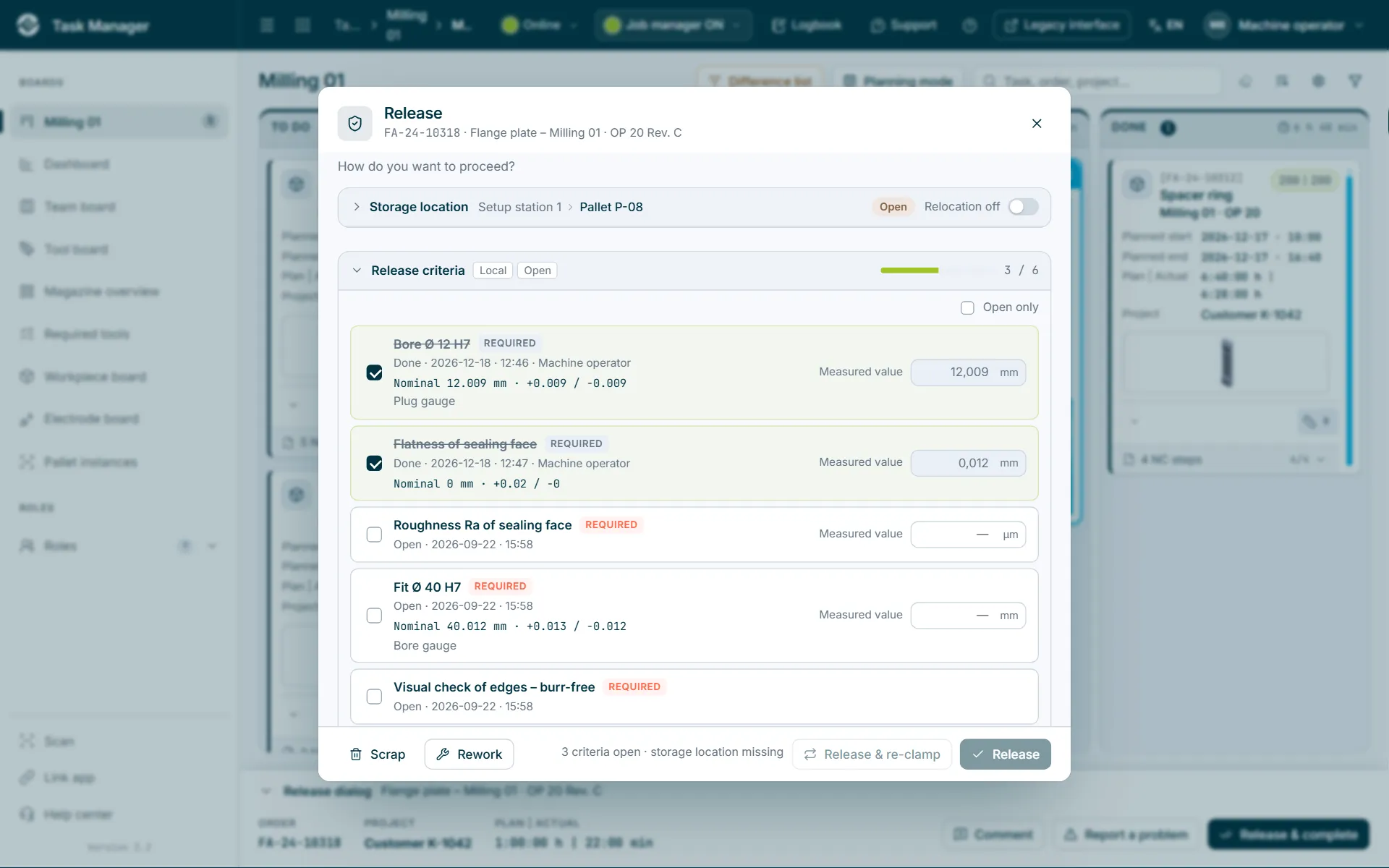
04
Operator self-inspection in the workflow
Operator self-inspections and quality characteristics are part of the operation, not a separate task afterwards. Employees inspect at the point the workflow defines and enter the result at the workstation while the part is still at the machine.
More on quality management & traceability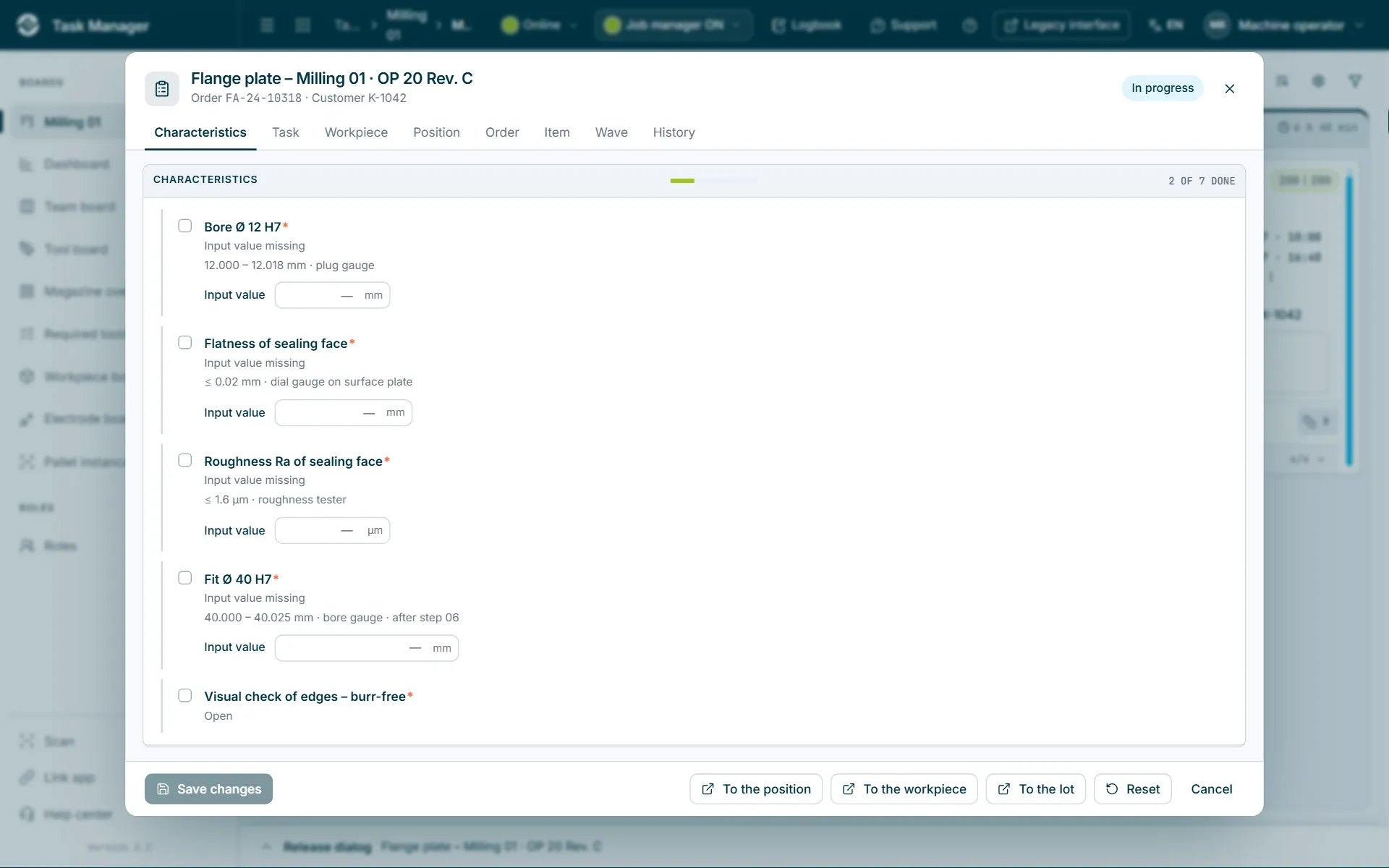
Digital worker interface
One interface for the whole operation.
The worker interface is the central work surface on the shop floor. It shows the orders that are due, guides employees through machining with work instructions and checklists, and takes in feedback and inspection results. Employees work in one application instead of switching between paper, terminal and shouting across the shop.
Less paper. Fewer queries. Clear routines.
How the order becomes an NC job- Order data from the ERP does not have to be entered again on the shop floor.
- Operation, production documents and instructions in one place.
- The same routine for every operation, even with one-off parts and changing staff.
- Self-inspections are built into the workflow instead of sitting on a separate form.
- Production planning sees the machining status without walking the shop floor.
- Fewer transcription errors between paper slips and the system.
Already in Shopfloor Light
Digital worker guidance from the first edition.
Order control and worker guidance are part of Shopfloor Light. When you later digitalise the tool process or NC execution, you build on the same orders and operations.
Shopfloor Light
Create transparency
Bring orders digitally to the workstation, guide employees and capture production and machine data – with dashboards and basic in-process quality management.
Shopfloor Essentials
Digitalise the tool process
Adds the digital tool process – CAM-linked tool data, tool demand planning, connection of tool presetting, tool data transfer to the machine and NC data management.
Shopfloor Professional
Secure NC processes
Connects order, NC program and tools during execution – with order-related NC transfer, process-reliable machine start, extended traceability, basic fit handling at the machine and sister tool management based on tool life.
Shopfloor Precision
Master precision
For demanding machining – full fit handling declared in the NC program, virtual tools, targeted tool changes via the NC program and full sister tool management based on tool path length.
Frequently asked questions about order control and worker guidance.

Benjamin Neubauer
Chief Executive Officer (CEO), EVOMECS
How to get started
Your demo – tailored to your production.
In the first meeting we show you EVOMECS in a live demo tailored to your company. Afterwards you can try EVOMECS free of charge for two weeks in your own demo system.
- 1First meeting · 30 minutes onlineWe introduce EVOMECS, show it in a short live demo and clarify your needs.
- 2Your demo systemIf you wish, we set up your own demo system in Shopfloor Light – with your machines and sample data. You receive the invitation by email.
- 3Try it yourself for two weeksYou and your colleagues try out how orders, feedback, machine status and downtimes work together. Free of charge, without installation and without connecting machines.
- 4Connect your machinesIn Shopfloor Light you connect your machines yourself using our guide. If you wish, we support you in a pilot project.
First meeting: 30 minutes · online · free of charge