
Platform
The digital infrastructure for your CNC manufacturing.
Digitalise, connect, automate.
EVOMECS connects order, process planning, NC program, tool, workpiece, machine and automation on one shared platform. Shopfloor and Automation use the same data – you start where your production stands today and expand step by step.
- Shopfloor and Automation on one data basis
- Open interfaces to ERP, CAM and machines
- In the cloud or on-premise
The products
Two products for your production.
Shopfloor and Automation bring what CNC manufacturing needs – from the digital order to the automated cell. Both work on the same data basis.
AIEVOMECS Create & Repot
Your app is growing. We repot it.
Many manufacturers now build their own tools, with AI and tailored exactly to their processes. With Repot we repot such an app into EVOMECS: it then works with the same data structure as the platform and can be integrated seamlessly into your production.
- Build with the AI tool of your choice
- Integrates seamlessly into your production
- Ready-made EVOMECS apps as a fallback
- On-premise or in the EVOMECS Cloud
One data basis
Defined once, known everywhere.
All EVOMECS applications work on the same data. A machine, a pallet or a tool is defined once and is then known equally to planning, the shop floor, tool management and the connected machines.
That removes double entry in separate systems, and everyone involved sees the same status – from the customer order to the automated cell.
- Master data on machines, fixtures, storage and people in one place
- CAM, tool presetting, shop floor and machines use the same tool data
- Commercial order lines are linked to production
- A scanned change of location is known in every application at once
An example
One order, one system – from enquiry to analysis.
This is how a production order can run through EVOMECS when all areas work together. No paper, no asking around on the shop floor, no second set of data to maintain.
Example flow with sample data – which stations you use depends on your entry point and your edition.
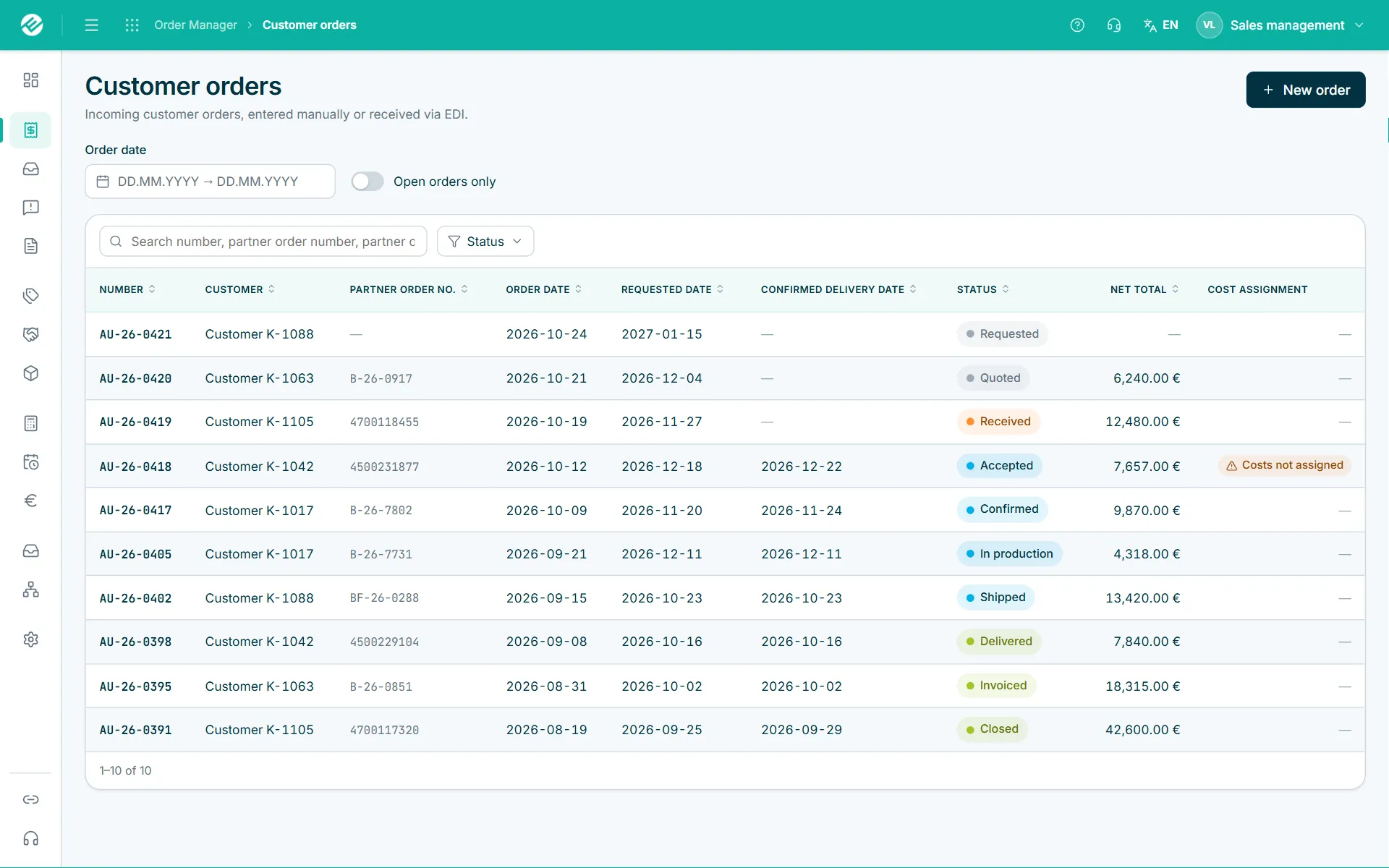 1
The order comes in.
Enquiry, quote, order confirmation – status, dates and margin are in one place. What you make yourself moves on as a production order.
Quotation & order processing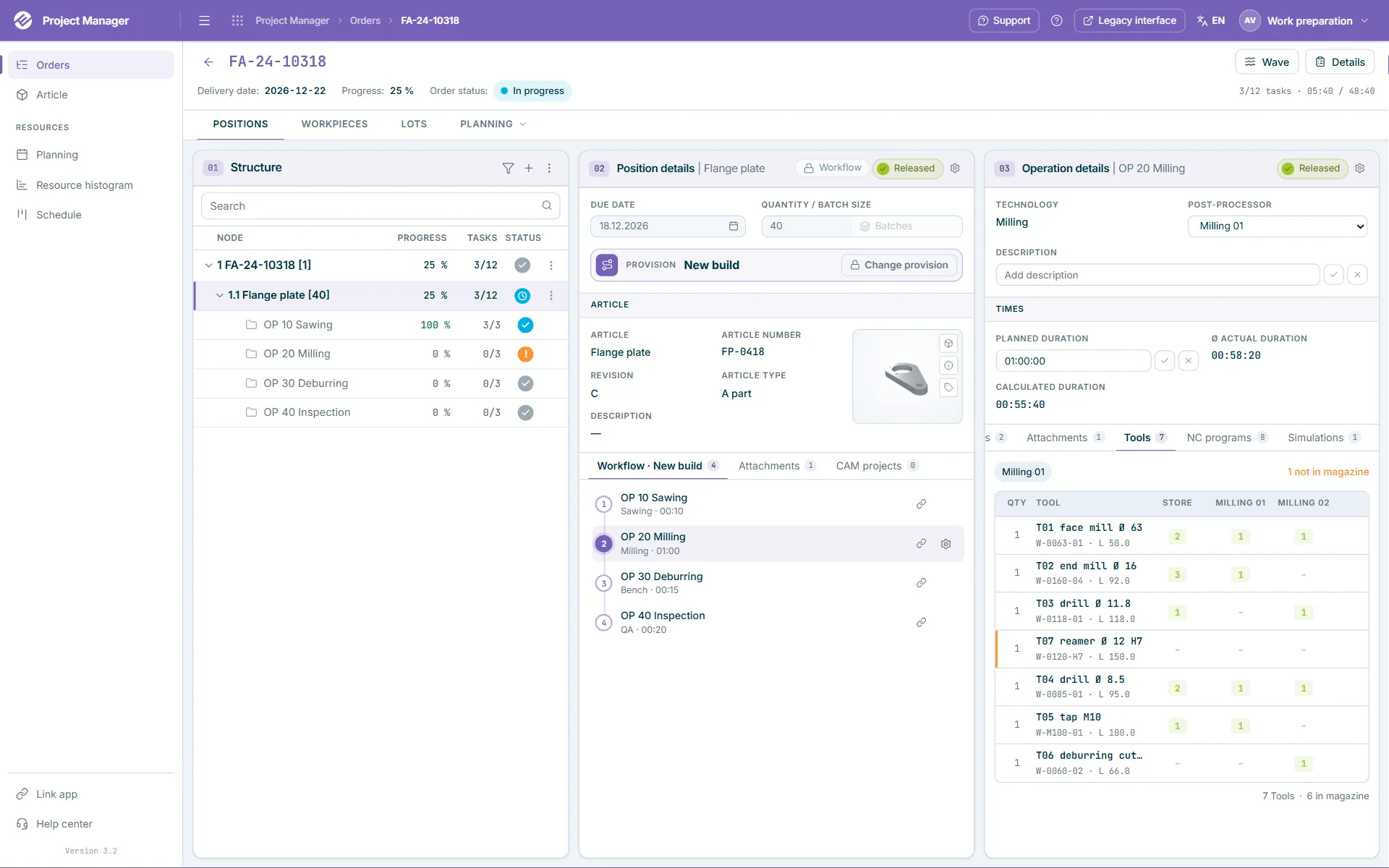 2
Work preparation knows what is needed.
Operations, NC program and tools belong to the order. If a tool is missing from the magazine, work preparation sees it before the machine stops.
NC & job management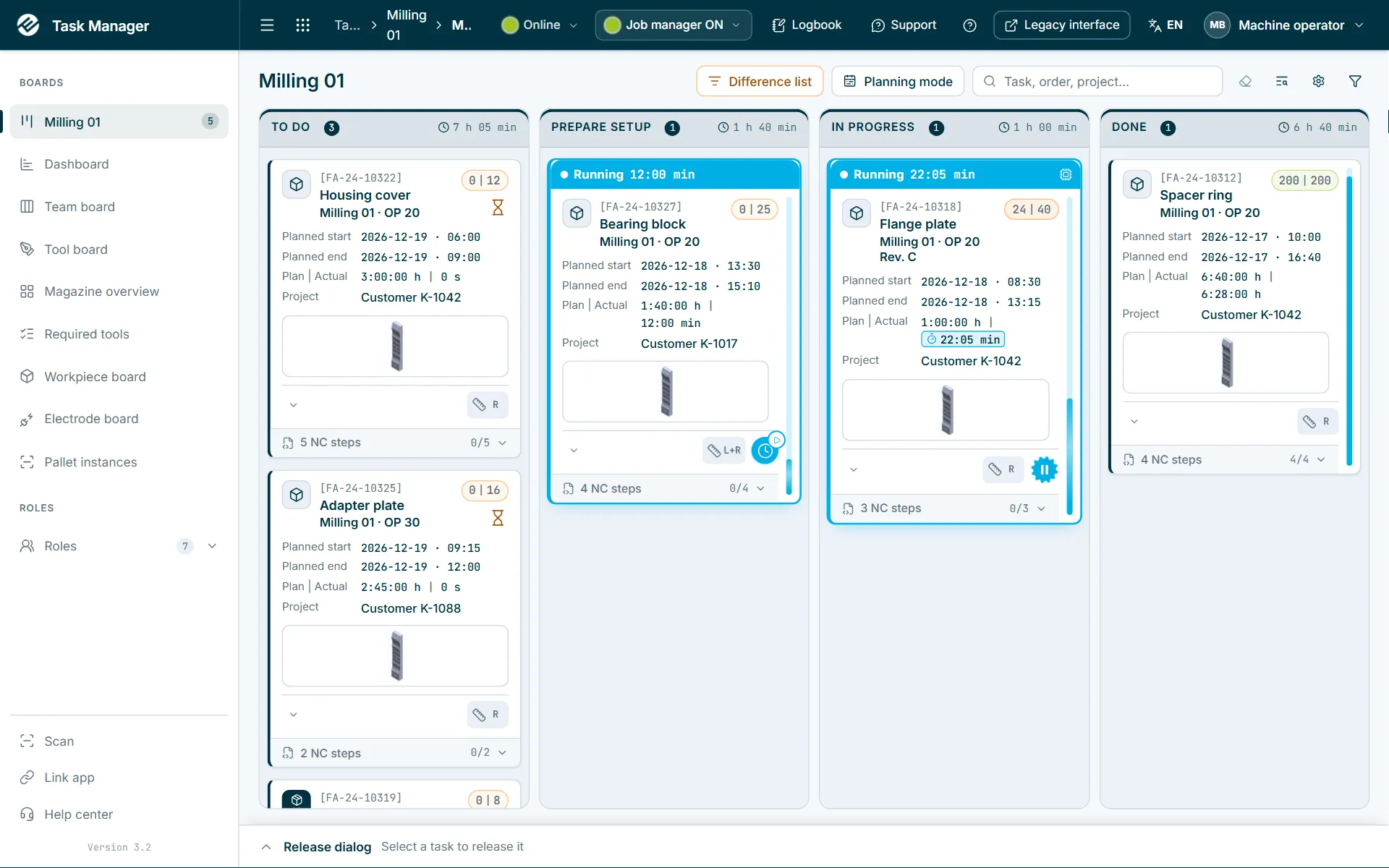 3
The workstation shows what to do.
The task board guides through the operation – with drawing, NC steps and inspection characteristics. Feedback happens where the work is done.
Order control & worker guidance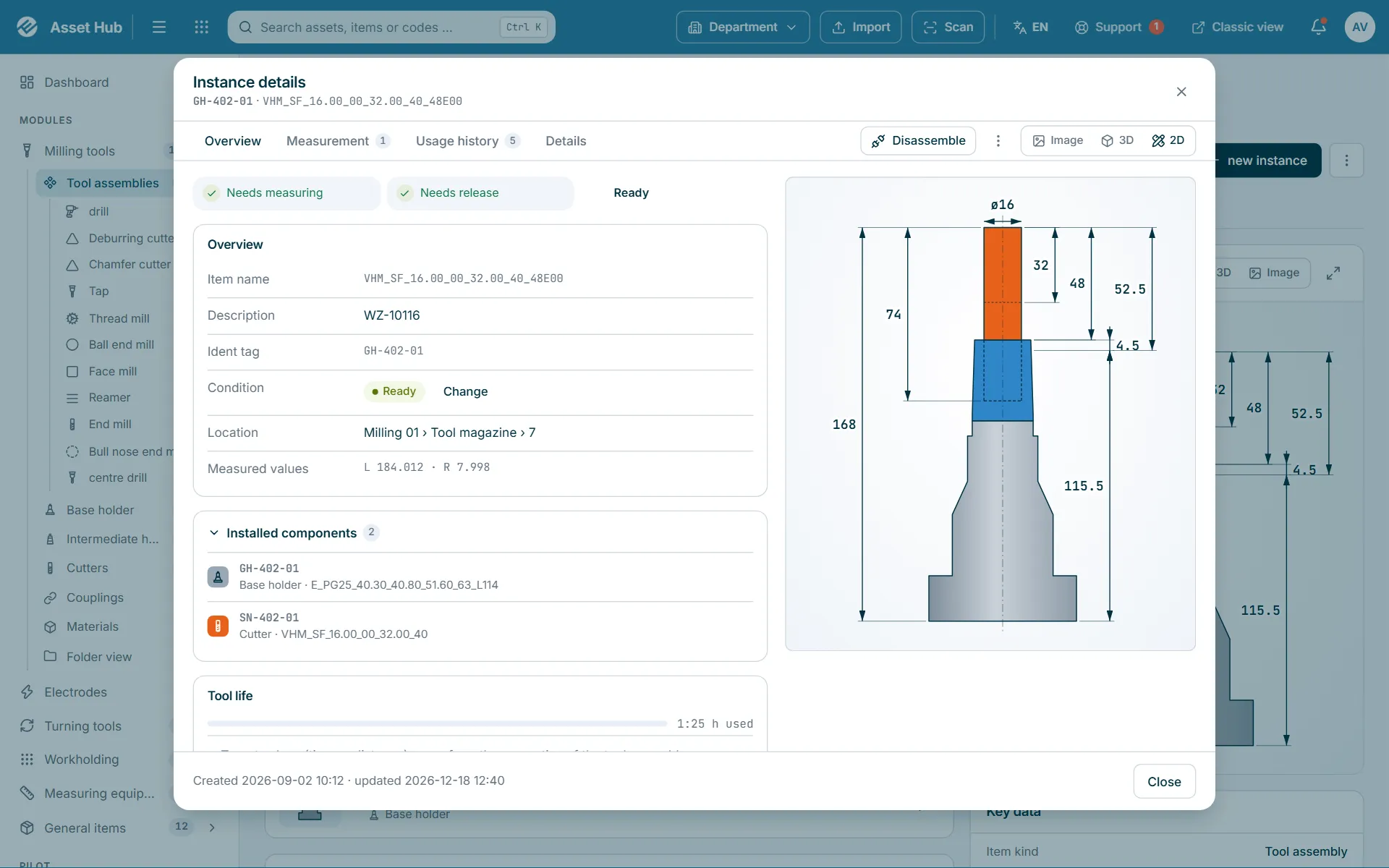 4
Tools reach the machine measured.
The presetter’s measured values go into the tool record and from there into the control. Tool life and usage come back.
Equipment & tool process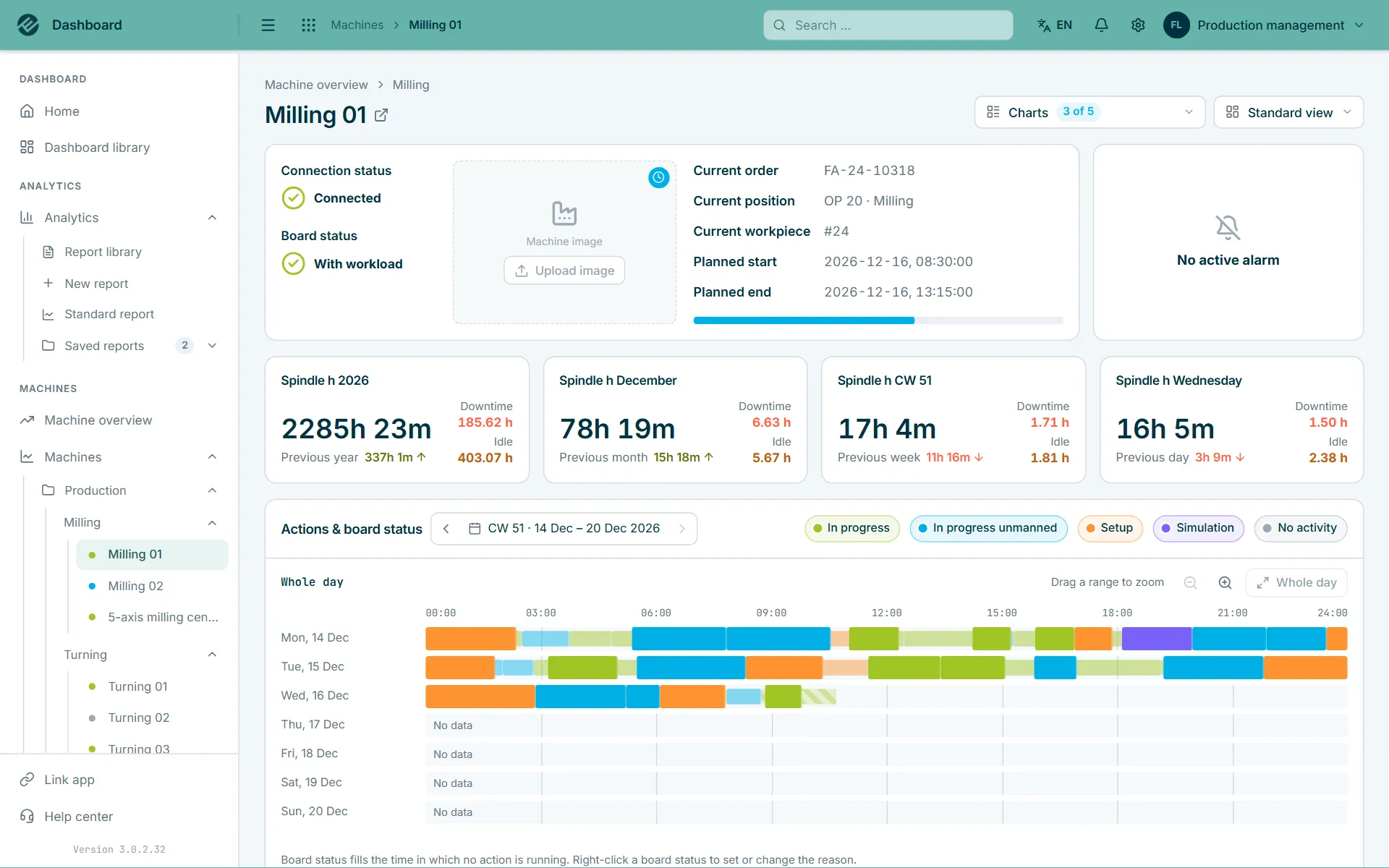 5
In the evening the figures are right.
Machine states, run times and order progress come from the process – not from a list someone has to maintain.
Dashboards & analytics
The path
Digitalise, connect, automate.
Each step builds on the one before. What you manage digitally today is used by automation later – without changing systems.
- 01
Digitalise
Orders reach the workstation digitally, and production and machine data show what is happening on the shop floor.
- 02
Connect
Tool data flows from CAM through presetting to the machine, NC programs are transferred per order, and your ERP and other systems are connected.
- 03
Automate
Automated cells and lines work with the same jobs, programs and tool data as the manually operated machine.
The apps
Applications for every area of production.
Planning, shop floor, tools, master data and reporting – each app covers one area and works on the same data basis.
Open interfaces
Your existing systems stay connected.
EVOMECS is accessible through documented, open interfaces. External systems read and write data via a GraphQL and a REST API, respond to changes via webhooks and event subscriptions, and AI assistants connect through an MCP interface.
That lets you connect your ERP, CAM systems, tool presetting and machine controls instead of transferring data between them by hand.
Which systems EVOMECS connects- GraphQL and REST API with documentation
- Webhooks and event subscriptions for asynchronous processes
- MCP interface for AI assistants
- Machine connection via OPC UA, Heidenhain, Siemens and Fanuc, among others
Extensible
Add-on modules and interfaces as needed.
Every Shopfloor edition can be extended with add-on modules and interfaces. You add functions and connections when your production needs them, and pay only for what you actually use.
Examples include the OrderSync ERP interface, connecting measuring machines with QualityBridge, the Planning Module for multi-stage rough, intermediate and detailed planning, and the AssetHub modules for clamping and operating equipment, measuring and inspection equipment, and electrodes. We agree with you in the quotation which extensions make sense for your production.
View all add-on modulesAI in the platform
Where AI works alongside you in EVOMECS.
In EVOMECS, AI helps with questions and recurring tasks. It works with the rights of the person concerned and does not carry out changes without approval.
Operating model
In the cloud or in your own data centre.
The platform is available with the same functional scope in the cloud and on-premise. You can switch in either direction and take your data with you. For customers in Germany, we run the cloud at STACKIT, a German provider, with data in Germany.
Frequently asked questions about the platform.
What is the difference between Shopfloor, Automation and Create?
Shopfloor and Automation are the products for your production: Shopfloor digitalises and controls CNC manufacturing in four editions, Automation coordinates automated cells and lines with the same order, tool and NC data. With Create you build your own apps with the AI tool of your choice and connect them via Repot to the same data structure and interfaces – for everything no standard covers.
Where is the best place to start?
Usually with Shopfloor Light on a few machines – orders digital, machine data visible. The tool process, NC execution and automation follow when the time is right, on the same data.
Can we keep using our existing ERP?
Yes. EVOMECS can be connected to your ERP via interfaces so that orders and feedback are not entered twice. The ERP connection is an interface that is added to the edition. If your ERP system lacks certain functions you need, you can build ERP-related functions as your own app, with the AI tool of your choice, and integrate them seamlessly into your production with EVOMECS Create.
More about EVOMECS CreateDoes the platform run in the cloud or on our premises?
Both are possible, with the same functional scope. You can switch in either direction, and the data comes with you. Services such as the machine connection always run in your company network. For customers in Germany, we run the cloud at STACKIT, a German provider, with data in Germany.
What is the AI in EVOMECS allowed to do?
The AI assistant reads data only with the rights of the person asking. If it proposes a change, it is only carried out once a person has approved it.

Benjamin Neubauer
Chief Executive Officer (CEO), EVOMECS
How to get started
Your demo – tailored to your production.
In the first meeting we show you EVOMECS in a live demo tailored to your company. Afterwards you can try EVOMECS free of charge for two weeks in your own demo system.
- 1First meeting · 30 minutes onlineWe introduce EVOMECS, show it in a short live demo and clarify your needs.
- 2Your demo systemIf you wish, we set up your own demo system in Shopfloor Light – with your machines and sample data. You receive the invitation by email.
- 3Try it yourself for two weeksYou and your colleagues try out how orders, feedback, machine status and downtimes work together. Free of charge, without installation and without connecting machines.
- 4Connect your machinesIn Shopfloor Light you connect your machines yourself using our guide. If you wish, we support you in a pilot project.
First meeting: 30 minutes · online · free of charge