
Information in many systems
The order is in the ERP, the program in CAM, the tool list at presetting, the progress on the routing slip. Anyone who needs the overall status has to piece it together.
Machine & plant engineering
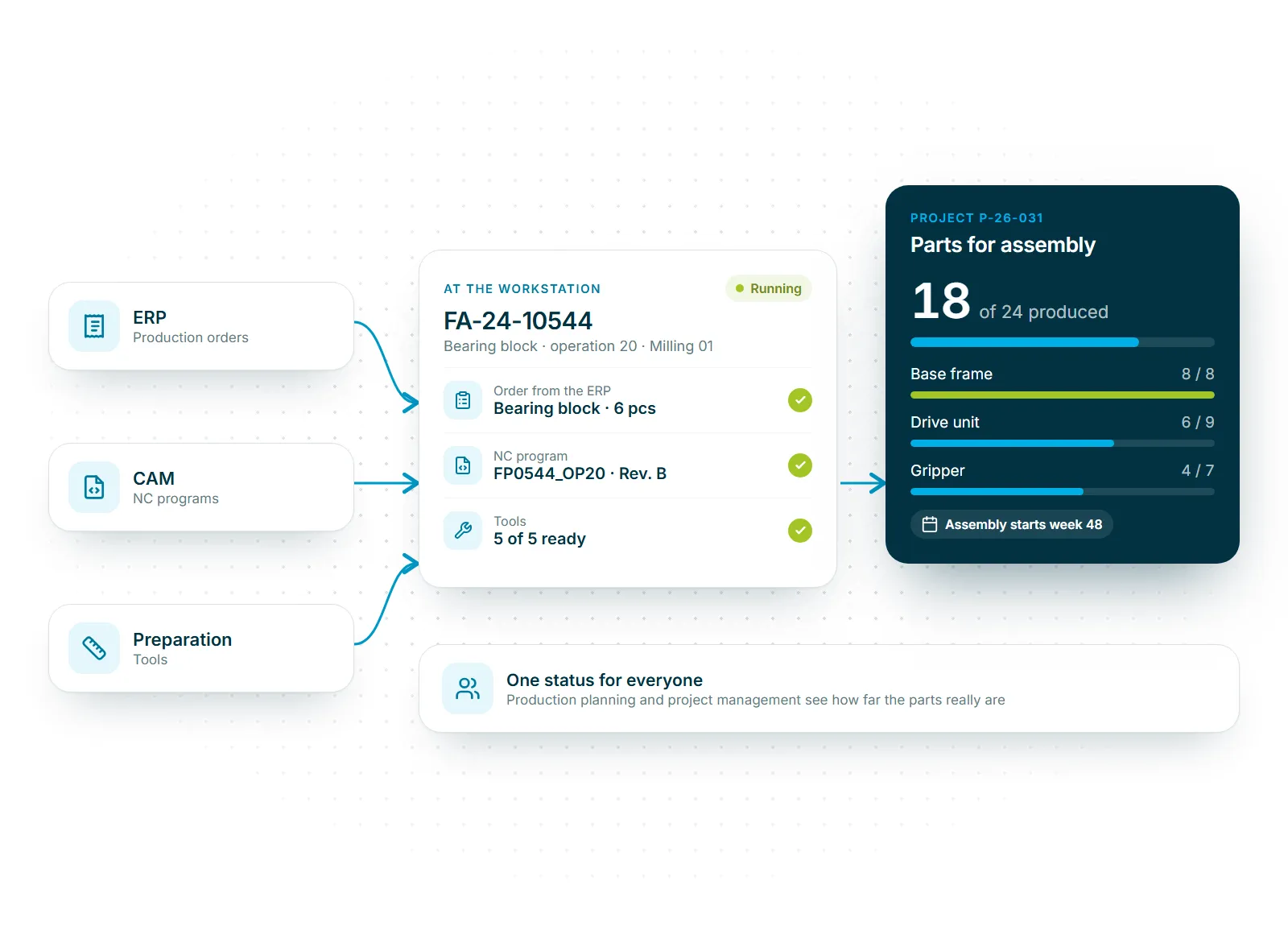
In machine and plant engineering, many components are made in the company's own CNC production so that assembly and plant projects can progress on schedule. Orders come from the ERP, programs from CAM, tools from preparation. EVOMECS brings this information together on the shop floor and shows how far along the parts for your project really are.
From machine and plant engineering
The order is in the ERP, the program in CAM, the tool list at presetting, the progress on the routing slip. Anyone who needs the overall status has to piece it together.
Whether the components for an assembly are finished is often something project management only learns by asking on the shop floor. The ERP shows the order as started, but not which operation it is at.
Assembly and project deadlines depend on many individual parts from in-house production. If an operation is delayed, it often only shows when the assembly is due to be built.
Different components need many tools, clamping devices and fixtures. On top of that come machines from different manufacturers, of different ages and with different levels of automation.
Feedback is noted on paper and transferred to the ERP, tool data is maintained in several lists. Every isolated solution costs time and is a potential source of errors.
Your ERP manages orders, dates and material. What happens in production between order release and finished part is usually beyond its view. This is where EVOMECS comes in. Production orders and operations are taken over through a project-specific interface and provided at the workstation, together with the NC program, tool information and the documents needed for machining.
Feedback from the workstation and the states of connected machines flow back into the same order. Production planning and project management can therefore see which parts are finished, which are in progress and which are still waiting, and can secure assembly dates on that basis. Which feedback goes back to the ERP is defined in the project.
Which data is exchanged between ERP, CAM and EVOMECS, and which system leads for what, is agreed on a project-specific basis with you and your IT.
ERP order
Production orders with operations and required date
EVOMECS
Order, NC program, tools and documents brought together
Production
Machining, feedback and machine data per operation
Assembly & project
Current status of the parts for the assembly date
Example workflow
Illustrative example, not a customer reference. The exact workflow depends on edition, machines, ERP connection and existing systems.
A typical starting point is digital order control with feedback and machine data, initially for one production area or individual machines. The ERP connection can be part of the project from the start or follow once the processes on the shop floor have settled in.
With the tool process and NC execution, the link between production planning and machine grows stronger. Where cells are automated, automation uses the same orders, programs and tool data instead of building a separate system world.

Benjamin Neubauer
Chief Executive Officer (CEO), EVOMECS
How to get started
In the first meeting we show you EVOMECS in a live demo tailored to your company. Afterwards you can try EVOMECS free of charge for two weeks in your own demo system.
First meeting: 30 minutes · online · free of charge