
Equipment & tool process
From the CAM system to the machine.
And back again.
EVOMECS connects the CAM system, a central tool database, tool presetting and the machine in one continuous digital tool process. Tool data is maintained once, measured values reach the machine without retyping, and information from the machine flows back into the database. With optional add-on modules, EVOMECS also manages clamping devices, fixtures, pallets, electrodes and measuring and inspection equipment alongside tools, with their condition, location and availability.
- Tool database directly linked to the CAM system
- Measurement data from presetting to the machine
- Tool data and run times back from the machine
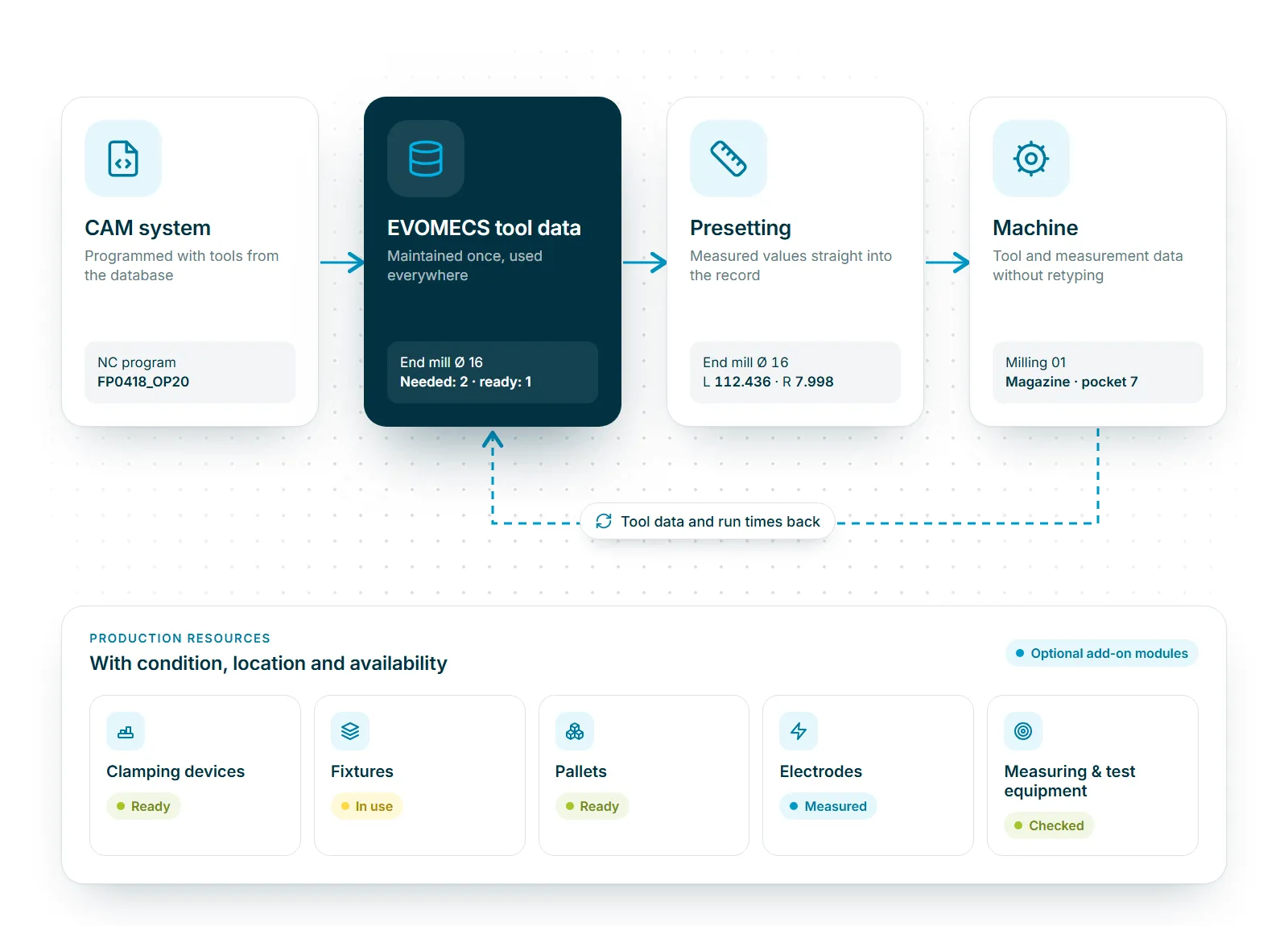
One tool, one data record – across the whole process.
In many shops the same tool exists several times – in the CAM library, in a tool list, on the presetting device and in the machine's tool table. Each copy is maintained separately, and every manual transfer is a potential source of error.
EVOMECS brings these stations together on one central tool database. Programming in the CAM system uses the tools from this database. Tool demand is derived from NC programs and orders, presetting supplies the measured values, and the machine receives the data it needs for machining. What actually happens at the machine comes back into the same database – available tool data as well as real run times. The next order is then planned on the current state, not on assumptions.
Which data can be transferred to the machine and recovered from it depends on the control, interface and licences.
- EVOMECS tool dataDetermine demand, check stock, provide
- PresettingMeasure the tool, take over the measurement data
- MachineTransfer tool and measurement data
- FeedbackTool data and actual run times back into the database
What happens at the machine feeds into the next planning.
Manage equipment. Run the tool process end to end.
01
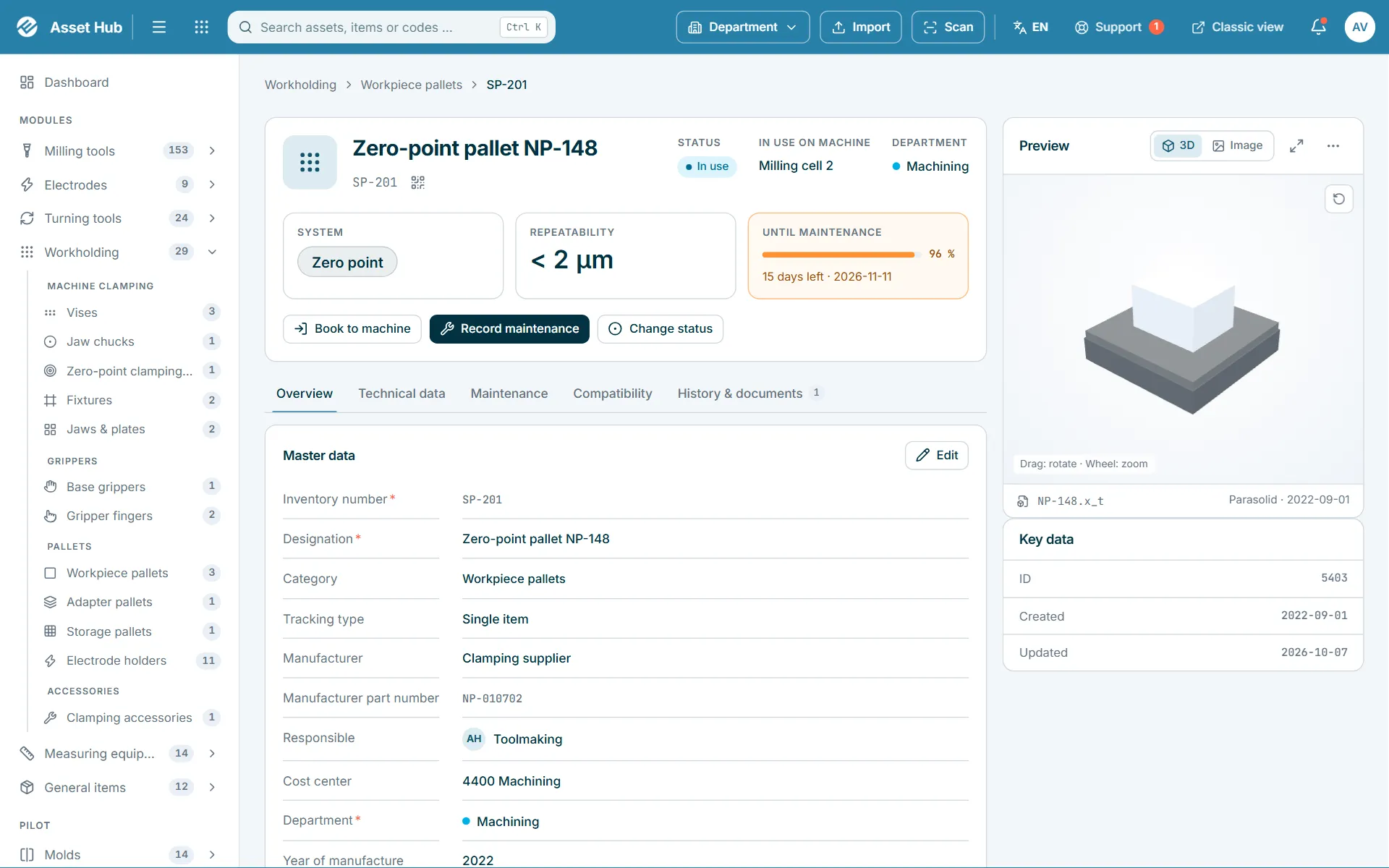
Clamping devices, fixtures and pallets
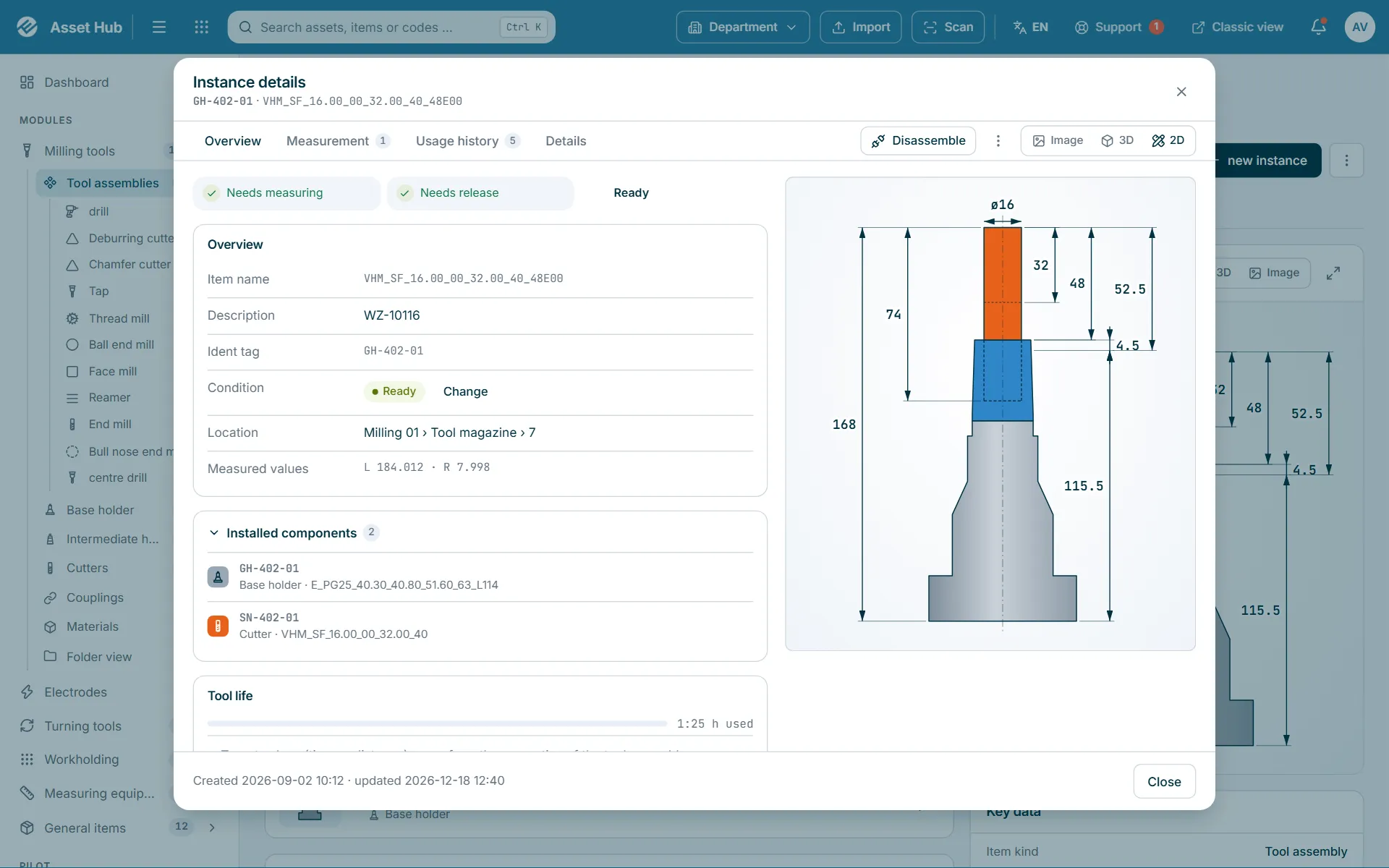
Workpieces are set up on a pallet or fixture in setup dialogs, by scanning the pallet ID and with one or several workpieces per pallet. The assignment stays documented in the setup history. Pallets, chucks and magazines can be identified via RFID. Offset measurements are stored per workpiece and chuck with their history and are available to follow-up processes, for example as a zero-point shift in the NC program. EVOMECS takes the status, storage location, availability and reservations of clamping devices into account in job planning. Managing clamping devices and fixtures is available as the add-on module AssetHub – Fixtures and equipment, and measuring and inspection equipment is managed by the add-on module AssetHub – Measuring and inspection equipment.
02
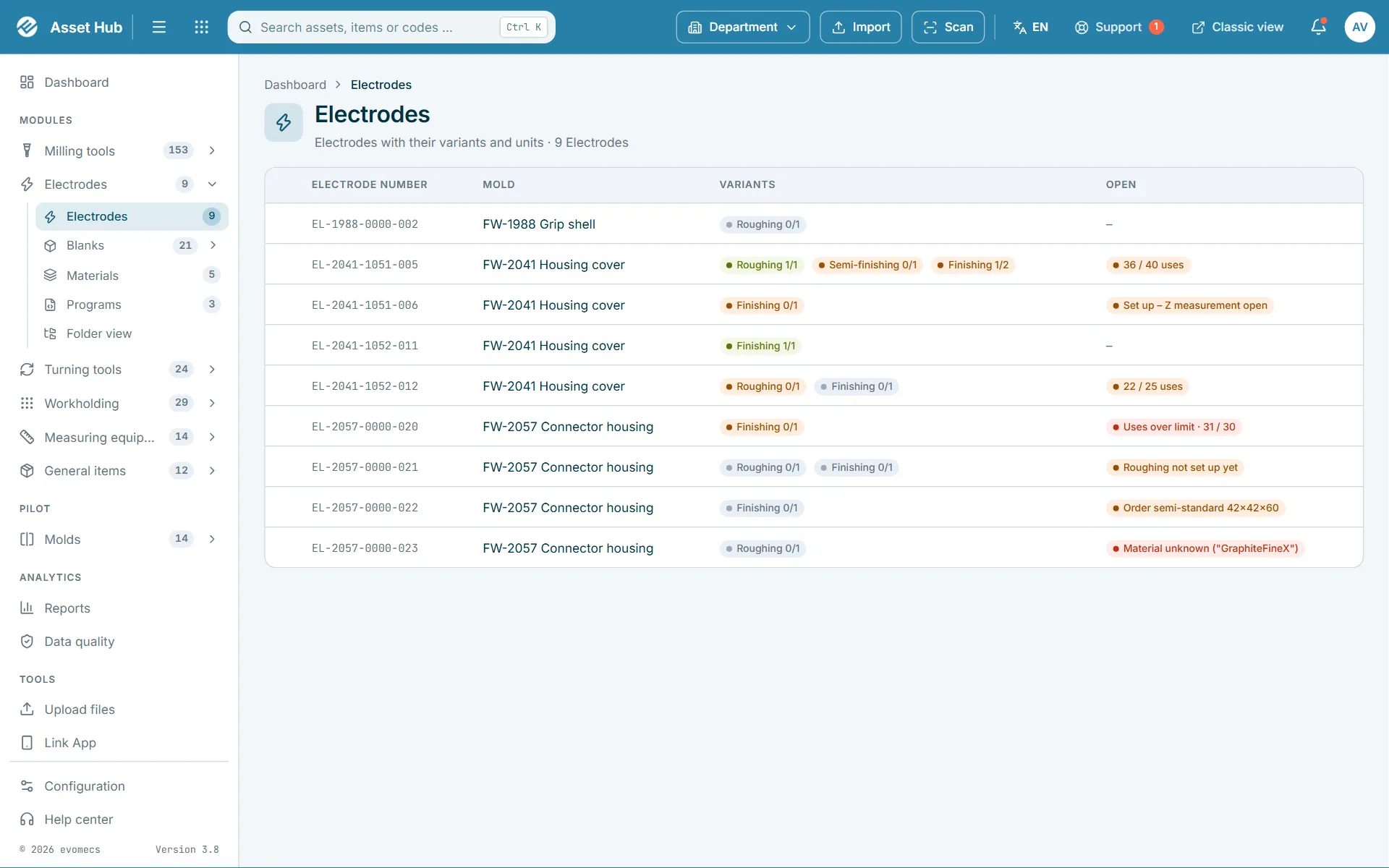
Electrodes as equipment in their own right
In EVOMECS, electrodes are articles of their own with physical instances. Each electrode is assigned to an order, an operation and an EDM program and is managed with its condition, storage location and history. This makes it traceable which electrode was produced, measured and used for which component. Electrode management is available as the add-on module AssetHub – Electrodes, and at the machine the ElectrodeBridge interface transfers the electrode data and reports the usage times back.
03
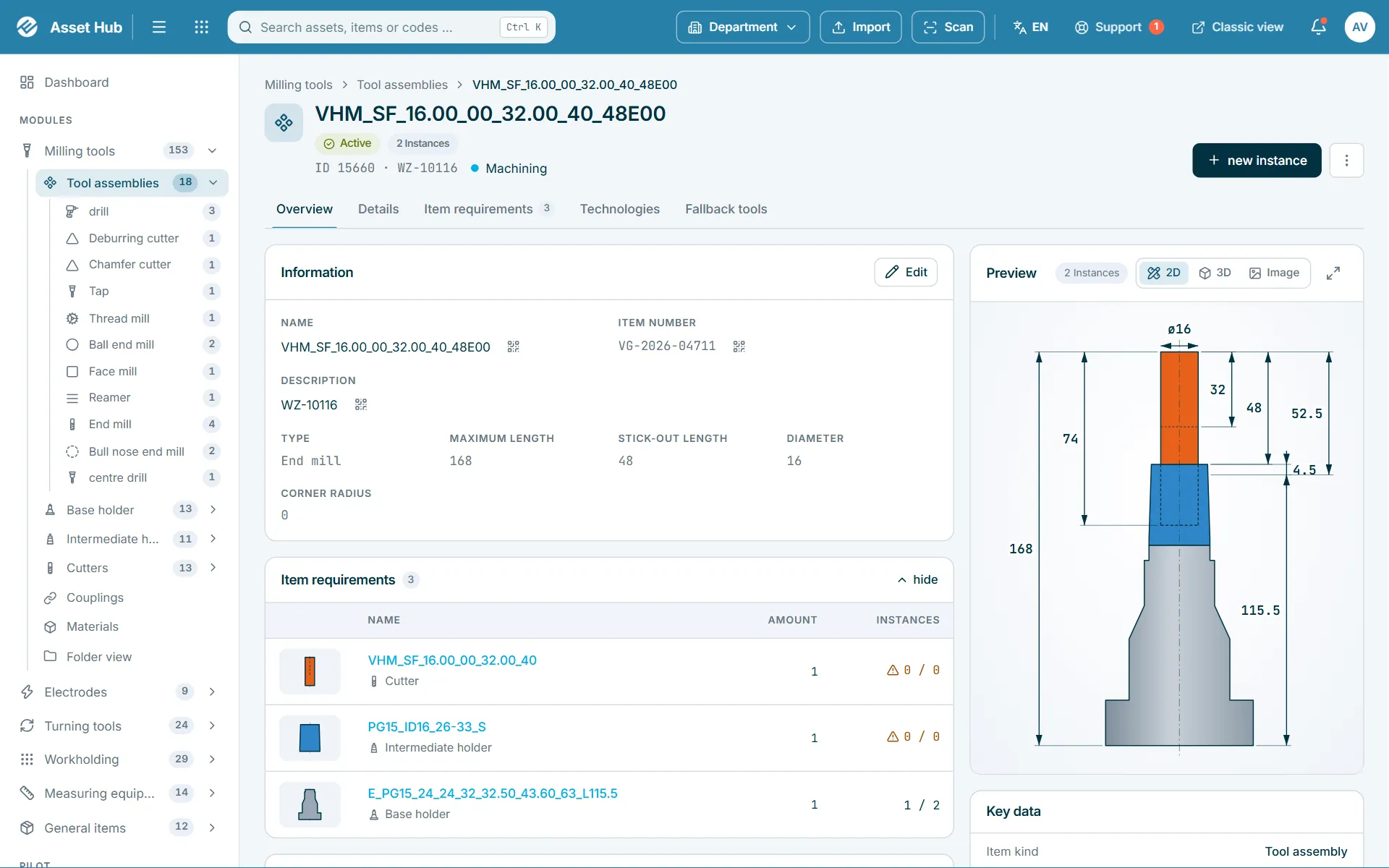
Tool database linked to CAM
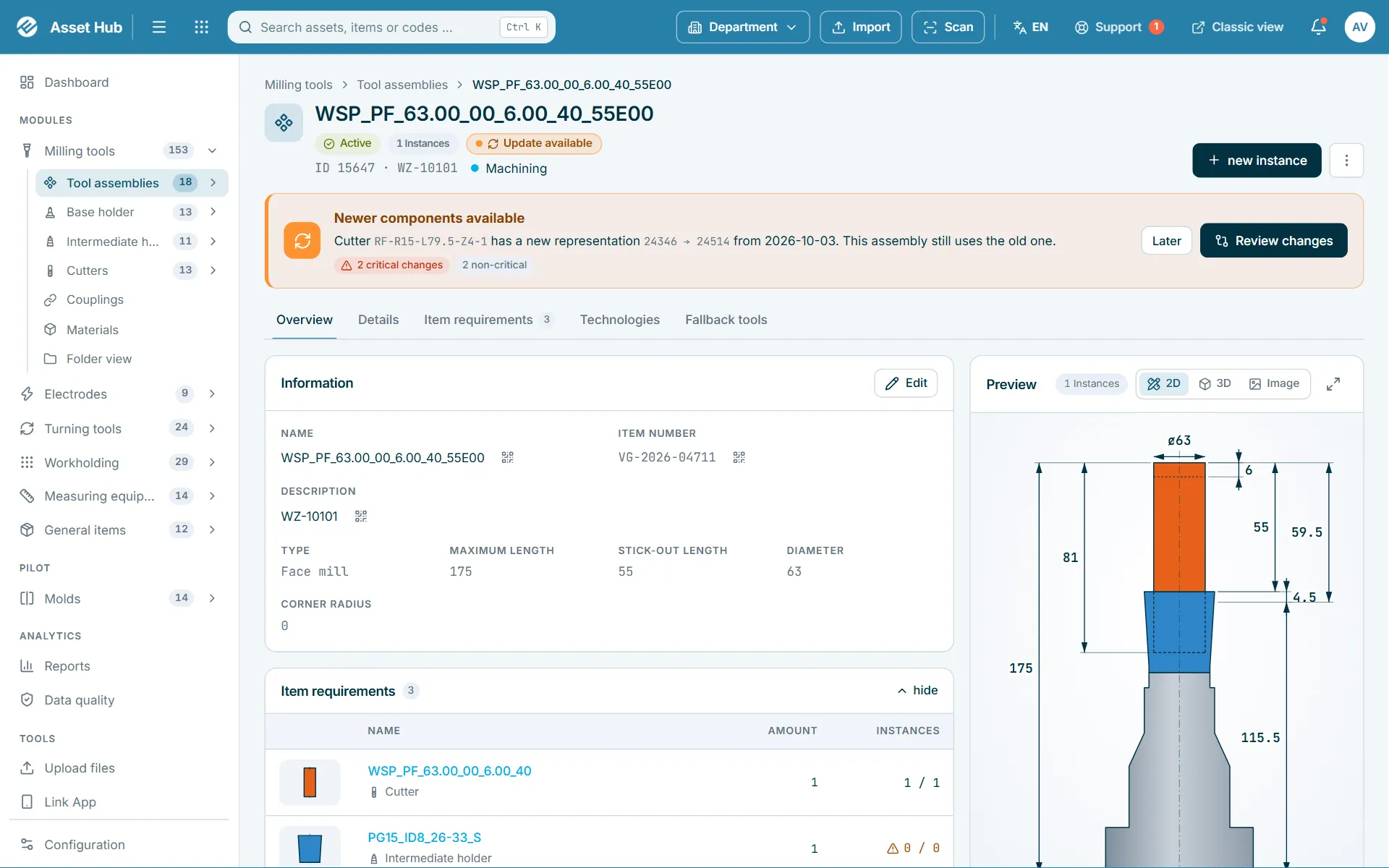
The central tool database is directly linked to the CAM system. Programming, tool issue, presetting and the machine all work with the same tool definitions instead of keeping their own lists. This reduces redundant data maintenance and prevents program and tool from drifting apart unnoticed.
04
Plan and provide tool demand
EVOMECS determines tool demand from the NC programs and upcoming production orders and checks it against tool availability. This shows which tools are on hand, which still need to be prepared and which are missing. Tool provision for the machine is prepared digitally, and before machining starts EVOMECS checks per job and machine whether the required tools are in the machine magazine.
More on NC & job management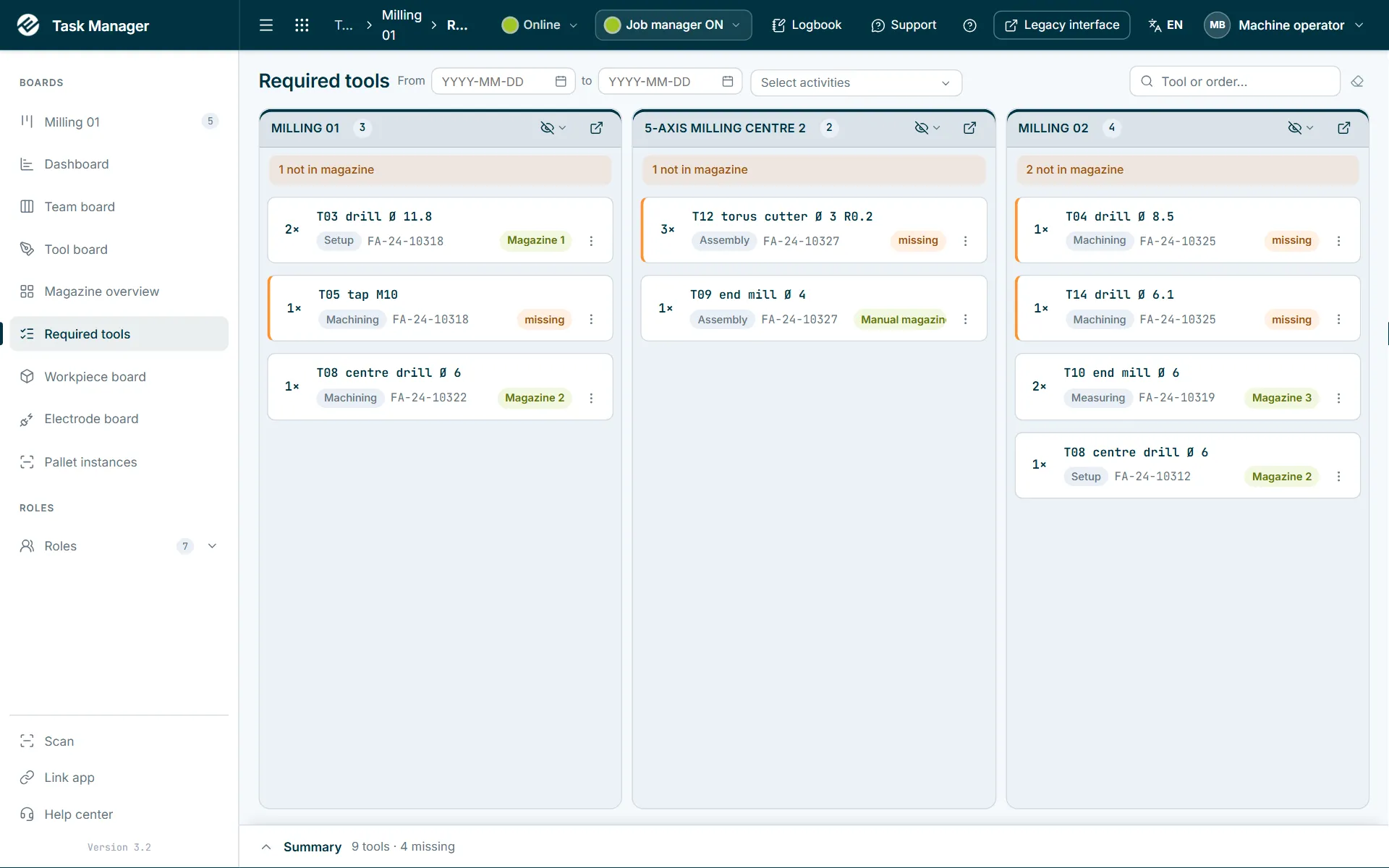
05
Connect presetting and machine
Tool presetting devices are integrated into the process, and EVOMECS takes their measurement data directly into the tool record. Through the direct machine connection, relevant tool and measurement data is transferred to the machine without values having to be entered at the control by hand. EVOMECS synchronises the machines' tool tables, including magazine pockets.
Data from the machine
The machine knows how long a tool was really in use.
A tool process that ends at the machine always plans with nominal values. EVOMECS recovers available tool data from the machine and captures the actual run time and path length per tool as well as further usage information. This information flows back into the central tool database, where it is available for demand planning, presetting and the next job – and for tool strategies in precision machining that build on current tool information.
Less duplicate maintenance. Less retyping. Reliable tool data.
Continue to NC & job management- Tool data is maintained centrally instead of separately in the CAM system, lists and machine.
- Tool demand is known before the order reaches the machine.
- Missing tools show up when checked against stock, not only during setup.
- With a suitable connection, measured values from presetting reach the machine without manual entry.
- Actual run times from the machine complement the planned tool data.
- One shared data basis on which NC job management and precision machining build.
From Shopfloor Essentials
The tool process as the next level.
The digital tool process with CAM-linked tool data, tool demand planning, connection of tool presetting and tool data transfer to the machine is available from Shopfloor Essentials.
Shopfloor Light
Create transparency
Bring orders digitally to the workstation, guide employees and capture production and machine data – with dashboards and basic in-process quality management.
Shopfloor Essentials
Digitalise the tool process
Adds the digital tool process – CAM-linked tool data, tool demand planning, connection of tool presetting, tool data transfer to the machine and NC data management.
Shopfloor Professional
Secure NC processes
Connects order, NC program and tools during execution – with order-related NC transfer, process-reliable machine start, extended traceability, basic fit handling at the machine and sister tool management based on tool life.
Shopfloor Precision
Master precision
For demanding machining – full fit handling declared in the NC program, virtual tools, targeted tool changes via the NC program and full sister tool management based on tool path length.
Frequently asked questions about equipment and the digital tool process.

Benjamin Neubauer
Chief Executive Officer (CEO), EVOMECS
How to get started
Your demo – tailored to your production.
In the first meeting we show you EVOMECS in a live demo tailored to your company. Afterwards you can try EVOMECS free of charge for two weeks in your own demo system.
- 1First meeting · 30 minutes onlineWe introduce EVOMECS, show it in a short live demo and clarify your needs.
- 2Your demo systemIf you wish, we set up your own demo system in Shopfloor Light – with your machines and sample data. You receive the invitation by email.
- 3Try it yourself for two weeksYou and your colleagues try out how orders, feedback, machine status and downtimes work together. Free of charge, without installation and without connecting machines.
- 4Connect your machinesIn Shopfloor Light you connect your machines yourself using our guide. If you wish, we support you in a pilot project.
First meeting: 30 minutes · online · free of charge