
Quality management & traceability
Inspect while you machine.
Prove it when asked.
With EVOMECS, quality management takes place within the manufacturing process. Inspection characteristics and specifications are available digitally at the workstation, and inspection results are recorded directly and assigned to the order. The result is quality documentation that can be traced at workpiece and batch level.
- In-process quality management at the workstation
- Digital inspection characteristics, specifications and checklists
- Traceability at workpiece and batch level
Quality is created in the operation. That is where it is documented.
If a deviation only shows up at final inspection, the part has usually been fully machined already. In mould and die making and with one-off parts in particular, there is rarely a second blank waiting on the shelf. And someone still has to type up the handwritten inspection record.
EVOMECS builds inspection characteristics and specifications directly into the operation. Employees inspect at the defined point in the workflow, record the results directly at the workstation, and EVOMECS stores them in the order. Many individual inspections add up to coherent, order-related quality documentation.
How far traceability reaches depends on the EVOMECS edition. NC programs, tools and process information are included with Shopfloor Professional.
Example illustration
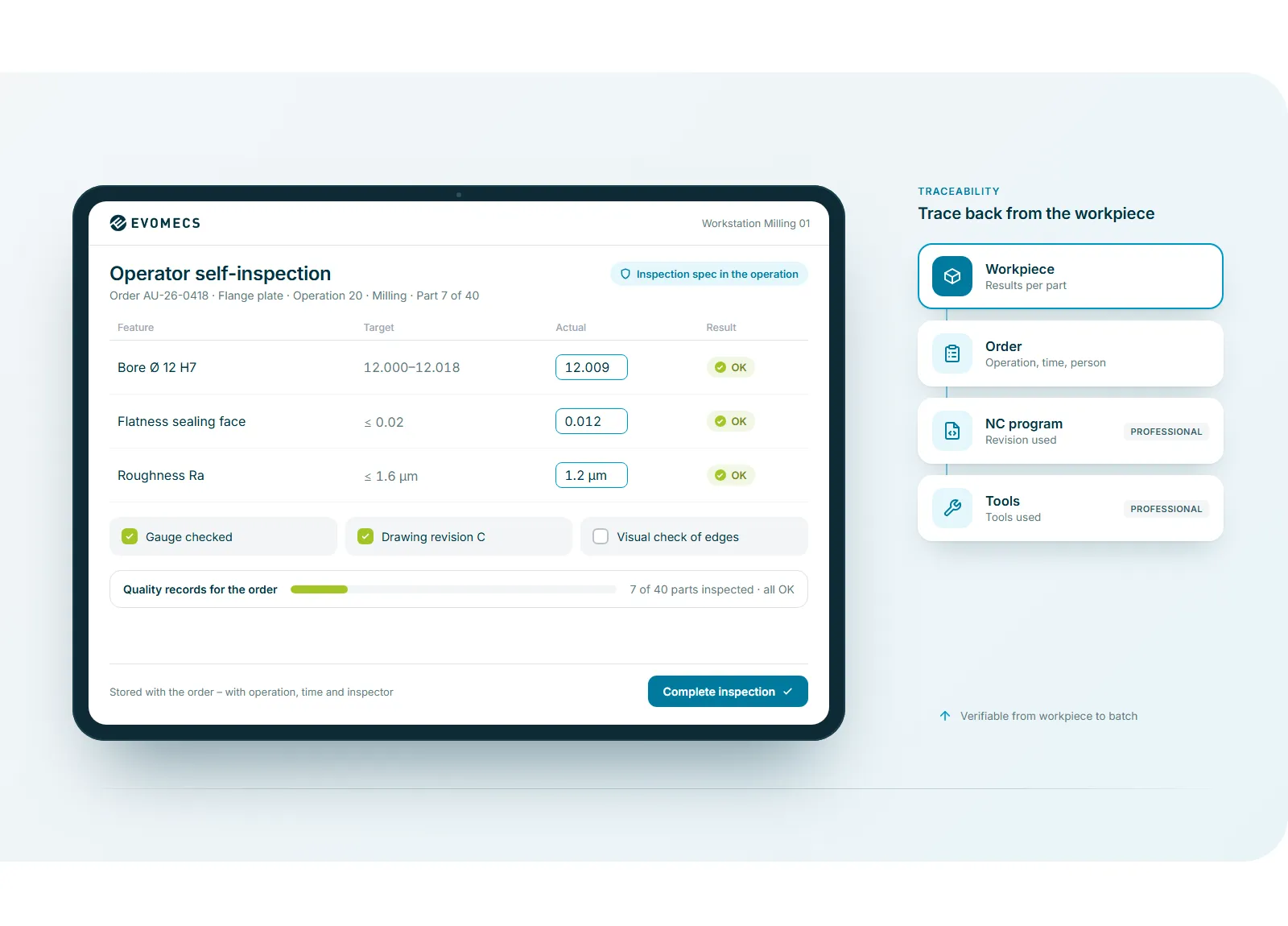
Worker self-inspection · Operation 20 · Milling
| Characteristic | Target | Actual | Result |
|---|---|---|---|
| Bore Ø 12 H7 | 12.000–12.018 | 12.009 | OK |
| Flatness sealing face | ≤ 0.02 | 0.012 | OK |
| Roughness Ra | ≤ 1.6 µm | 1.2 µm | OK |
Stored in the order – with operation, time and the person who inspected.
Tracing back from the workpiece
- WorkpieceResults per part
- OrderOperation, time, person
- NC programVersion usedProfessional
- ToolsTools usedProfessional
From inspection characteristic to traceability.
01
Digital inspection characteristics and specifications
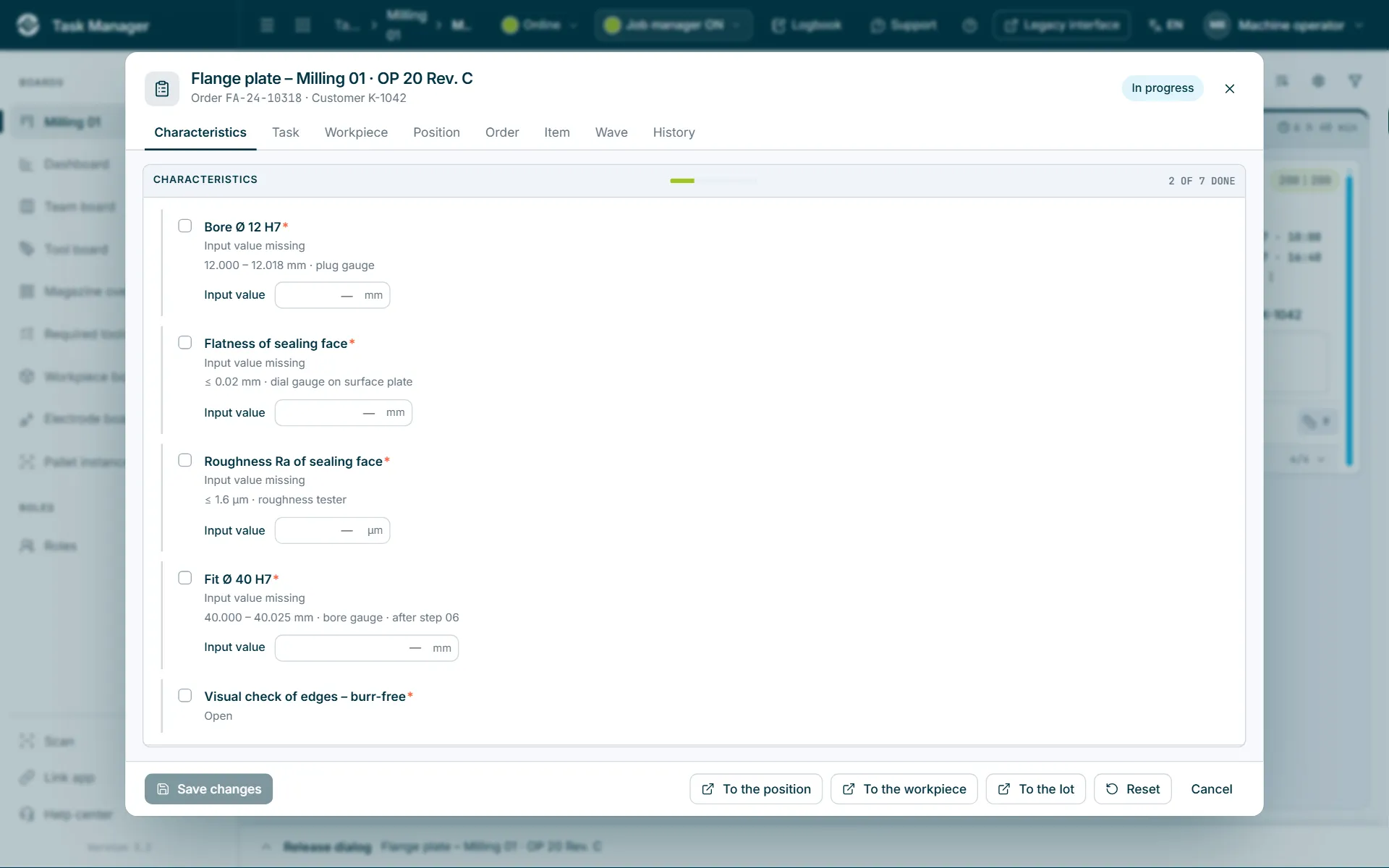
Which dimensions, characteristics and visual checks belong to an operation is defined digitally once. At the workstation, the specifications appear at the point in the workflow where the inspection is due, not as a separate form next to the machine. When a specification changes, every workstation sees the same current version.
02
Operator self-inspection and checklists
Employees inspect their own parts and enter the measured values directly in EVOMECS. Digital checklists secure checks that are confirmed rather than measured, such as checking the clamping situation before the program start or checking for burrs.
How inspections are built into worker guidance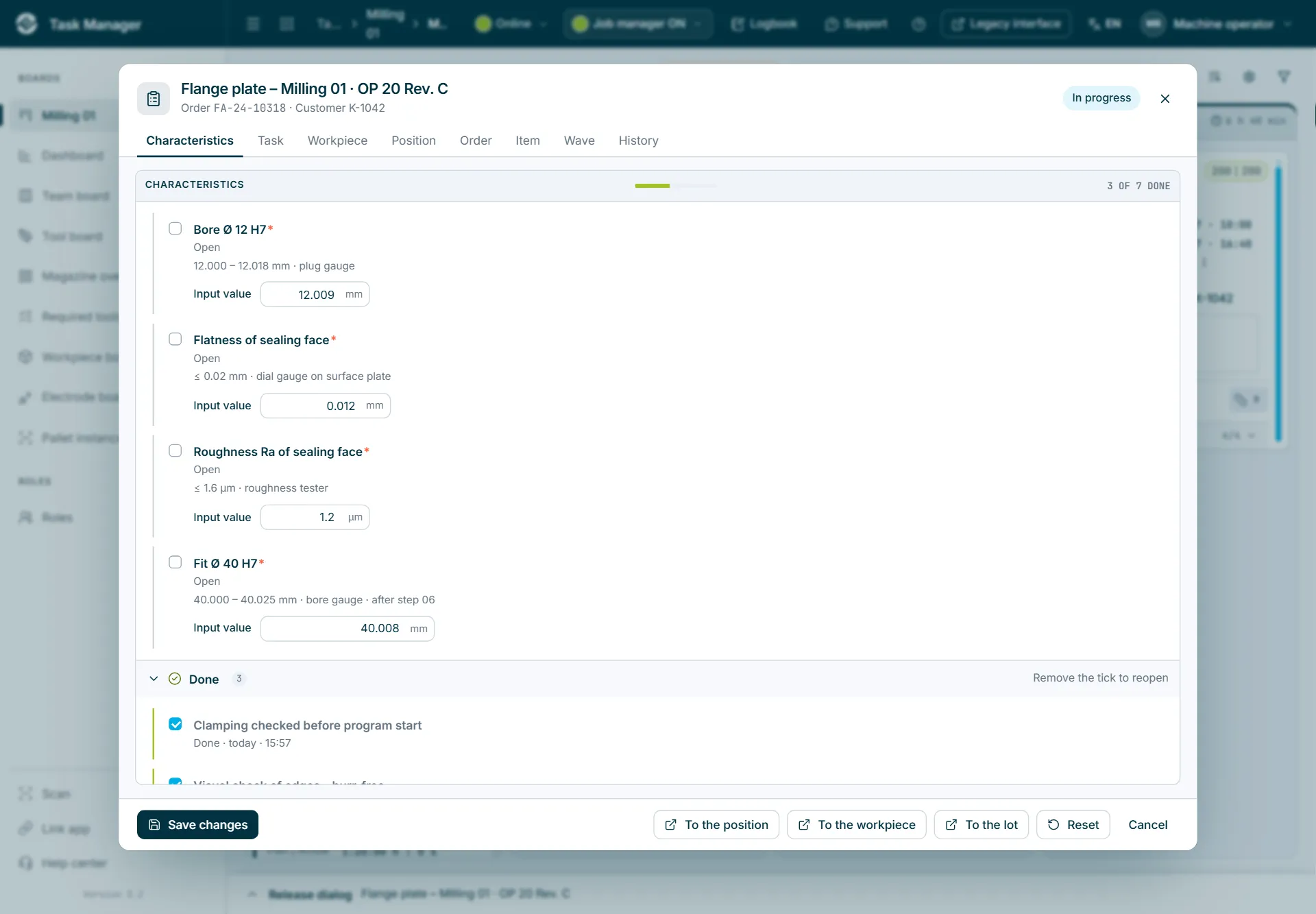
03
Order-related quality documentation
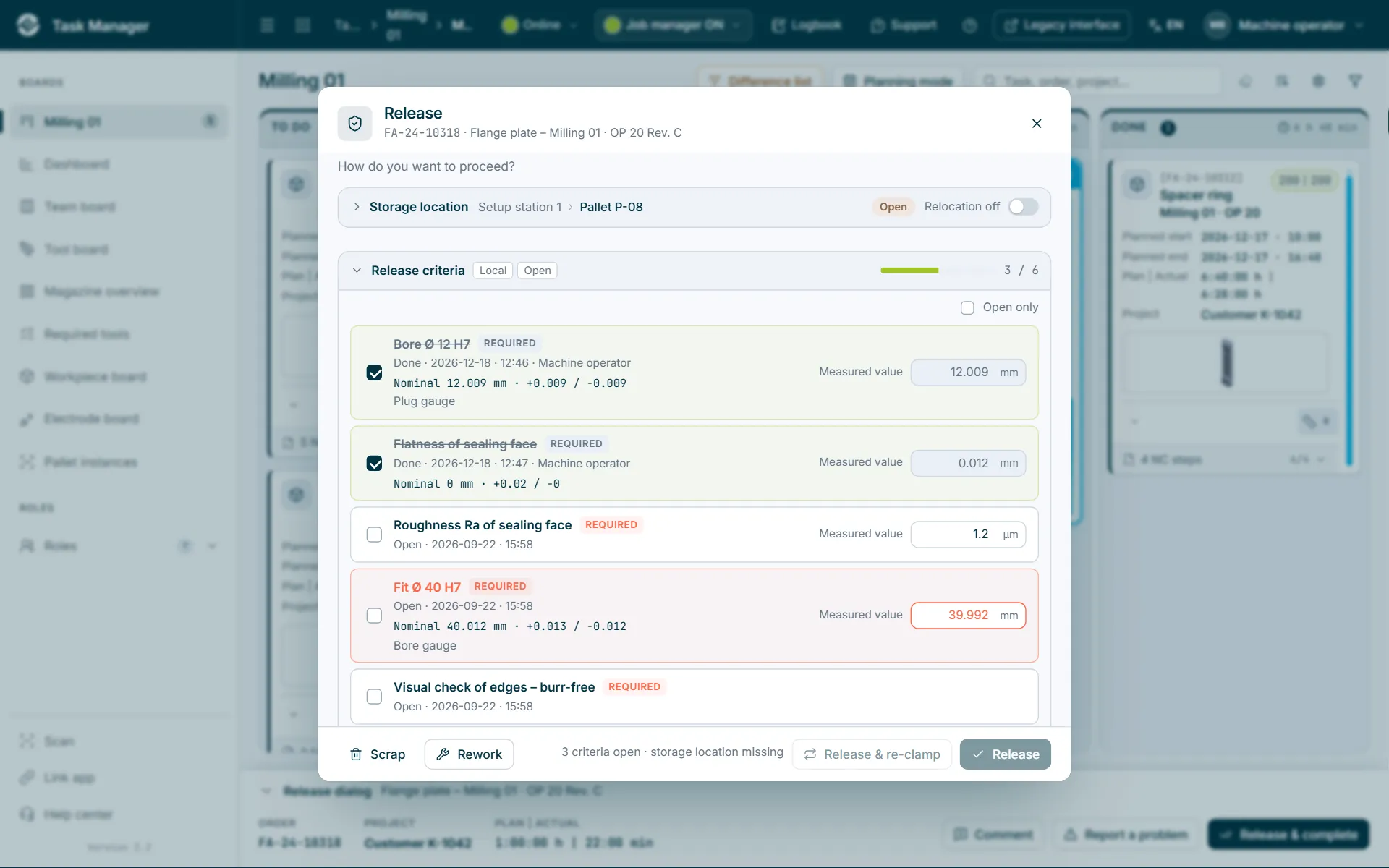
Every inspection result is assigned to the order, operation and workpiece where it was produced. Deviations are documented there too and remain traceable. When a customer asks or a complaint comes in, the documentation is bundled in the order instead of being spread across paper records.
04
Extended traceability in Professional
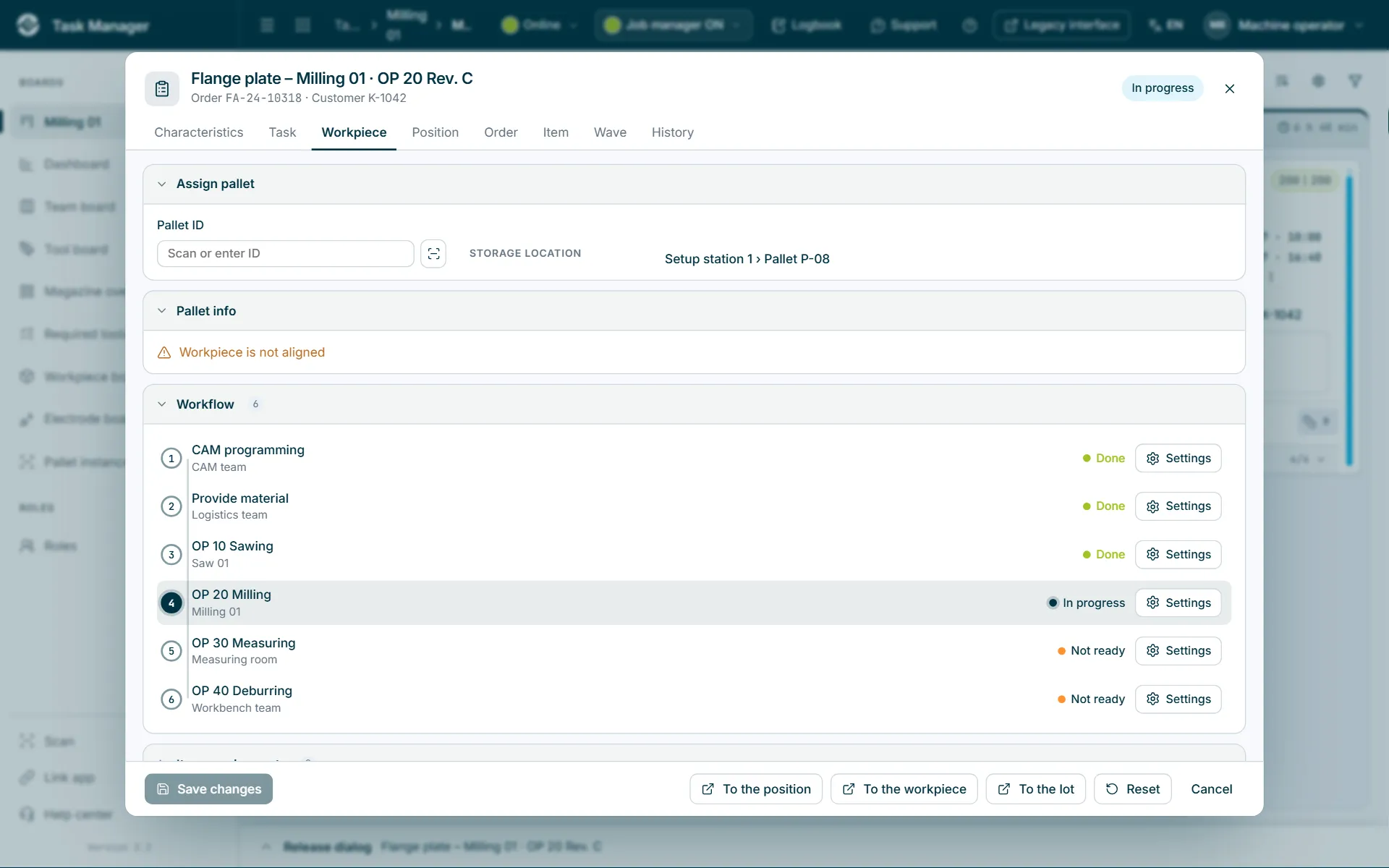
In Shopfloor Professional, traceability goes beyond inspection results. Which NC program and which tools were used to produce a workpiece, and which process information arose, is assigned to the production order. This is possible because EVOMECS connects order, NC program and tools during execution.
More on NC & job management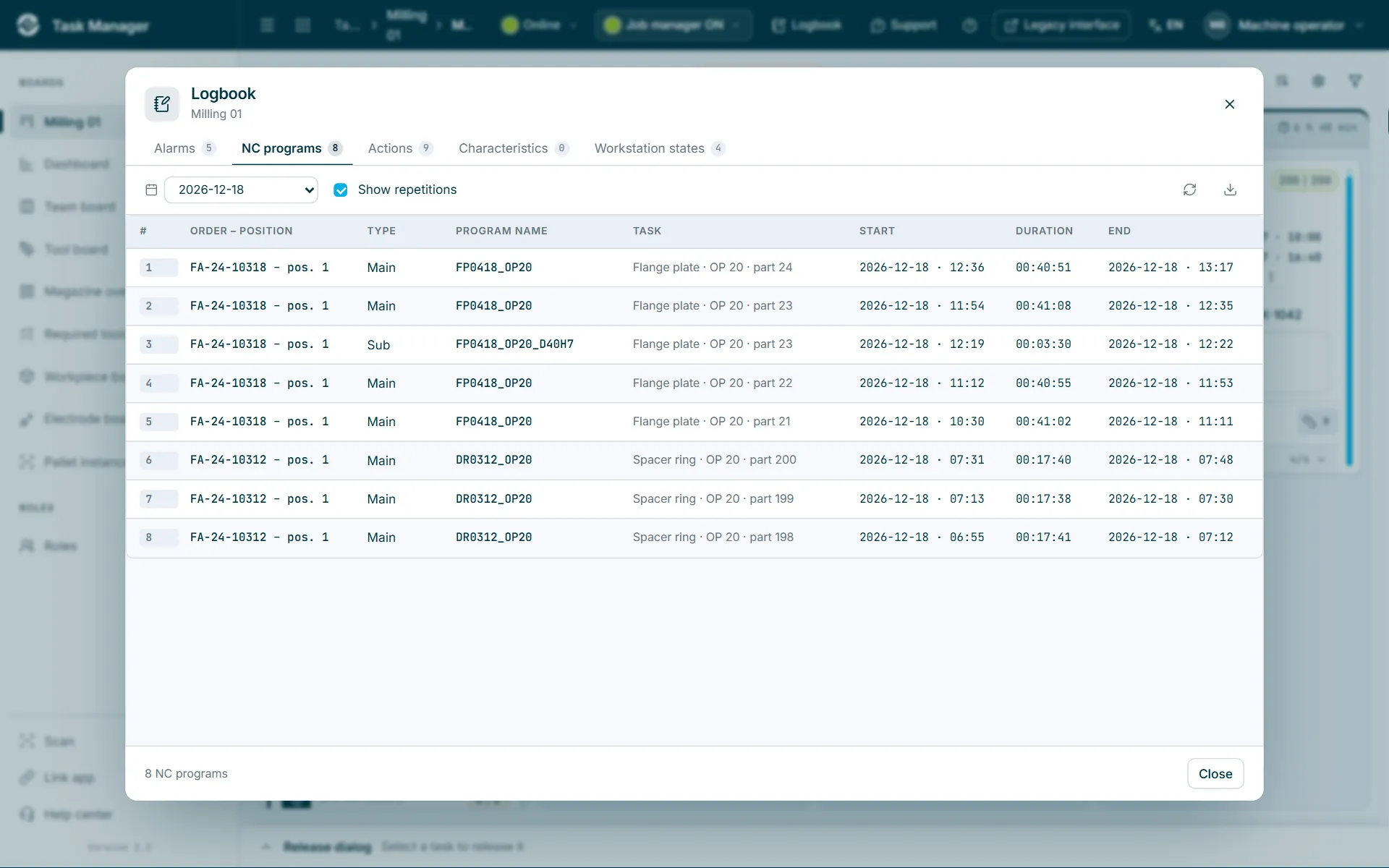
Traceability
From the workpiece back to the production process.
In CNC manufacturing, traceability means more than a serial number on the delivery note. EVOMECS records in which order a workpiece or batch was produced and how it was inspected. With Shopfloor Professional, NC programs, tools and process information are added. If a deviation occurs, you can trace the conditions under which a part was made.
Prove quality without hunting for records.
Tool data in the process – equipment & tool process- Inspection specifications are available digitally and up to date at the workstation.
- Deviations can be spotted within the operation, not only at final inspection.
- No handwritten inspection records that need to be typed up afterwards.
- Inspection results are assigned to order, operation and workpiece.
- In the event of a complaint, trace more quickly how a part was made and inspected.
- Traceability grows with the edition, up to NC program and tool.
From Shopfloor Light
The depth of traceability grows with your edition.
Basic in-process quality management is already part of Shopfloor Light. Shopfloor Professional adds extended traceability of NC programs, tools and process information.
Shopfloor Light
Create transparency
Bring orders digitally to the workstation, guide employees and capture production and machine data – with dashboards and basic in-process quality management.
Shopfloor Essentials
Digitalise the tool process
Adds the digital tool process – CAM-linked tool data, tool demand planning, connection of tool presetting, tool data transfer to the machine and NC data management.
Shopfloor Professional
Secure NC processes
Connects order, NC program and tools during execution – with order-related NC transfer, process-reliable machine start, extended traceability, basic fit handling at the machine and sister tool management based on tool life.
Shopfloor Precision
Master precision
For demanding machining – full fit handling declared in the NC program, virtual tools, targeted tool changes via the NC program and full sister tool management based on tool path length.
Frequently asked questions about quality management and traceability.

Benjamin Neubauer
Chief Executive Officer (CEO), EVOMECS
How to get started
Your demo – tailored to your production.
In the first meeting we show you EVOMECS in a live demo tailored to your company. Afterwards you can try EVOMECS free of charge for two weeks in your own demo system.
- 1First meeting · 30 minutes onlineWe introduce EVOMECS, show it in a short live demo and clarify your needs.
- 2Your demo systemIf you wish, we set up your own demo system in Shopfloor Light – with your machines and sample data. You receive the invitation by email.
- 3Try it yourself for two weeksYou and your colleagues try out how orders, feedback, machine status and downtimes work together. Free of charge, without installation and without connecting machines.
- 4Connect your machinesIn Shopfloor Light you connect your machines yourself using our guide. If you wish, we support you in a pilot project.
First meeting: 30 minutes · online · free of charge