
Several program versions, one valid
After drawing changes or optimisations in programming, there are several versions of an NC program. Which version ran for which batch must still be provable long after delivery.
Aerospace
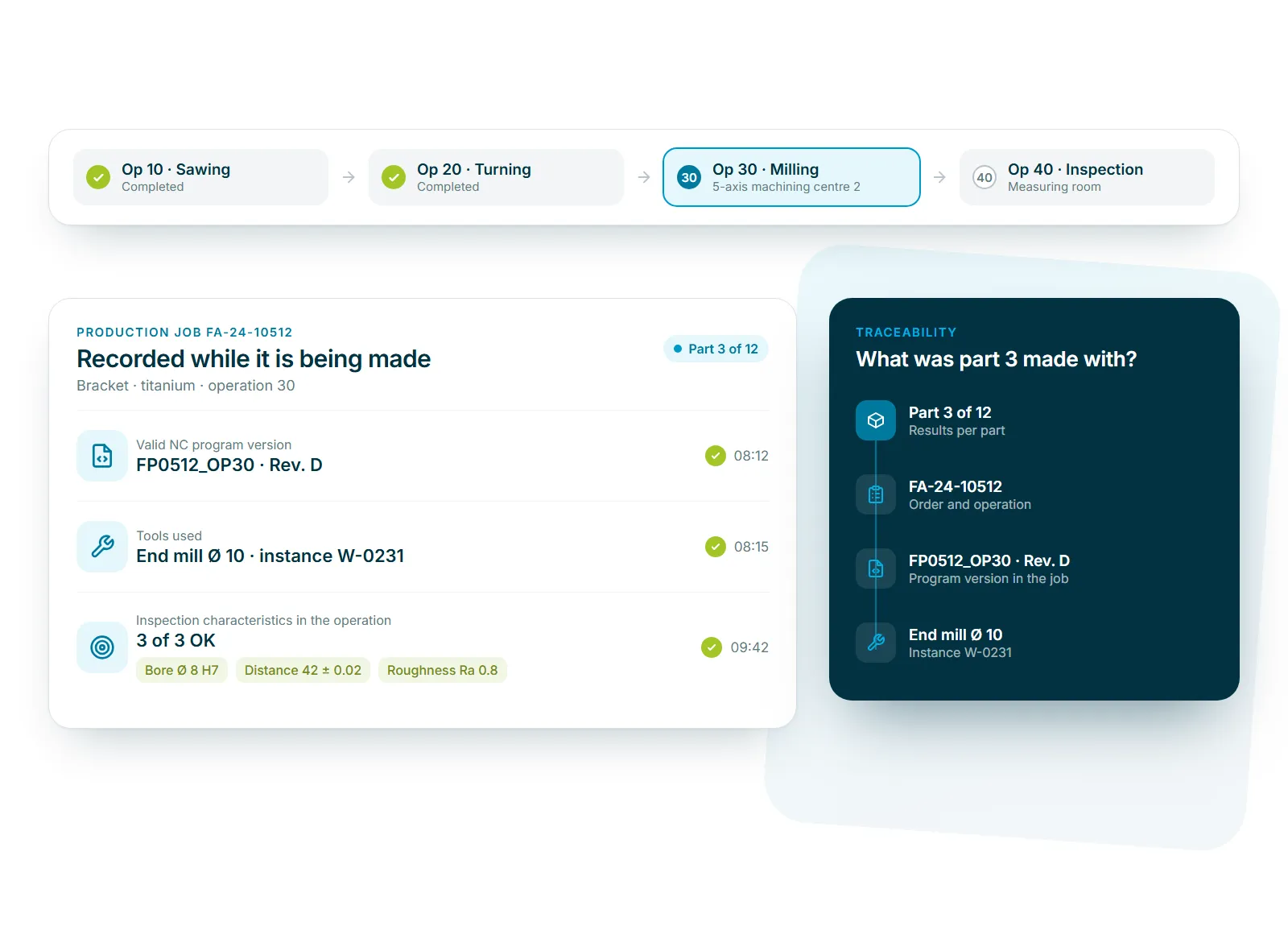
Aerospace components are made from demanding materials, often as one-off parts or small series, and with a high documentation effort. Order, NC program, tool and inspection result have to match, and later you have to be able to show that they did. EVOMECS records this assignment in the production job while the part is being made.
From aerospace supply
After drawing changes or optimisations in programming, there are several versions of an NC program. Which version ran for which batch must still be provable long after delivery.
Parts made from difficult-to-machine materials such as titanium or nickel-based alloys are expensive in material and long in machining. If the wrong program runs or a tool is missing, it costs not only the part but often the delivery date as well.
Inspection results are noted at the machine and transferred later. If an entry is missing or cannot be clearly assigned to a part, the search only begins when the documentation is being compiled.
Customers require different documentation. The quality lead gathers the information for it from programming, production and inspection, often from separate lists and folders.
Whether production is traceable is not decided at the end but at every handover – between programming and machine, between tool issue and set-up, between machining and inspection. EVOMECS manages NC programs by article with versions and assigns the valid version to the production job. Before the program goes to the machine, it is checked whether program version, tools and inspection specifications match the job.
Inspection characteristics are part of the operation, and the results are recorded at the workstation and assigned to the order. With Shopfloor Professional, the NC program used, the tools used and process information are added. The production information you need for your records is therefore bundled in the order instead of spread across folders and lists.
EVOMECS provides production and inspection information, but it does not replace your quality management system or the records your customers require. Which data is captured depends on edition, machine and interface.
Example illustration
Job PO-24-20417 · Operation 40 · 5-axis milling
Example workflow
Illustrative example, not a customer reference. The exact workflow depends on edition, machines and existing systems.
Many suppliers start where paper is created today – with orders, feedback and inspections at the workstation. For traceability back to program and tool, the tool process and NC data management follow. Order-related execution and extended traceability come with Shopfloor Professional.

Benjamin Neubauer
Chief Executive Officer (CEO), EVOMECS
How to get started
In the first meeting we show you EVOMECS in a live demo tailored to your company. Afterwards you can try EVOMECS free of charge for two weeks in your own demo system.
First meeting: 30 minutes · online · free of charge