
PRODUCTION & MACHINE DATA COLLECTION
Feedback from the operator.
Status from the machine.
EVOMECS captures production data where it arises. Employees report activities and progress in the digital worker interface, while connected machines supply their states automatically. Both are combined in the same production order and form a shared data basis for production and machine data collection.
- Order-related feedback at the workstation
- Machine states, run times and downtimes captured automatically
- Manual and automatic data in the same context
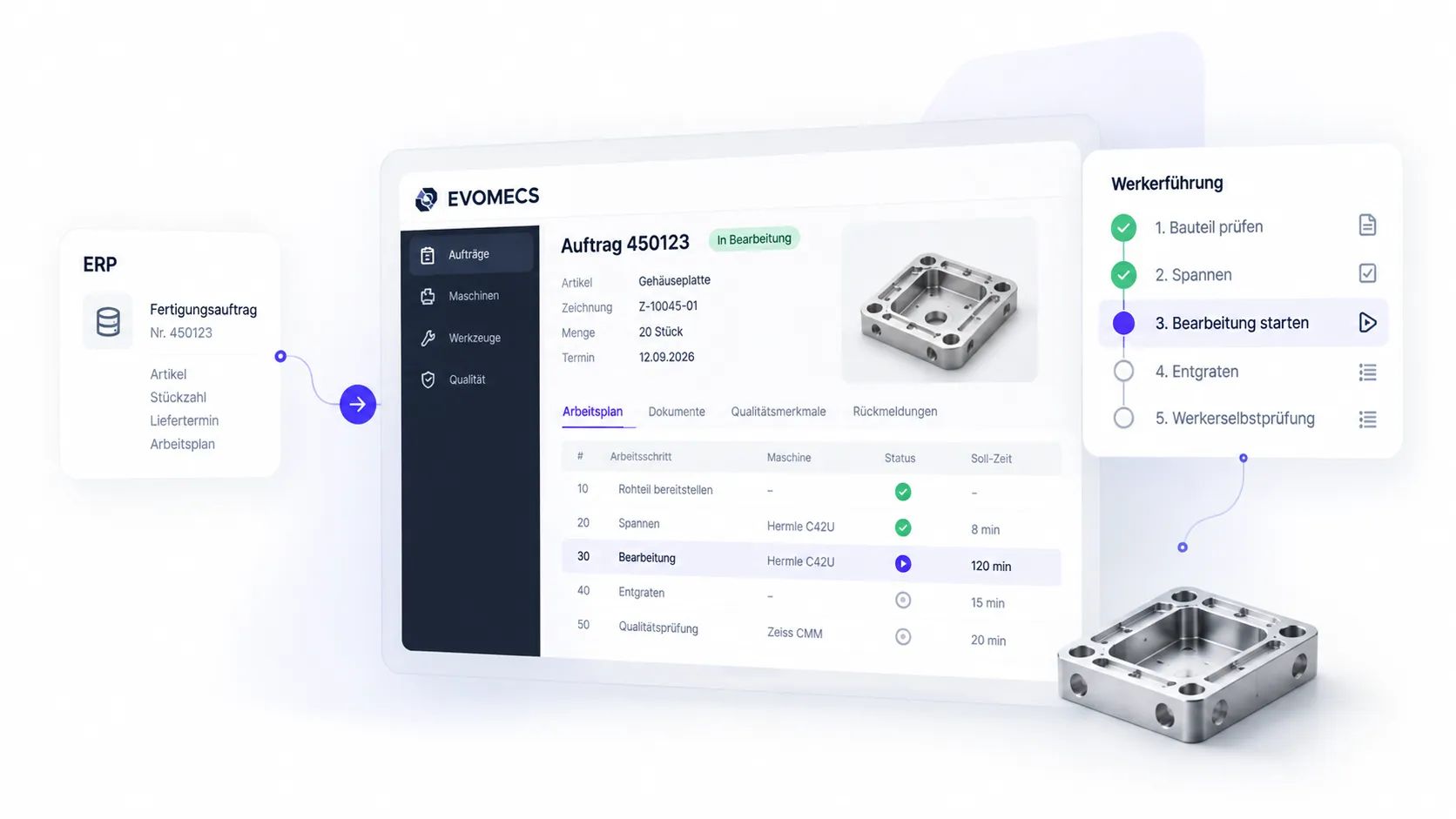
Two data sources. One picture of production.
A machine knows whether its program is running or whether it is standing still. It does not know which order is currently being set up. Conversely, nobody should have to write down by hand how long a machine has been running.
EVOMECS uses each source for what it can reliably deliver. Employees report at the workstation what only they know. The machine control provides what can be captured automatically. EVOMECS assigns both to the production order.
How orders reach the workstationPeople
Activities, progress and time information from the workstation
Machine
States, run times and downtimes from the control
EVOMECS
Combined in the production order
Production data and machine data. Captured where they arise.
01
Production data collection at the workstation.
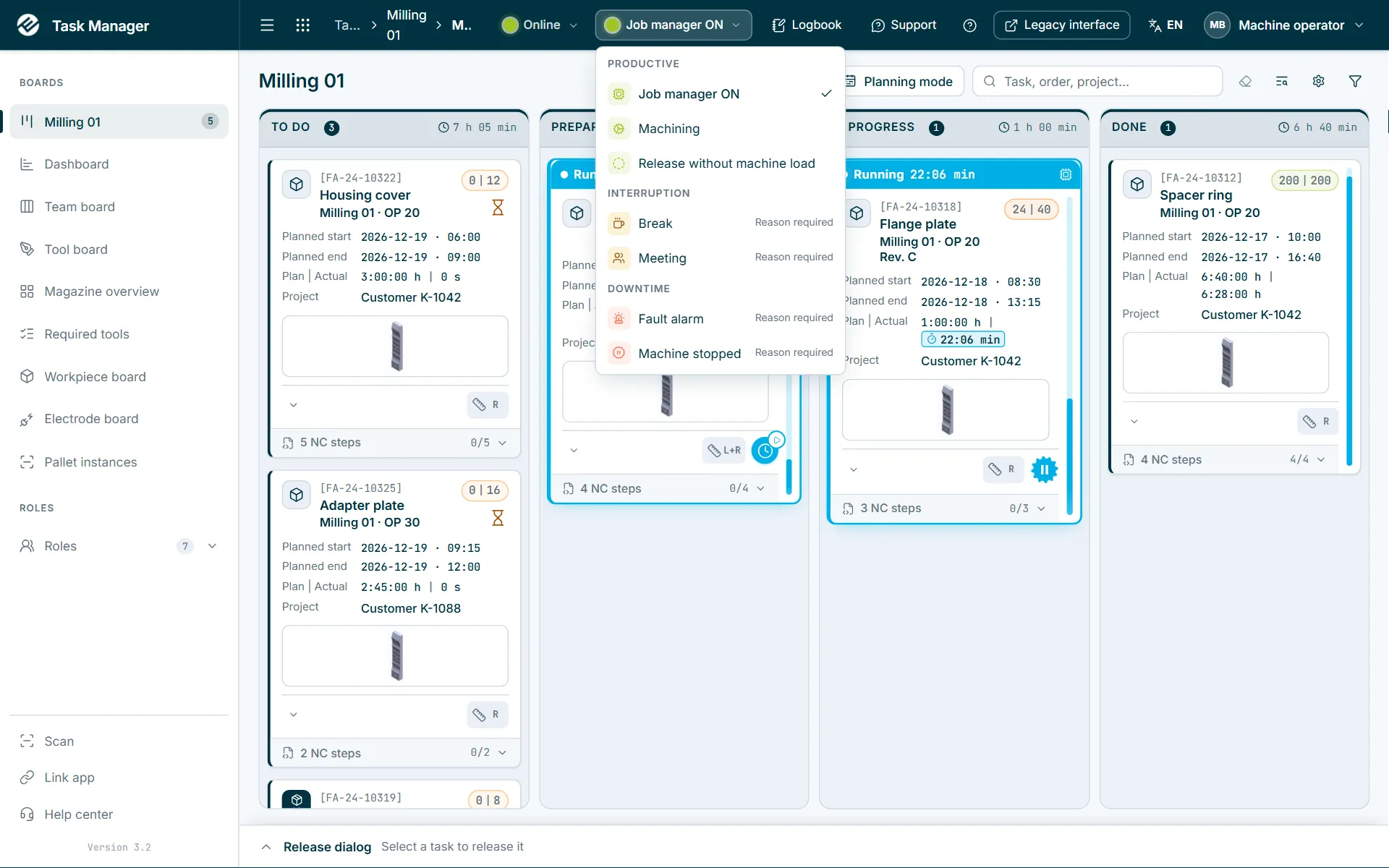
In the digital worker interface, employees report activities and machining progress directly against the running order. Relevant time information is documented at the same time, instead of being filled in from memory at the end of the shift.
Because feedback is given in the order context, it is clear from the outset which order and operation it belongs to. There is no need to match timesheets to orders afterwards.
02
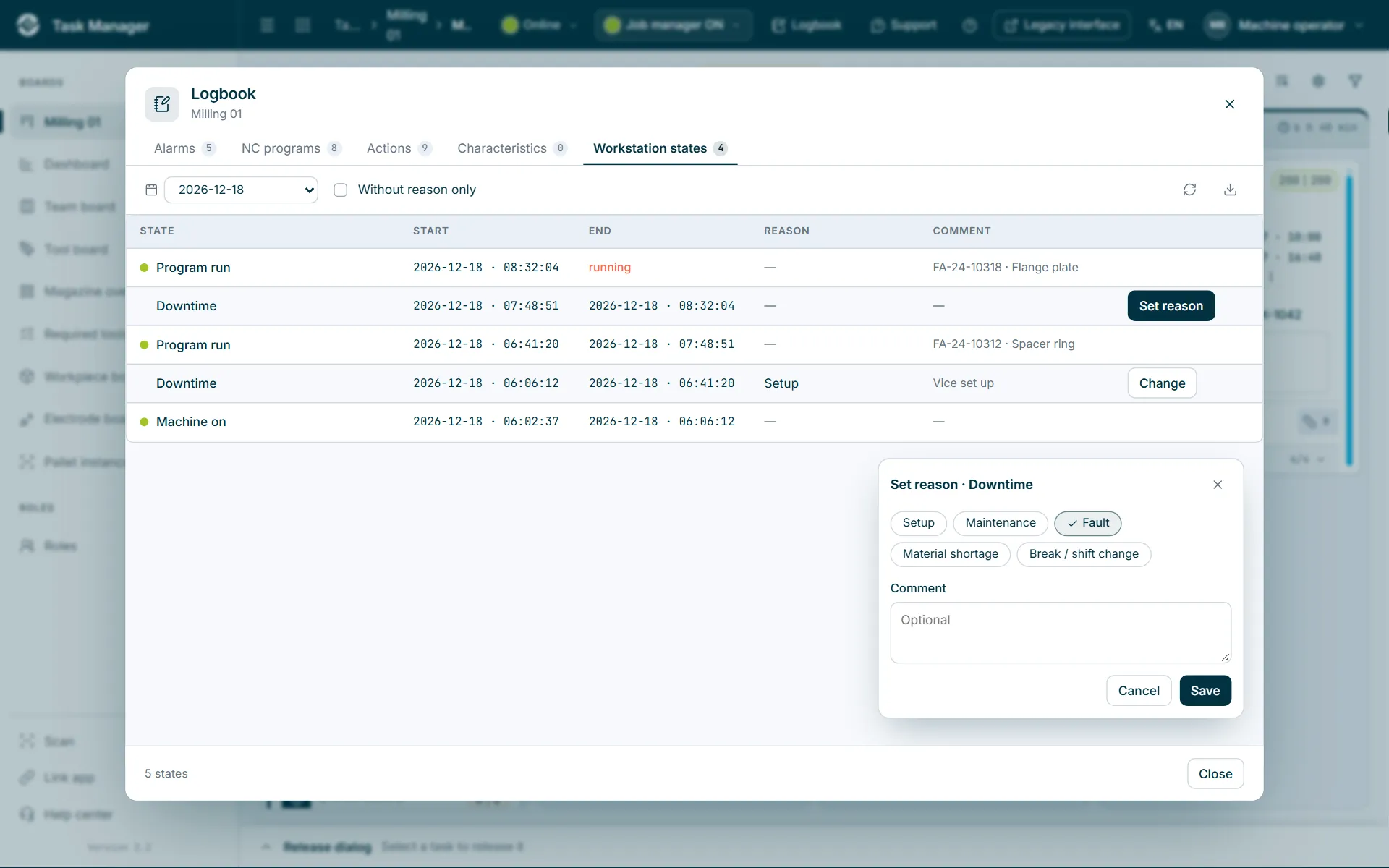
Machine data collection via the control.
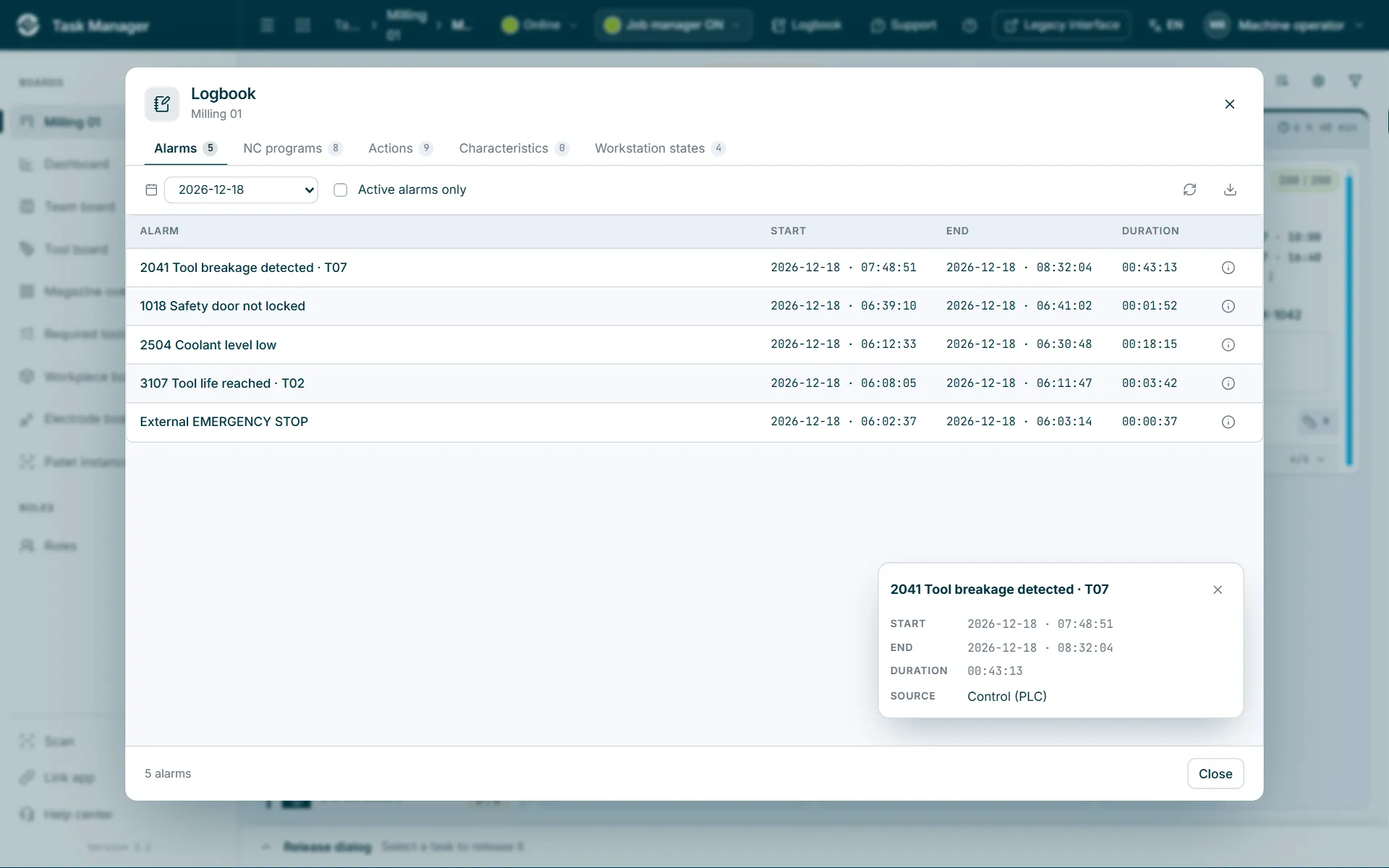
Connected machines transmit their states to EVOMECS automatically. Run times, downtimes, alarms with number and text and other available process information are captured without manual effort. States are recorded per workplace with start and end, and downtime reasons can be added afterwards from configurable catalogues.
Different machines and controls are connected via suitable interfaces. Which data a machine can supply depends on its control, the interface and licences. We clarify this with you before connecting, machine by machine.
03
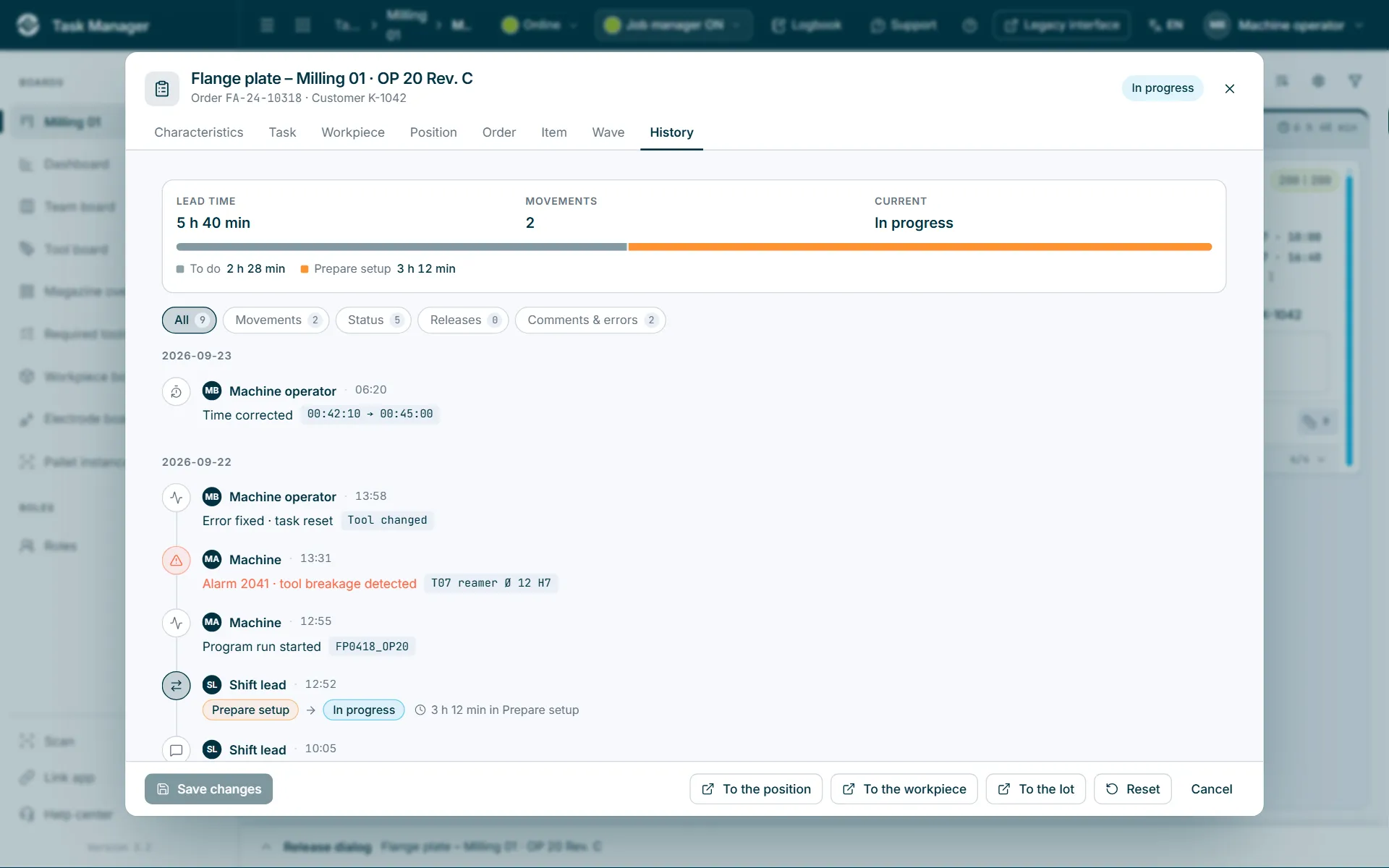
Combined in the production context.
The data only becomes meaningful once it is connected. Because feedback and machine states sit in the same order context, a machine's run time becomes the run time of a specific order, and a downtime becomes an event within a specific operation.
This creates a consistent data basis for further analysis, without having to gather data from different lists.
DATA SCOPE
What the control supplies is put to use.
Which states and process information are available automatically varies with the machine control, interface and licence. EVOMECS uses what your machines provide and fills the gaps with feedback from the workstation. Workstations and machines without a connection are not left out.
Less catching up. More insight.
Continue to dashboards & analytics- Feedback is given while working, not at the end of the shift.
- Run times and downtimes of connected machines without handwritten notes.
- Every piece of feedback is assigned to an order and operation.
- Different machines and controls in one shared data basis.
- Include unconnected workstations through manual feedback.
- Less manual data entry for employees and production planning.
ALREADY IN SHOPFLOOR LIGHT
The data basis is there from the start.
Production and machine data collection are part of Shopfloor Light. You can start with individual workstations or machines and connect more step by step.
Shopfloor Light
Create transparency
Bring orders digitally to the workstation, guide employees and capture production and machine data – with dashboards and basic in-process quality management.
Shopfloor Essentials
Digitalise the tool process
Adds the digital tool process – CAM-linked tool data, tool demand planning, connection of tool presetting, tool data transfer to the machine and NC data management.
Shopfloor Professional
Secure NC processes
Connects order, NC program and tools during execution – with order-related NC transfer, process-reliable machine start, extended traceability, basic fit handling at the machine and sister tool management based on tool life.
Shopfloor Precision
Master precision
For demanding machining – full fit handling declared in the NC program, virtual tools, targeted tool changes via the NC program and full sister tool management based on tool path length.
Frequently asked questions about production and machine data collection.

Benjamin Neubauer
Chief Executive Officer (CEO), EVOMECS
How to get started
Your demo – tailored to your production.
In the first meeting we show you EVOMECS in a live demo tailored to your company. Afterwards you can try EVOMECS free of charge for two weeks in your own demo system.
- 1First meeting · 30 minutes onlineWe introduce EVOMECS, show it in a short live demo and clarify your needs.
- 2Your demo systemIf you wish, we set up your own demo system in Shopfloor Light – with your machines and sample data. You receive the invitation by email.
- 3Try it yourself for two weeksYou and your colleagues try out how orders, feedback, machine status and downtimes work together. Free of charge, without installation and without connecting machines.
- 4Connect your machinesIn Shopfloor Light you connect your machines yourself using our guide. If you wish, we support you in a pilot project.
First meeting: 30 minutes · online · free of charge