
Integrated production planning
The plan is set.
And it knows what is happening on the floor.
With integrated production planning in EVOMECS, you plan production orders and operations on your machines and workstations. Because planning and the shop floor work on the same data, you can always see how actual production progress compares with the plan. Production planning is available as the optional Planning Module for every edition and plans in several stages – from rough through intermediate to detailed planning.
- Operation-based planning on machines and workstations
- Available and planned capacities at a glance
- Plan and actual progress on one shared data basis
Planning with the data the shop floor already produces.
In many companies, production planning lives in a separate spreadsheet or on a planning board. As soon as an operation takes longer or a machine goes down, the plan is out of date – and nobody notices in time.
EVOMECS plans on the same basis that production uses. Orders, operations and resources come from one data basis, and feedback from the workstation flows back into the planning view. You spot deviations before they affect downstream operations, and you decide how to reschedule.
Which order data is available automatically depends on the ERP connection via suitable, project-specific interfaces.
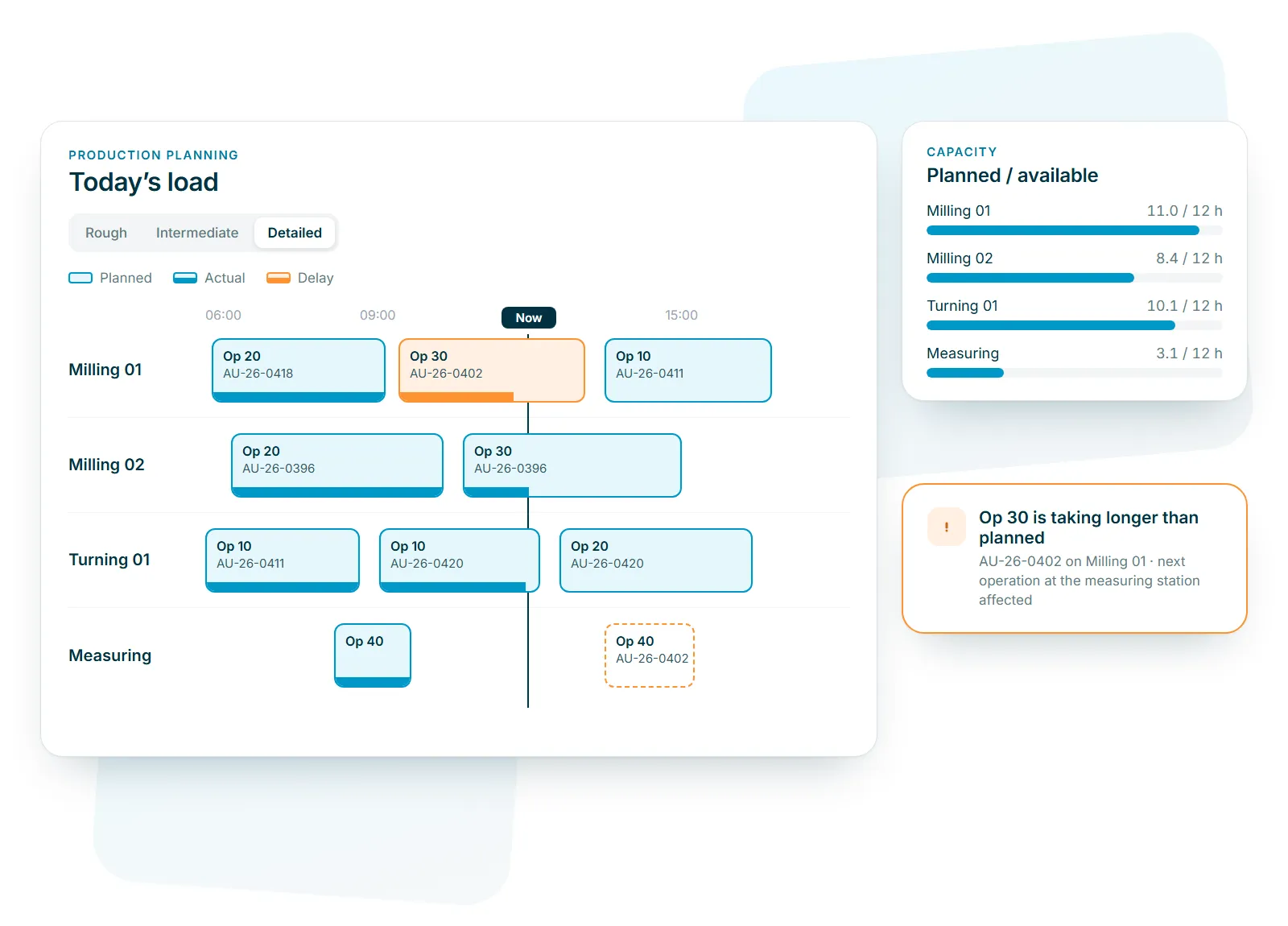
Example illustration
Today's load
- Milling 1
- Milling 2
- Turning
- Measuring
If an operation takes longer, you see the shift and what it means for the following operations. How to reschedule is your decision.
What production planning takes into account.
01
Plan operations on resources
You plan not just the order as a whole but every single operation. Machines and workstations are set up as resources, so it is clear where each step will be produced.
More on order control & worker guidance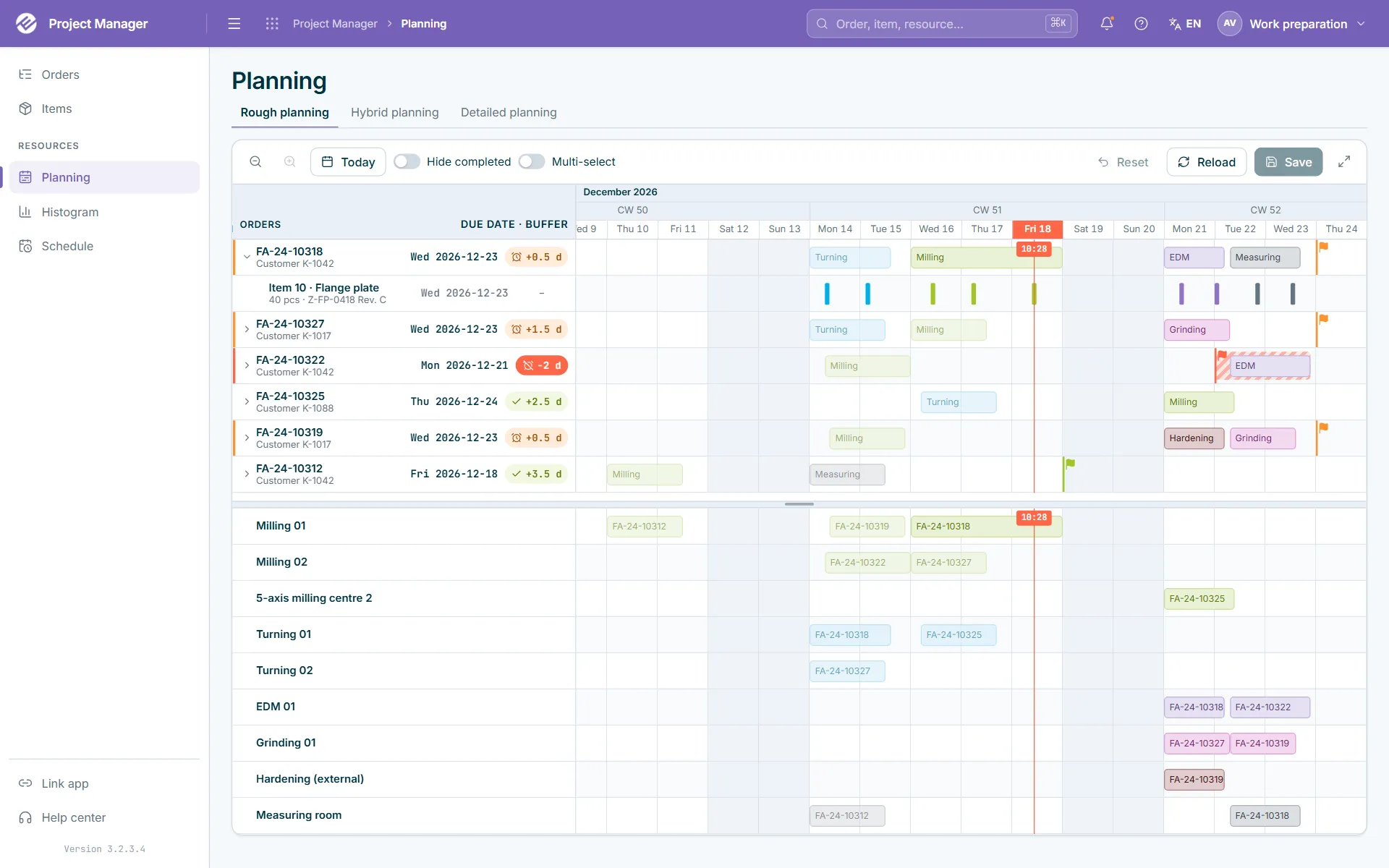
02
Make capacities transparent
Planning shows which capacity on a resource is still available and which is already allocated. Bottlenecks become visible before orders queue up at the machine.
03
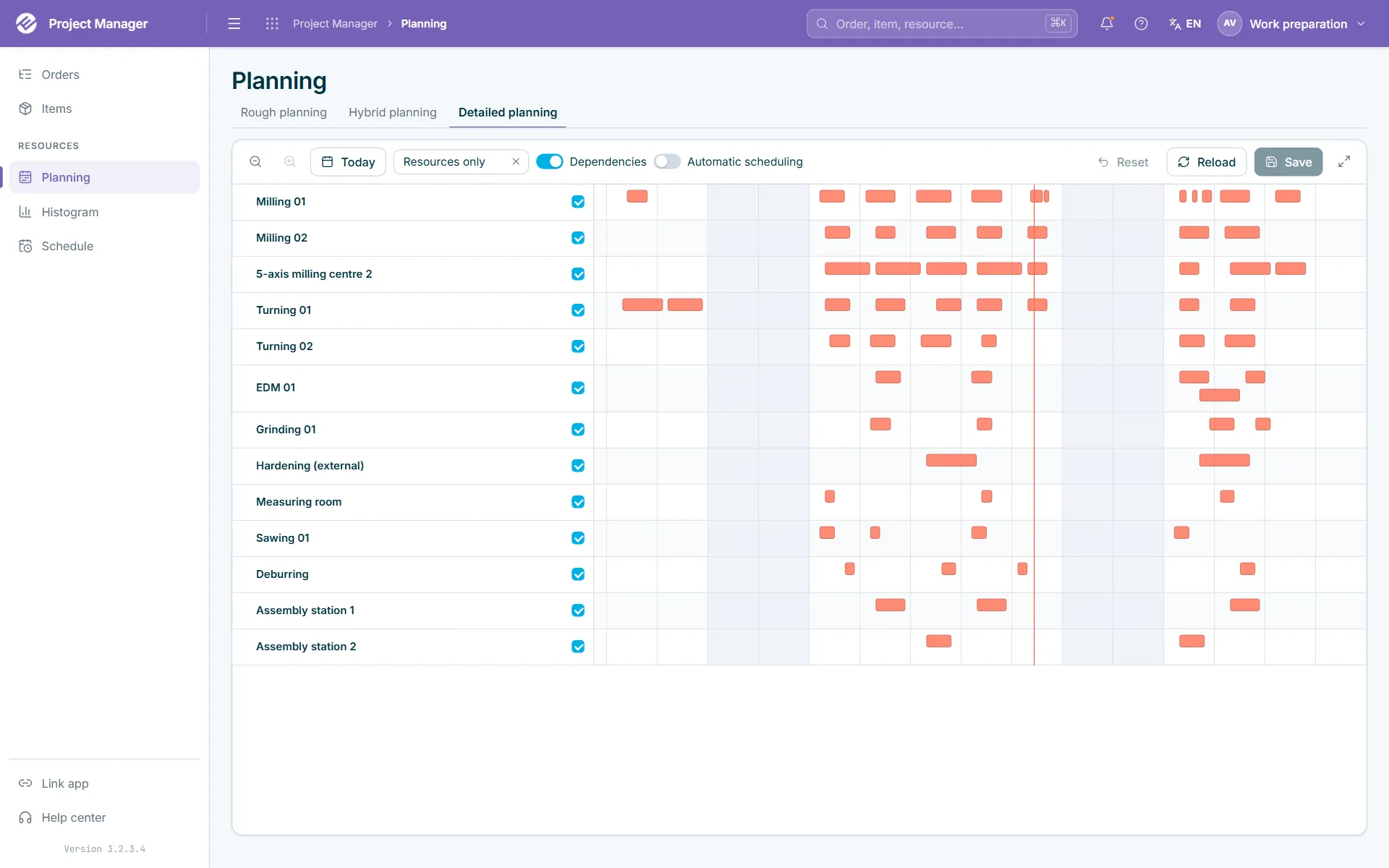
Respect dependencies
Milling before EDM, hardening before grinding – production steps build on each other. Planning respects this sequence so that no operation is scheduled ahead of its predecessor.
04
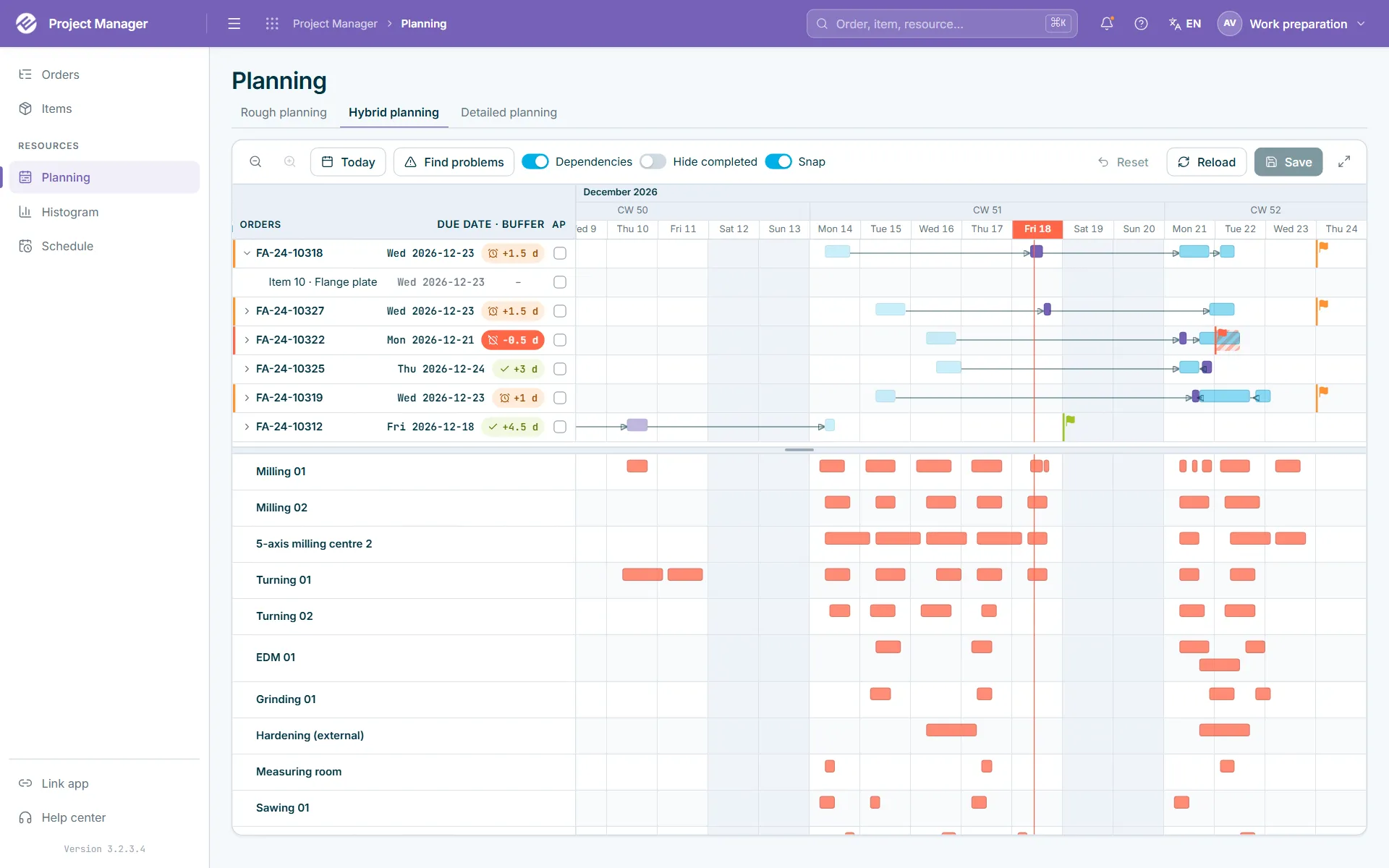
Align the plan with the shop floor
Processing progress and feedback from production are linked with the plan. Changes and deviations in the workflow become visible in planning and can be taken into account. Where relevant, tool data can also serve as a planning basis.
More on the digital tool process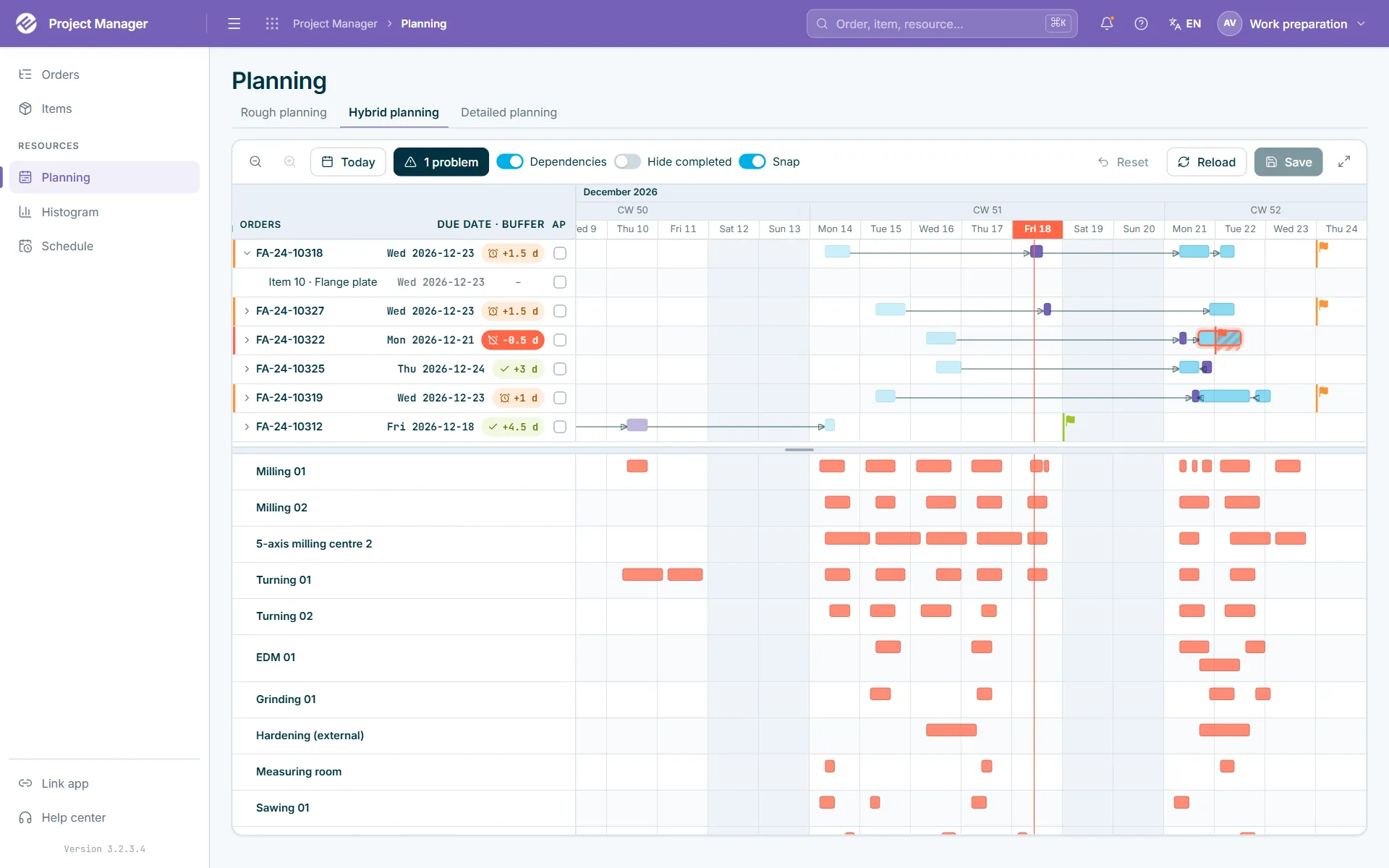
Planning with feedback
A plan is only as good as its match with reality.
Integrated production planning is not an isolated planning tool. It is connected with order processing and production data capture. Whatever is reported at the workstation is available in planning – without transferring data and without maintaining it twice.
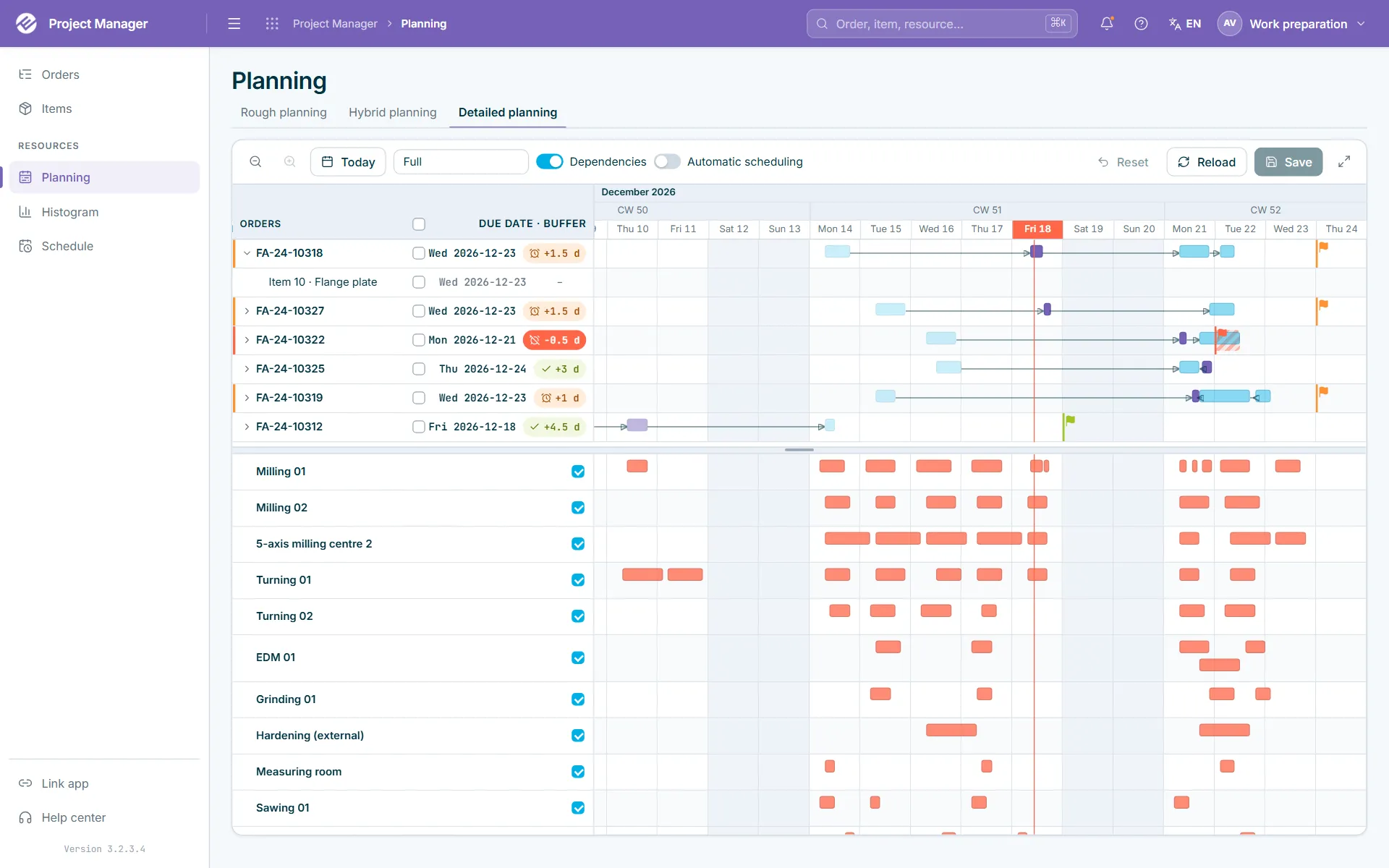
Plan what actually happens.
Feedback via production & machine data capture- One data basis for planning and production instead of parallel spreadsheets.
- Operations clearly assigned to machines and workstations.
- Allocated and free capacity at a glance.
- Sequences between production steps are taken into account.
- Spot deviations between plan and actual status early.
- Reschedule based on current feedback from production.
Frequently asked questions about integrated production planning.

Benjamin Neubauer
Chief Executive Officer (CEO), EVOMECS
How to get started
Your demo – tailored to your production.
In the first meeting we show you EVOMECS in a live demo tailored to your company. Afterwards you can try EVOMECS free of charge for two weeks in your own demo system.
- 1First meeting · 30 minutes onlineWe introduce EVOMECS, show it in a short live demo and clarify your needs.
- 2Your demo systemIf you wish, we set up your own demo system in Shopfloor Light – with your machines and sample data. You receive the invitation by email.
- 3Try it yourself for two weeksYou and your colleagues try out how orders, feedback, machine status and downtimes work together. Free of charge, without installation and without connecting machines.
- 4Connect your machinesIn Shopfloor Light you connect your machines yourself using our guide. If you wish, we support you in a pilot project.
First meeting: 30 minutes · online · free of charge