
Electrode process
Milling, measuring, eroding.
One continuous electrode process.
In tool and mould making, a single mould often needs a whole set of electrodes. Each one has to be milled, measured and ready at the EDM machine at the right time with the right data. EVOMECS takes over the electrode setup from the CAM system, creates the order structure and guides every electrode through to eroding – in automated cells as well.
- Electrode and workpiece setup straight from the CAM system
- Every electrode uniquely identified and traceable
- Electrode data at the EDM machine in the context of the order
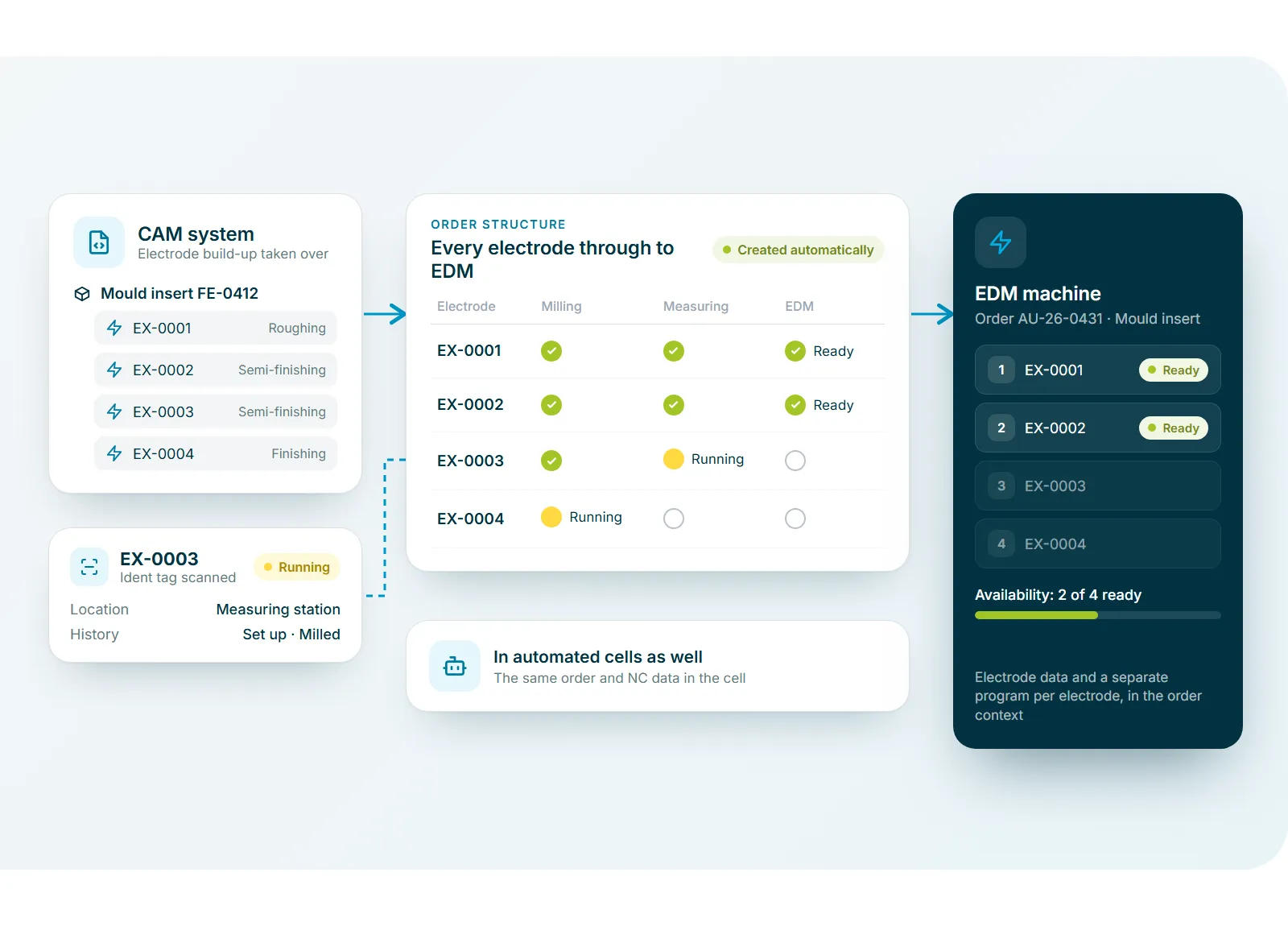
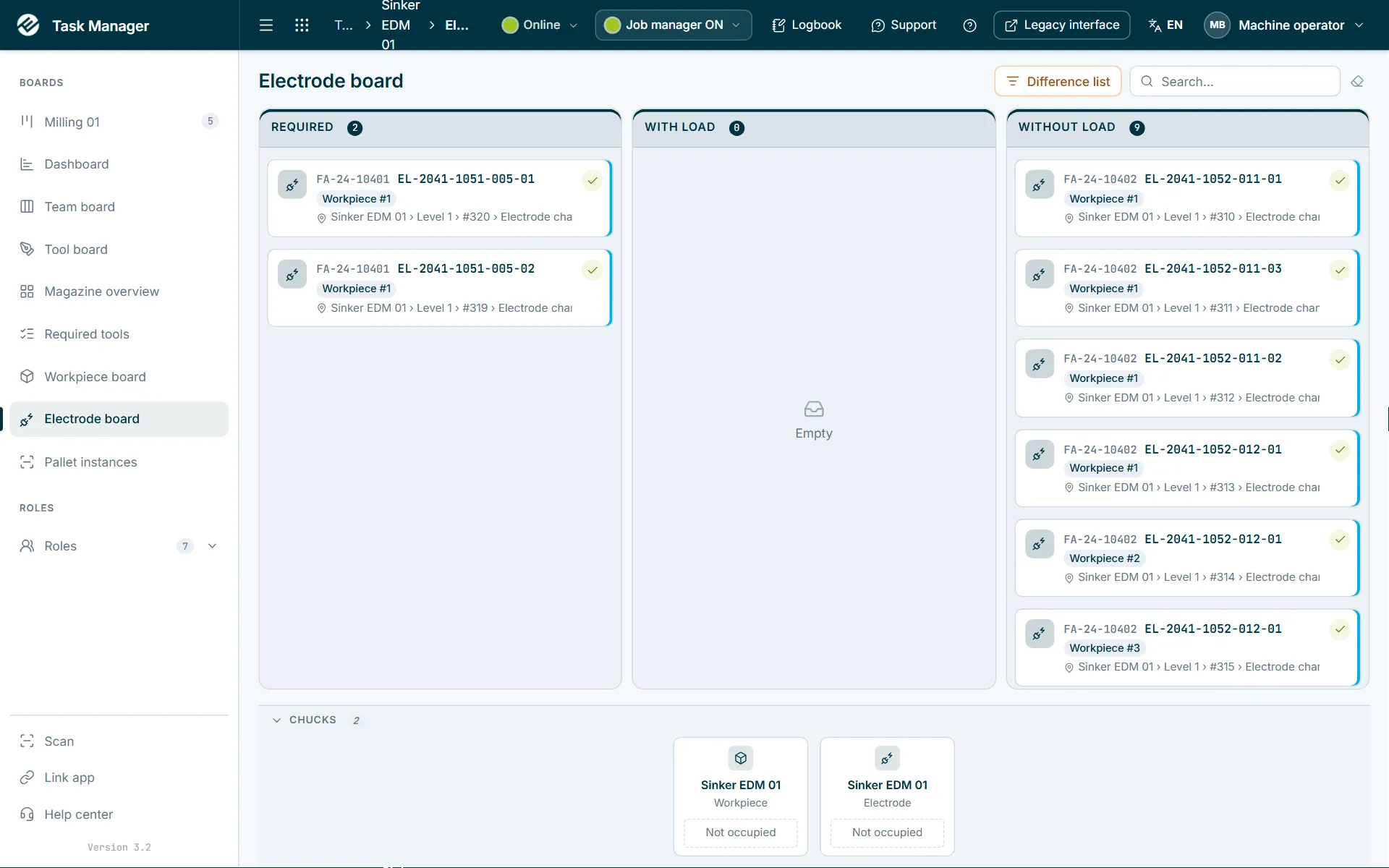
The EDM machine knows every electrode it receives.
Without a continuous process, the electrode setup is transferred by hand at several points – from the CAM system into lists, from there into production and finally to the EDM machine. Someone has to keep track of which electrode belongs to which workpiece, whether it has already been milled and measured and where it is right now.
EVOMECS takes over the workpiece and electrode setup from the CAM system and creates the order structure from it. Each electrode is managed as an article of its own with a physical instance, milled, measured and provided with its data for eroding.
Which CAM systems, measuring systems, EDM machines and automation systems are connected depends on your production and is defined in the project.
- 01
CAM system
Workpiece and electrodes are designed and programmed.
- 02
EVOMECS
Takes over the electrode setup and creates the order structure.
- 03
Milling & measuring
Each electrode is produced, measured and its measured values assigned.
- 04
Eroding
At the EDM machine, electrode, program and data are ready for the job.
What EVOMECS takes care of in the electrode process.
01
Take over the electrode setup from the CAM system
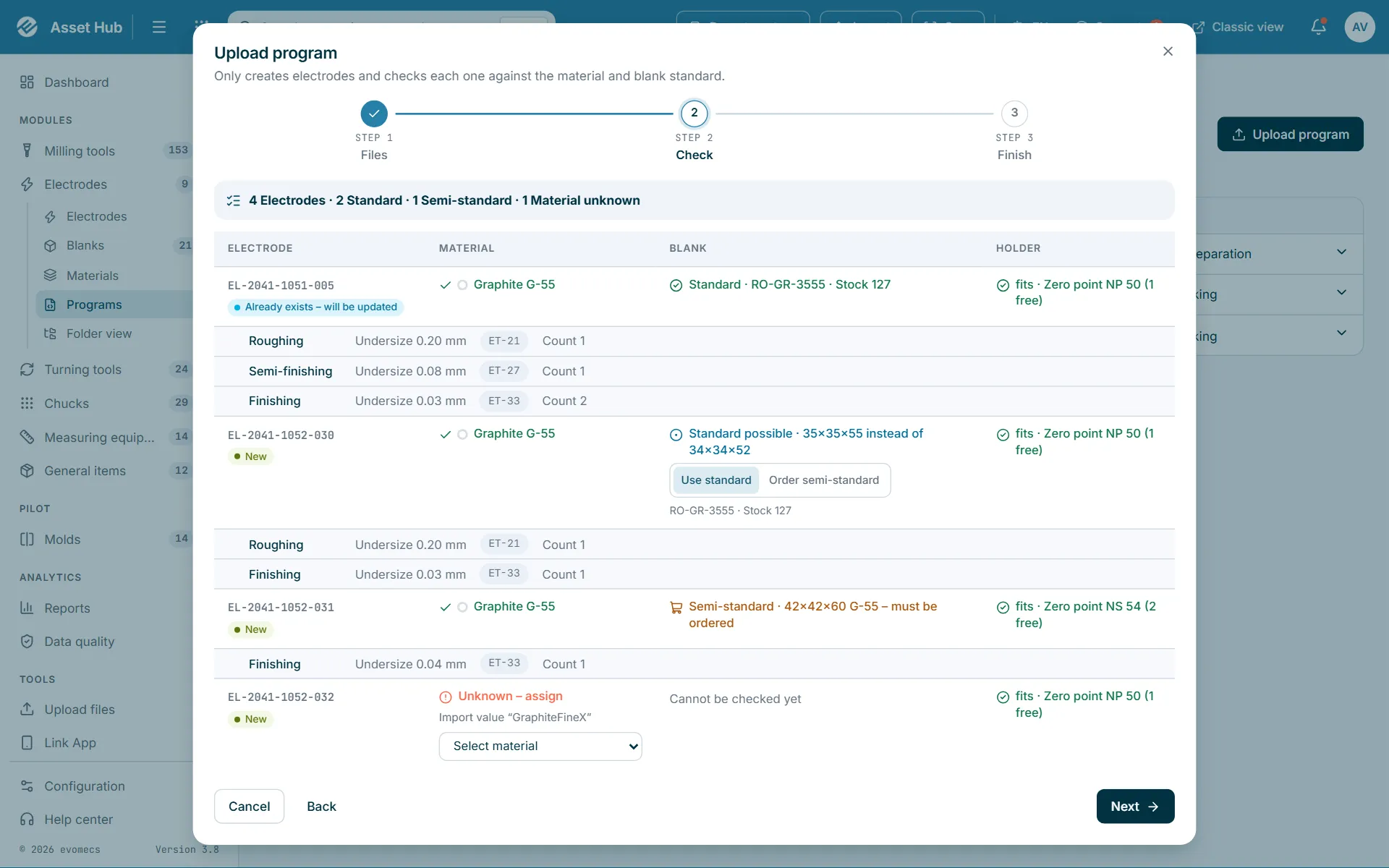
The optional add-on module EDM Converter takes over the workpiece and electrode setup from the CAM system, for example VISI. It generates the exchange file for sinker EDM machines from OPS Ingersoll or Exeron and creates the order structure automatically. The electrode setup no longer has to be entered by hand a second time.
02
Identify electrodes uniquely
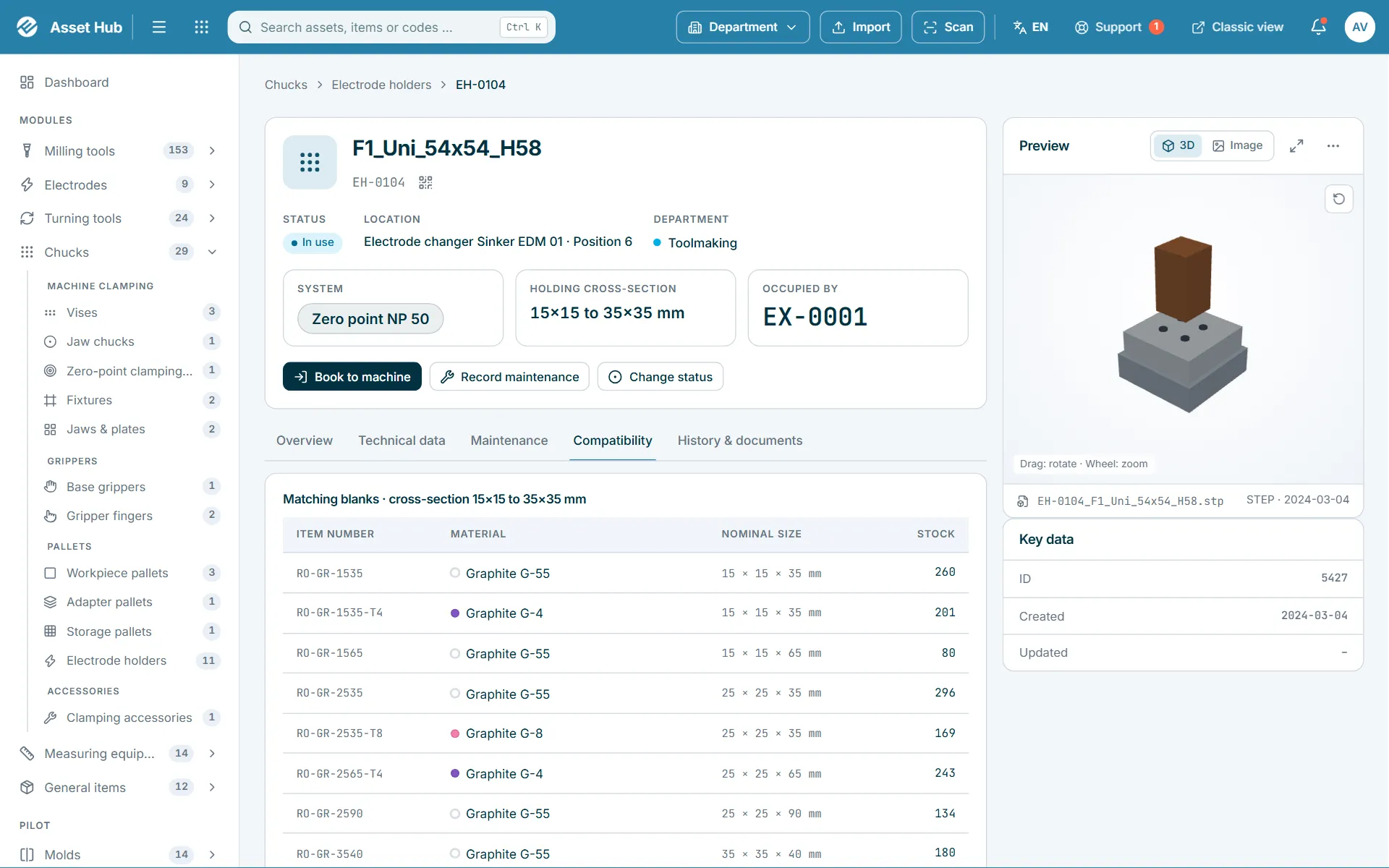
In EVOMECS, electrodes are articles of their own with physical instances, each with an index and an ident tag. Every electrode is assigned to an order, an operation and an EDM program and is managed with its condition, storage location and history. Electrode management is available as the add-on module AssetHub – Electrodes.
More on equipment & tool process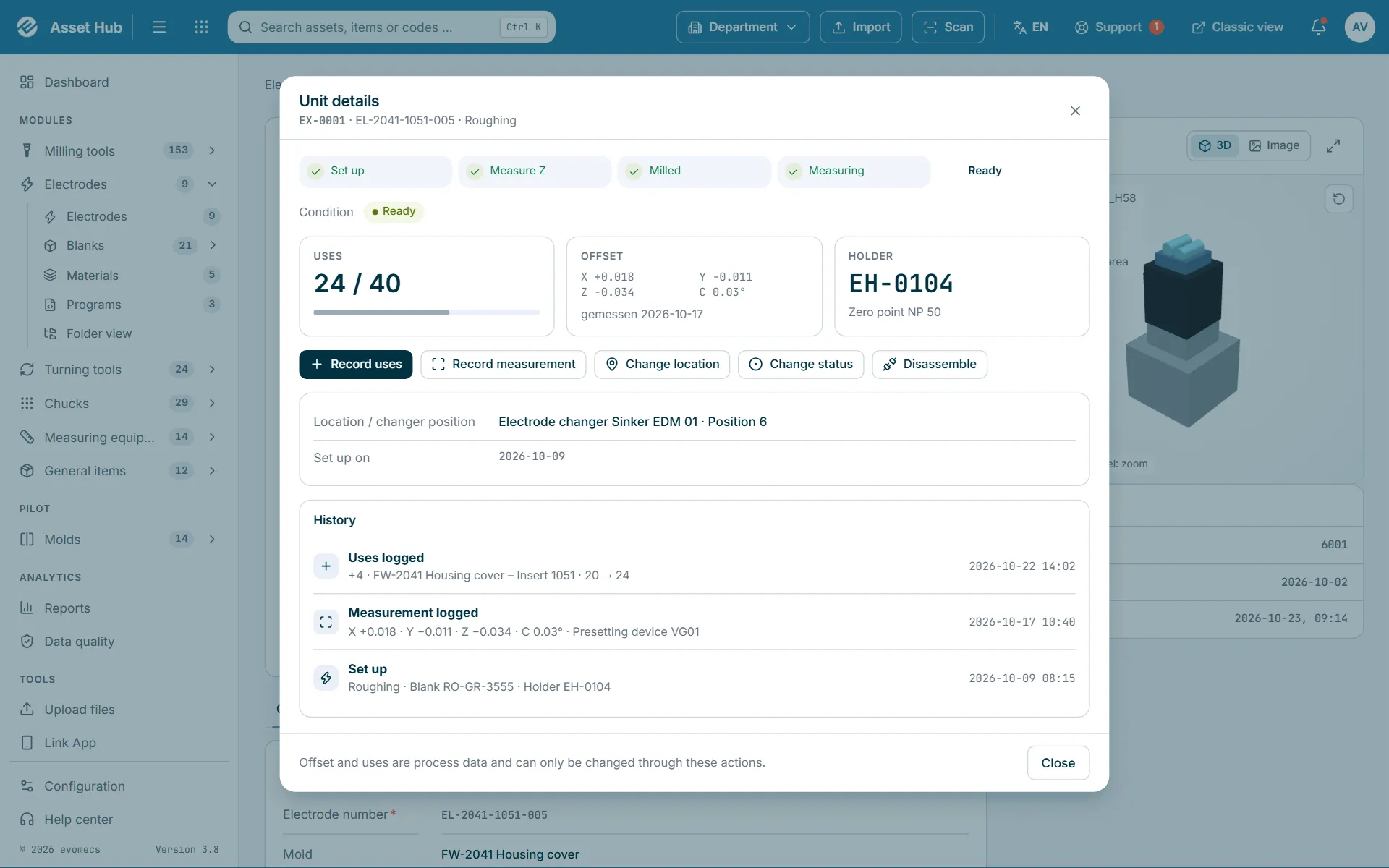
03
Mill electrodes, in automation as well
The electrodes are milled as orders of their own with their NC program. With standardised blanks, electrode milling can run in an automated cell, where EVOMECS supplies the jobs with the same order, tool and NC data as the rest of production.
More on cell & line automation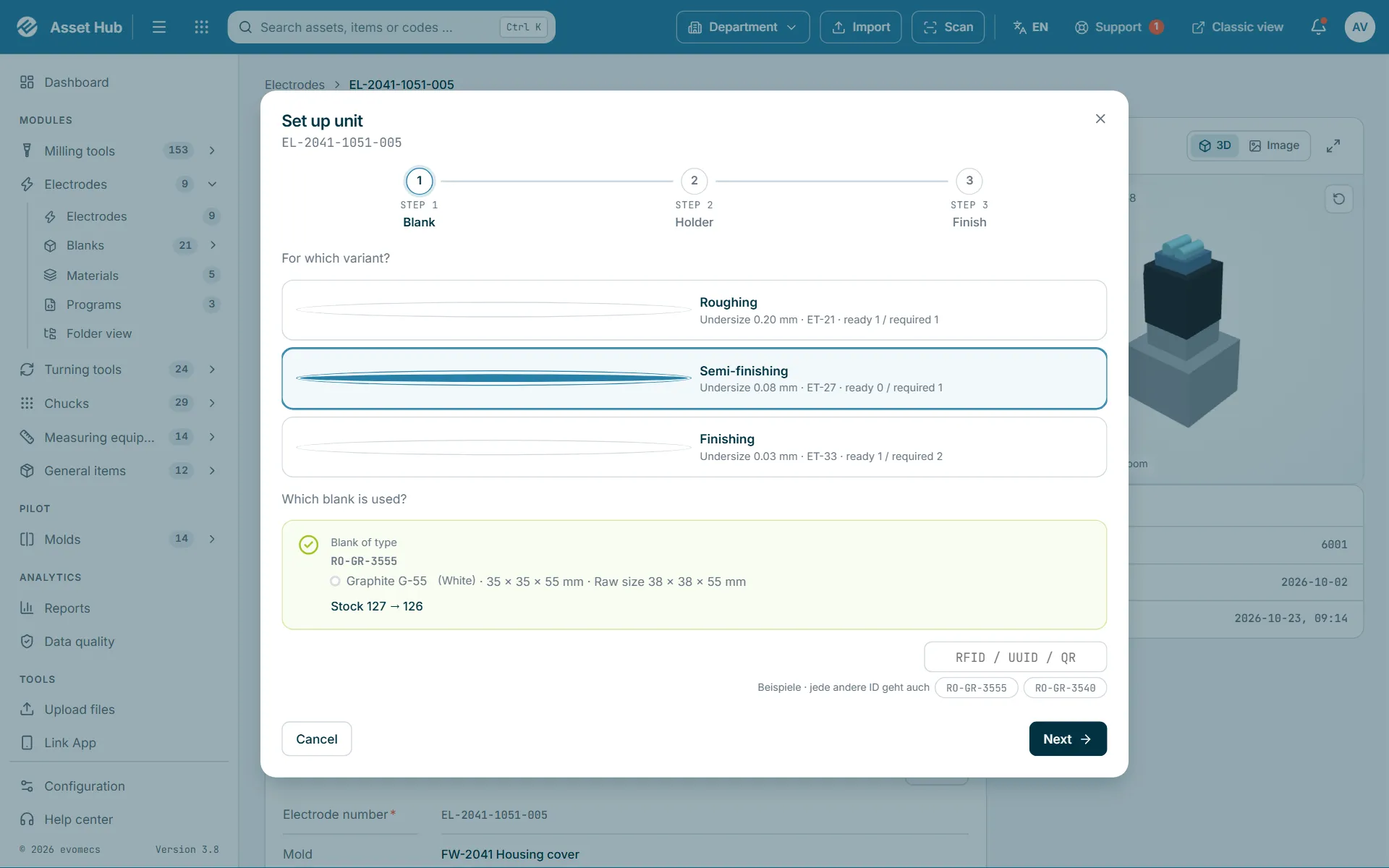
04
Electrode data at the EDM machine
Before eroding, EVOMECS checks whether the required electrodes are available. The EDM program is split into individual programs per electrode, and the optional ElectrodeBridge interface transfers the electrode data to the machine and reports the usage times back. Sinker EDM from OPS Ingersoll with OPS automation is in productive use.
Traceability
For every electrode, it is clear what it was made for and where it was used.
Every electrode stays assigned to the workpiece, the operation and the EDM program it was produced for. Condition, storage location and history are visible at any time, and the machine logs of the EDM machine are evaluated. Electrode holders are managed as clamping devices and can be tracked as well.
An electrode process without media breaks.
More on tool & mould making- Electrode and workpiece setup entered once in the CAM system.
- Order structure for electrodes created automatically.
- Every electrode with ident tag, condition, storage location and history.
- Availability of the electrodes checked before eroding.
- Electrode data at the EDM machine in the context of the order.
- Milling and eroding in automated cells as well.
Frequently asked questions about the electrode process.

Benjamin Neubauer
Chief Executive Officer (CEO), EVOMECS
How to get started
Your demo – tailored to your production.
In the first meeting we show you EVOMECS in a live demo tailored to your company. Afterwards you can try EVOMECS free of charge for two weeks in your own demo system.
- 1First meeting · 30 minutes onlineWe introduce EVOMECS, show it in a short live demo and clarify your needs.
- 2Your demo systemIf you wish, we set up your own demo system in Shopfloor Light – with your machines and sample data. You receive the invitation by email.
- 3Try it yourself for two weeksYou and your colleagues try out how orders, feedback, machine status and downtimes work together. Free of charge, without installation and without connecting machines.
- 4Connect your machinesIn Shopfloor Light you connect your machines yourself using our guide. If you wish, we support you in a pilot project.
First meeting: 30 minutes · online · free of charge