
Plant and master data
EVOMECS Infrastructure Manager
The digital twin of your plant — machines, fixtures, storage and people, defined once and used everywhere.
Infrastructure Manager holds the master data of a manufacturing plant: which machines, robots, workplaces, pallets, fixtures, magazines and storage places exist, which articles and physical items are in use, and who works with them. Every other EVOMECS application builds on this foundation, so a machine or a pallet is set up once and is then known to planning, the shop floor, tool management and the connected machines alike.
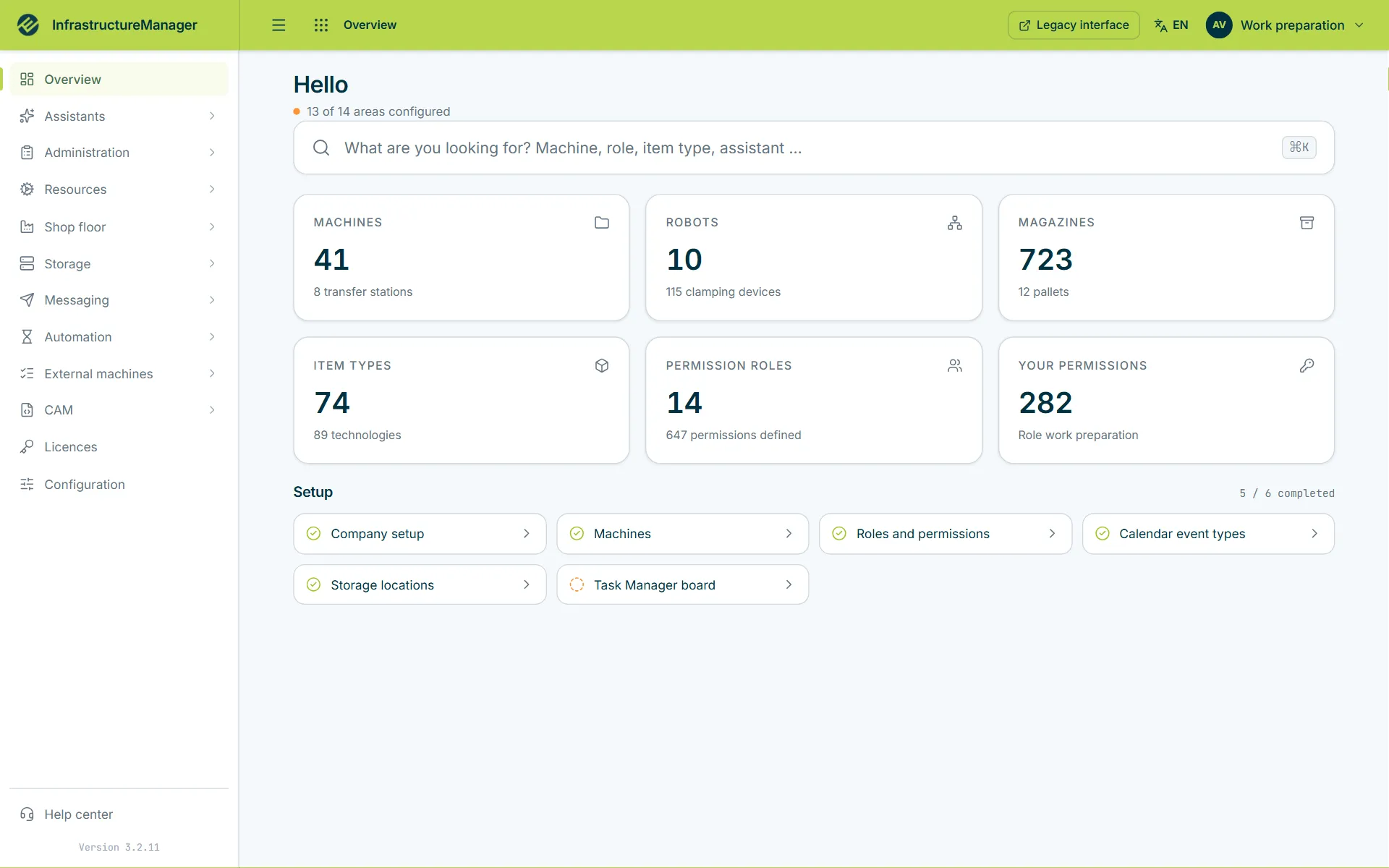
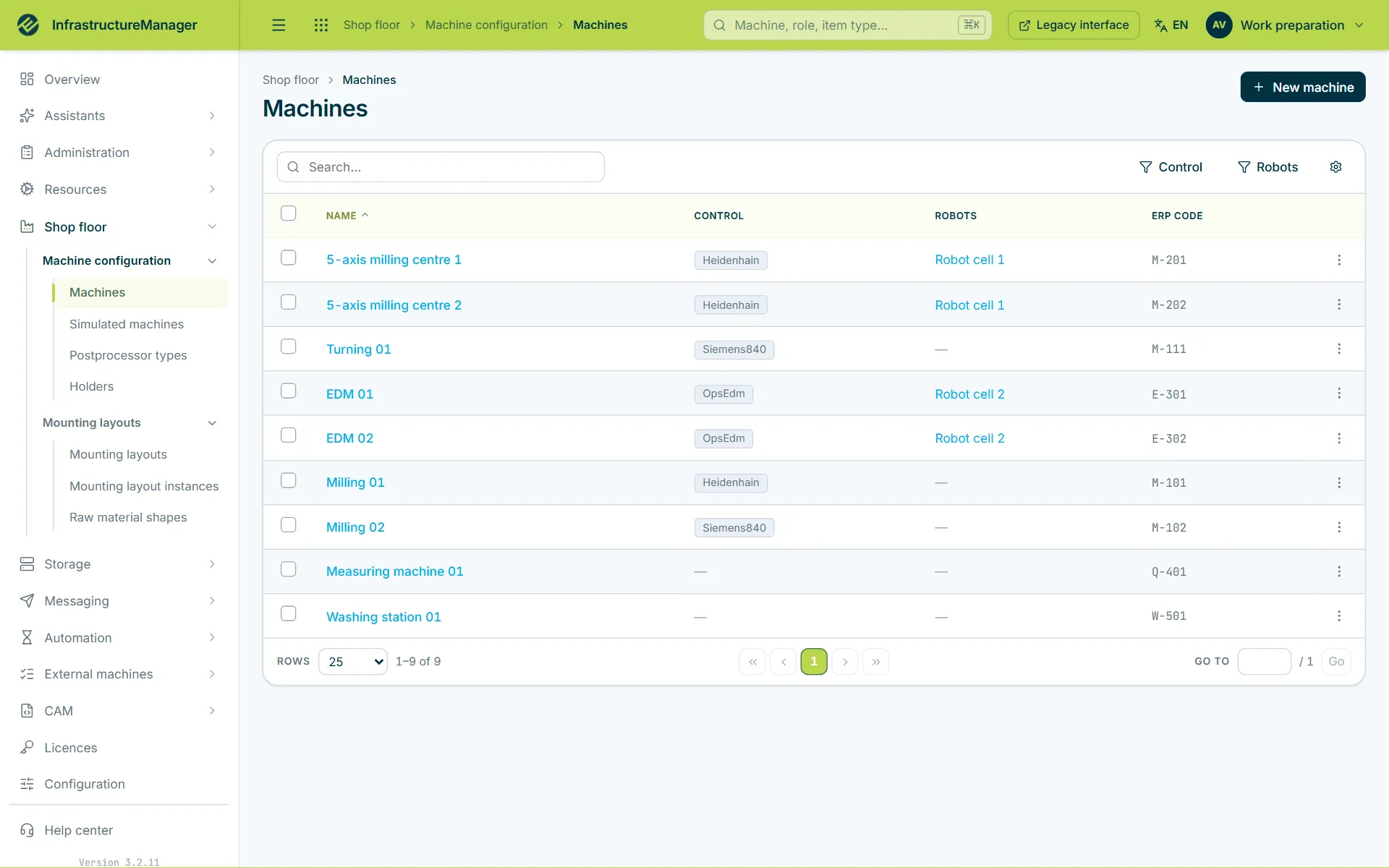
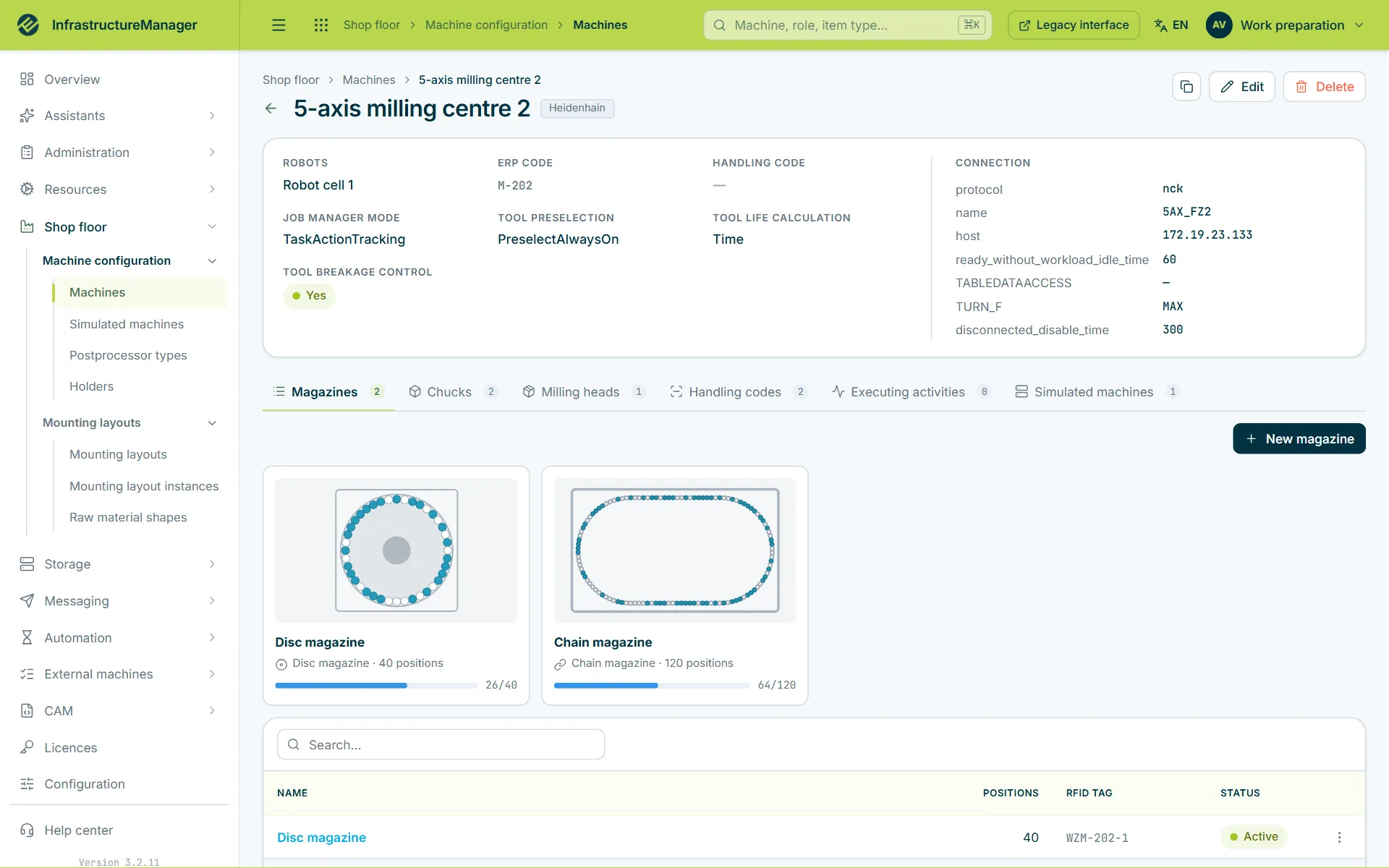
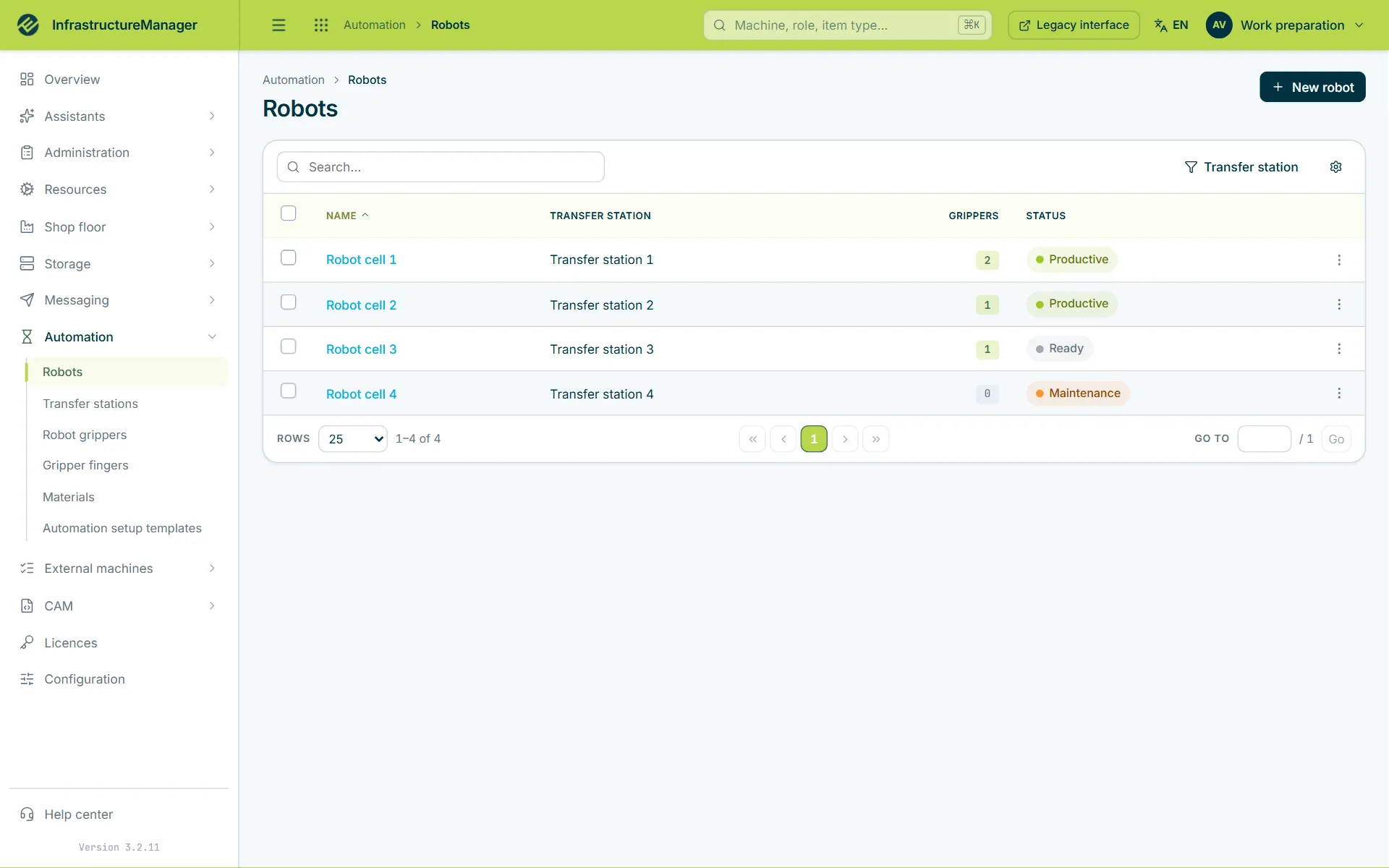
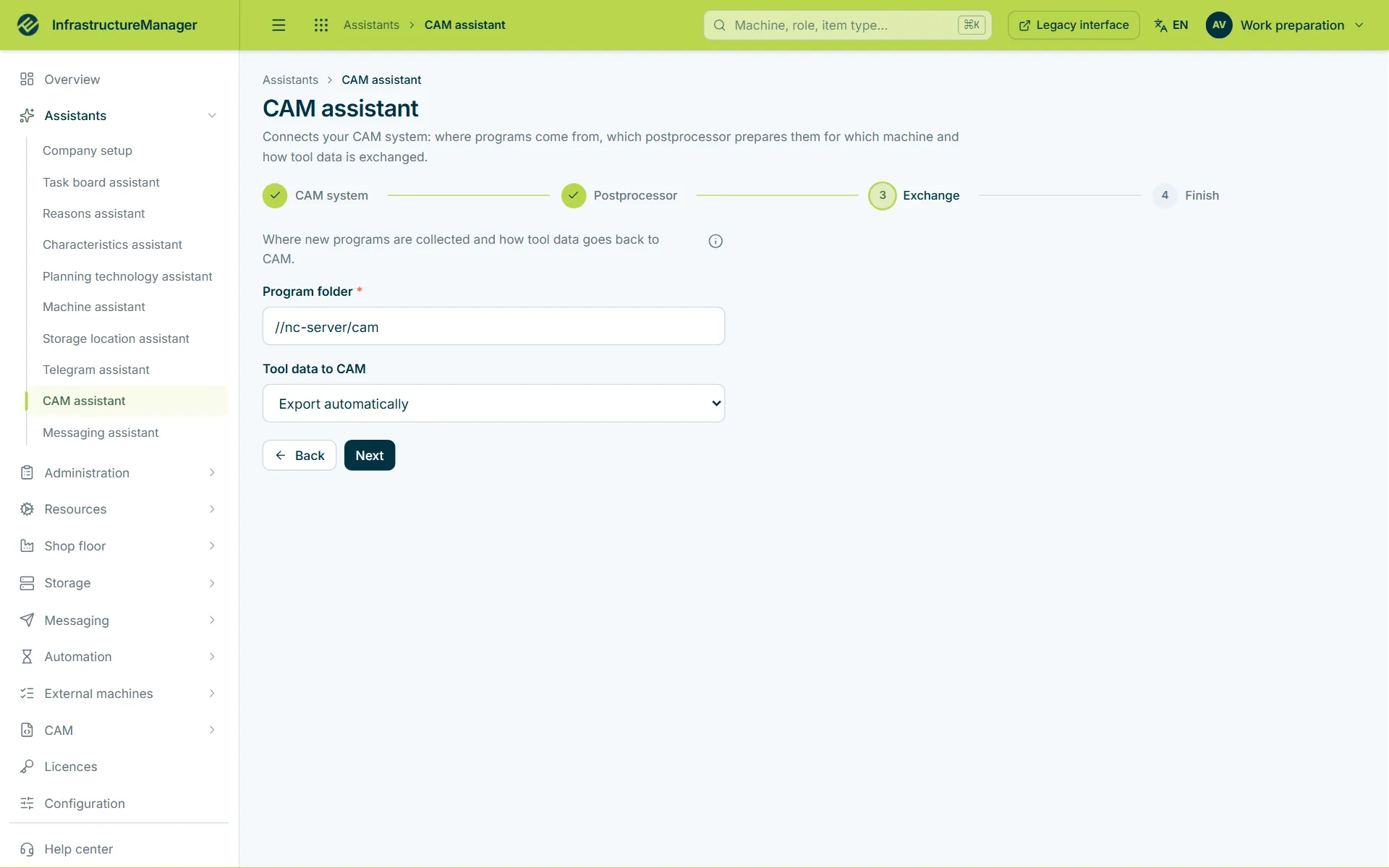
You can try the Infrastructure Manager click prototype in the desktop view – on a computer or tablet.
What the app does
Machines and robots
Describe each machine and robot with its magazines, chucks, cost centres, operating state and identifiers — including whether EVOMECS may start work on it automatically.
Workplaces, boards and roles
Define the structure the shop floor works in: workplaces, the boards they show, the activities and technologies they handle, and the roles of the people involved.
Orders and planning
Lay the groundwork for order handling and planning — order types, order statuses, cost centres, projects, planning technologies and calendar events.
Pallets, fixtures and grippers
Model mounting layouts — pallets, clamping and gripper types — and track every physical pallet and fixture as its own item.
Storage and magazines
Tool magazines, workpiece storage, pallet places and shelves, each with its slots, so the system always knows where things are.
Articles and physical items
A catalogue of article types and articles, and every physical instance of them — with RFID tags and ERP identifiers.
Users, permissions and licences
Manage users and permission roles, including sign-in by chip card or single sign-on, and keep track of the suite's licensed features.
Automation and CAM
Configure automated cells and the connection to CAM systems, post-processors, presetters and ERP.
Communication
Set up Wave channels, external messenger channels and message bots — the basis for shop floor communication with EVOMECS Wave.
Guided wizards
A new company starts empty, from a template or as a demo system; step-by-step wizards then guide through machines, storage places, pallets, raw part shapes, CAM and communication, so a new plant or a new machine is ready quickly.
3D models
Machines, fixtures and parts can carry 3D models, with automatically recognised features for parts.
Why it matters
- Set up once, use everywhereA resource defined here is immediately available to the Project Manager, the Task Manager, tool management and the machine connections — no duplicate data entry.
- A plant model you can trustOne consistent description of machines, storage and fixtures is the basis for realistic planning and reliable automation.
- Ready for connected productionMachines, presetters, CAM and ERP systems connect through the same master data, which keeps the shop floor and the systems around it in step.
- Help built in"Talk to support" and an AI assistant that knows the application's screens and concepts help administrators find their way.
Part of the EVOMECS suite
Infrastructure Manager is the foundation that the Project Manager, the Task Manager, tool management and the Dashboard build on.

Benjamin Neubauer
Chief Executive Officer (CEO), EVOMECS
How to get started
Your demo – tailored to your production.
In the first meeting we show you EVOMECS in a live demo tailored to your company. Afterwards you can try EVOMECS free of charge for two weeks in your own demo system.
- 1First meeting · 30 minutes onlineWe introduce EVOMECS, show it in a short live demo and clarify your needs.
- 2Your demo systemIf you wish, we set up your own demo system in Shopfloor Light – with your machines and sample data. You receive the invitation by email.
- 3Try it yourself for two weeksYou and your colleagues try out how orders, feedback, machine status and downtimes work together. Free of charge, without installation and without connecting machines.
- 4Connect your machinesIn Shopfloor Light you connect your machines yourself using our guide. If you wish, we support you in a pilot project.
First meeting: 30 minutes · online · free of charge