
Execute on the shop floor
EVOMECS Task Manager
The shop floor's digital work board — every machine, every operator, every task in view.
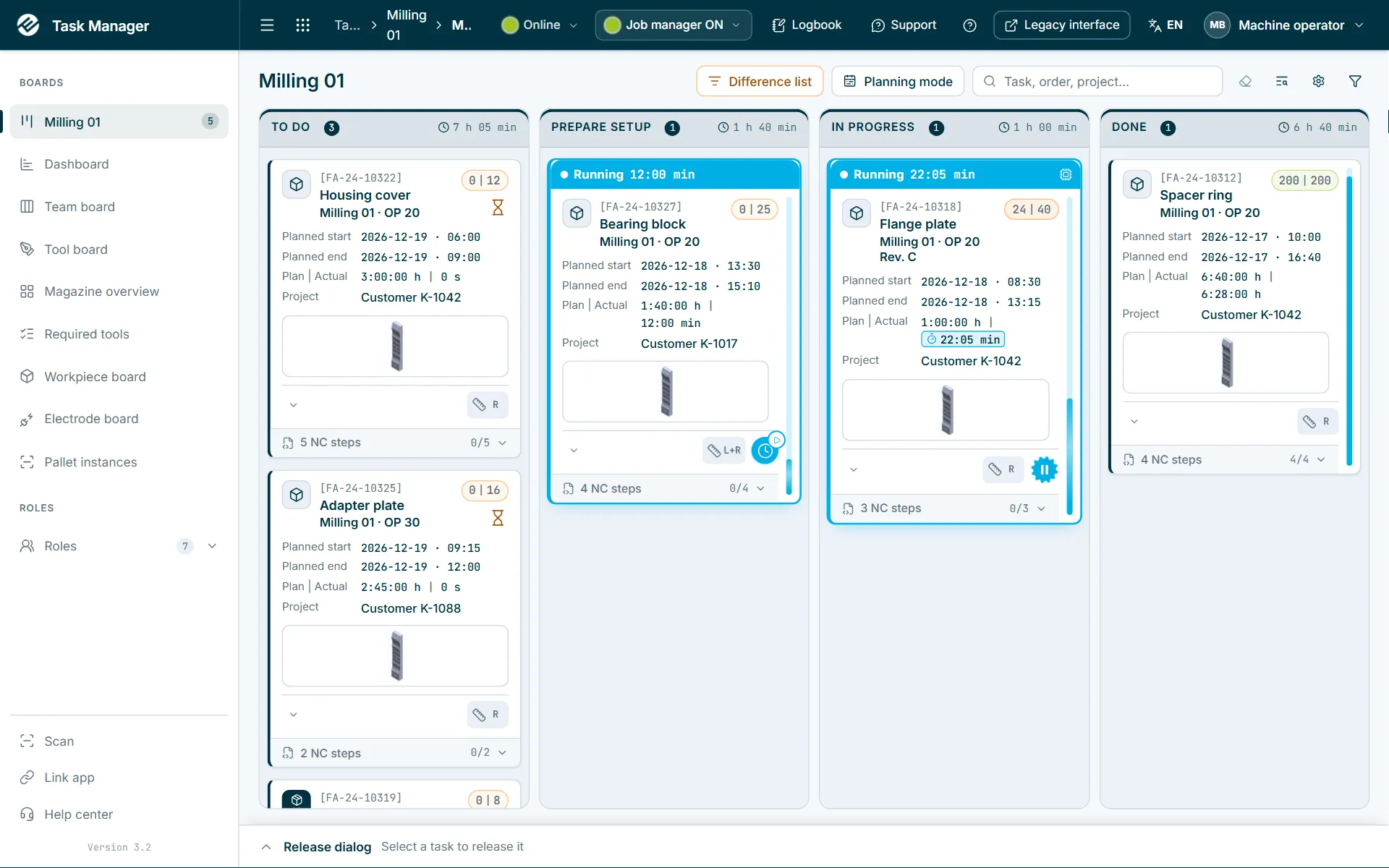
Task Manager is where production happens. It gives each workplace — a machine, a machine pool, a pallet or a team — its own boards with the tasks that are due there. Operators see what to do next, start and finish work, run approvals and keep tools, magazines and workpieces in order, while everyone else sees the progress live.
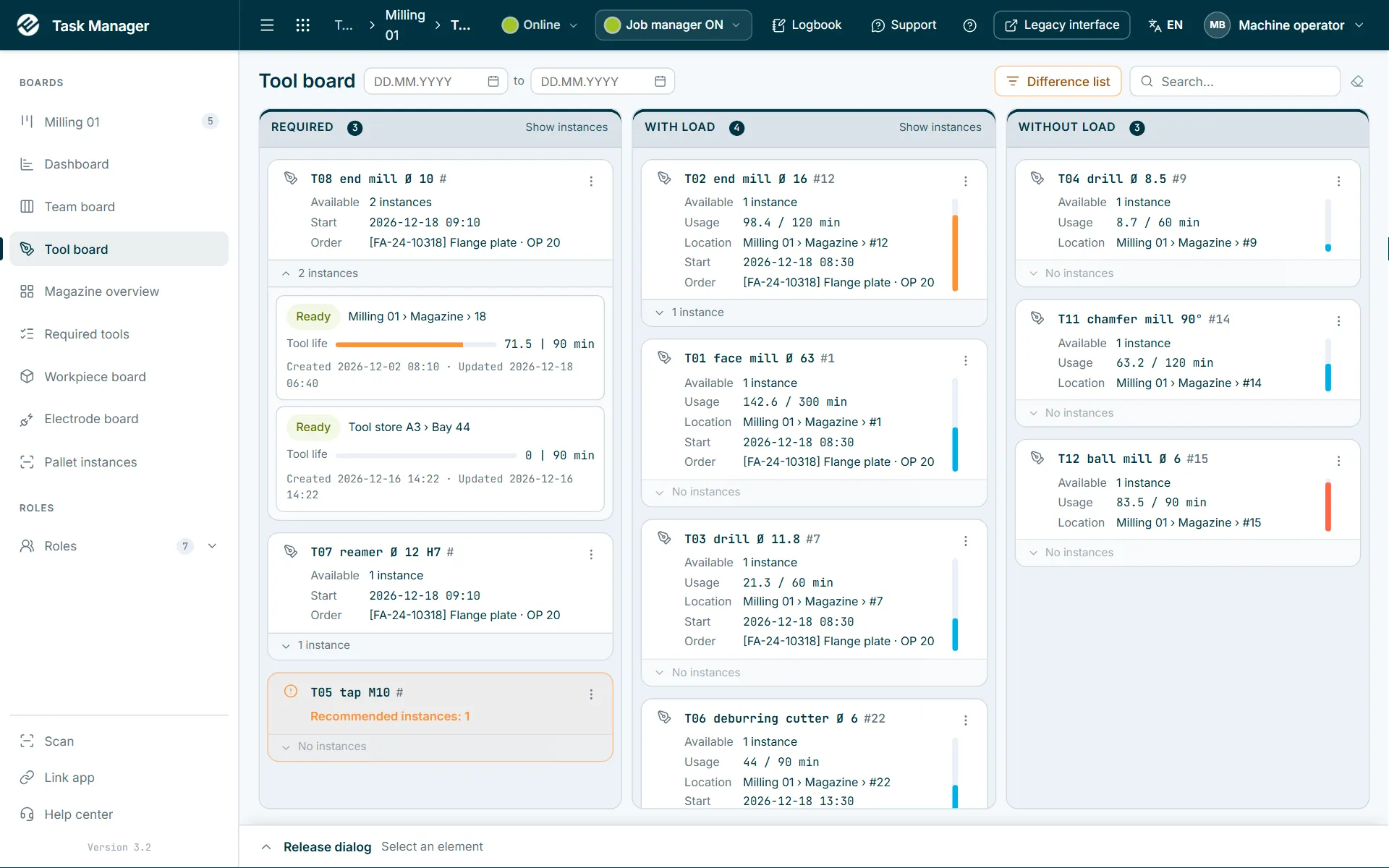
You can try the Task Manager click prototype in the desktop view – on a computer or tablet.
What the app does
Boards for every workplace
Task boards, team boards, workpiece and electrode boards, tool and required-tools boards, magazine boards and dashboards — each workplace gets the views it needs, with columns that match its real workflow.
Clear task status at a glance
Every card shows whether the task is ready, locked, waiting for its predecessor, its workpiece or a manual action, or already in transport — so nobody starts what cannot be done yet.
Move work forward
Drag tasks from column to column, start and stop them, reset or correct them. Moves that talk to the machine are sent straight to it.
Approvals on the spot
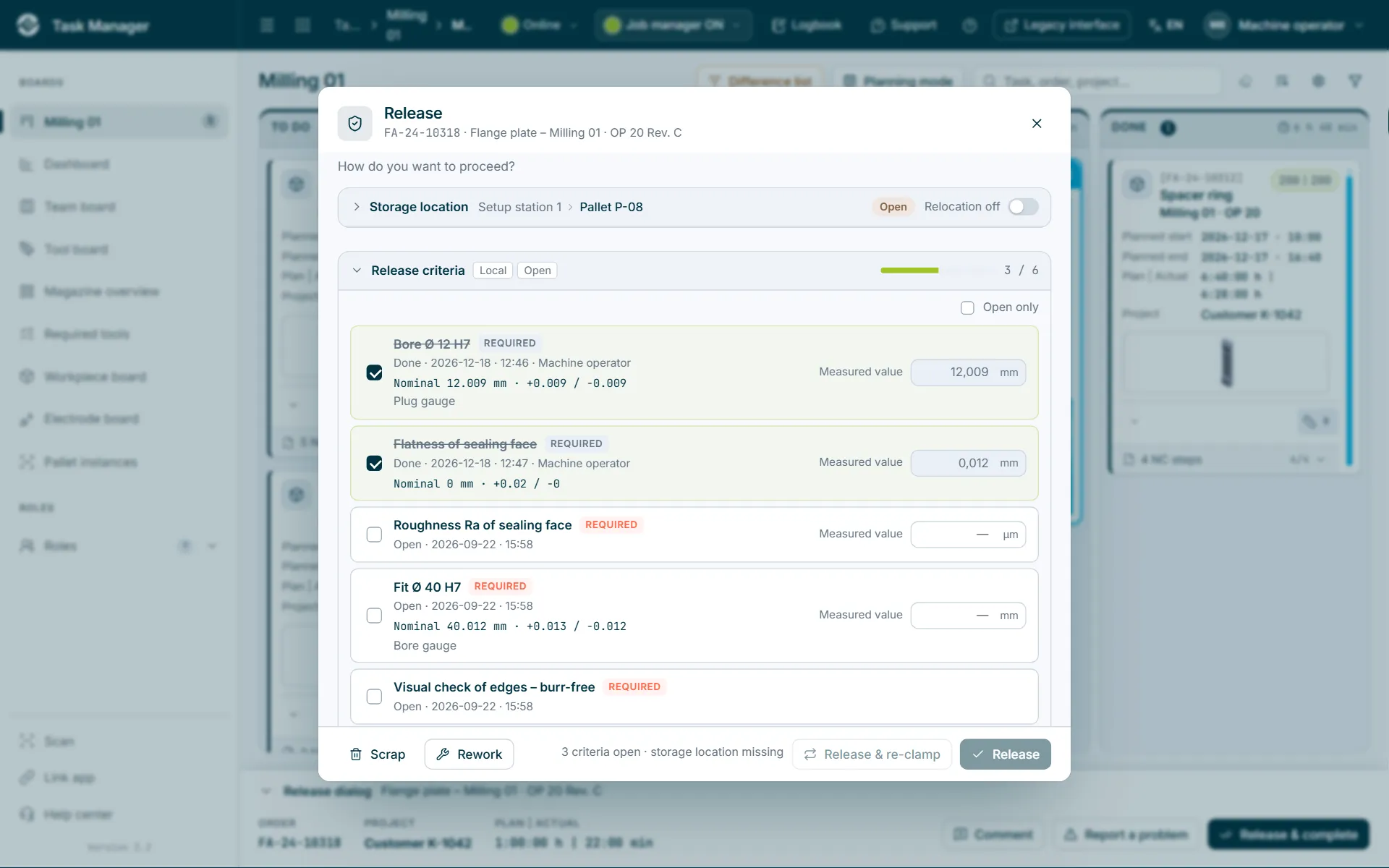
Checklists and release steps are part of the task: operators confirm characteristics, measurements and releases at the workplace, with a full history.
Workpieces, lots and pallets
See which workpiece a task belongs to, build lots, assign pallets and print or scan workpiece labels and QR codes.
Tools and magazines
Keep track of required tools, magazine contents and tool states per machine, and plan what has to be loaded before a job can run.
Task details in one dialog
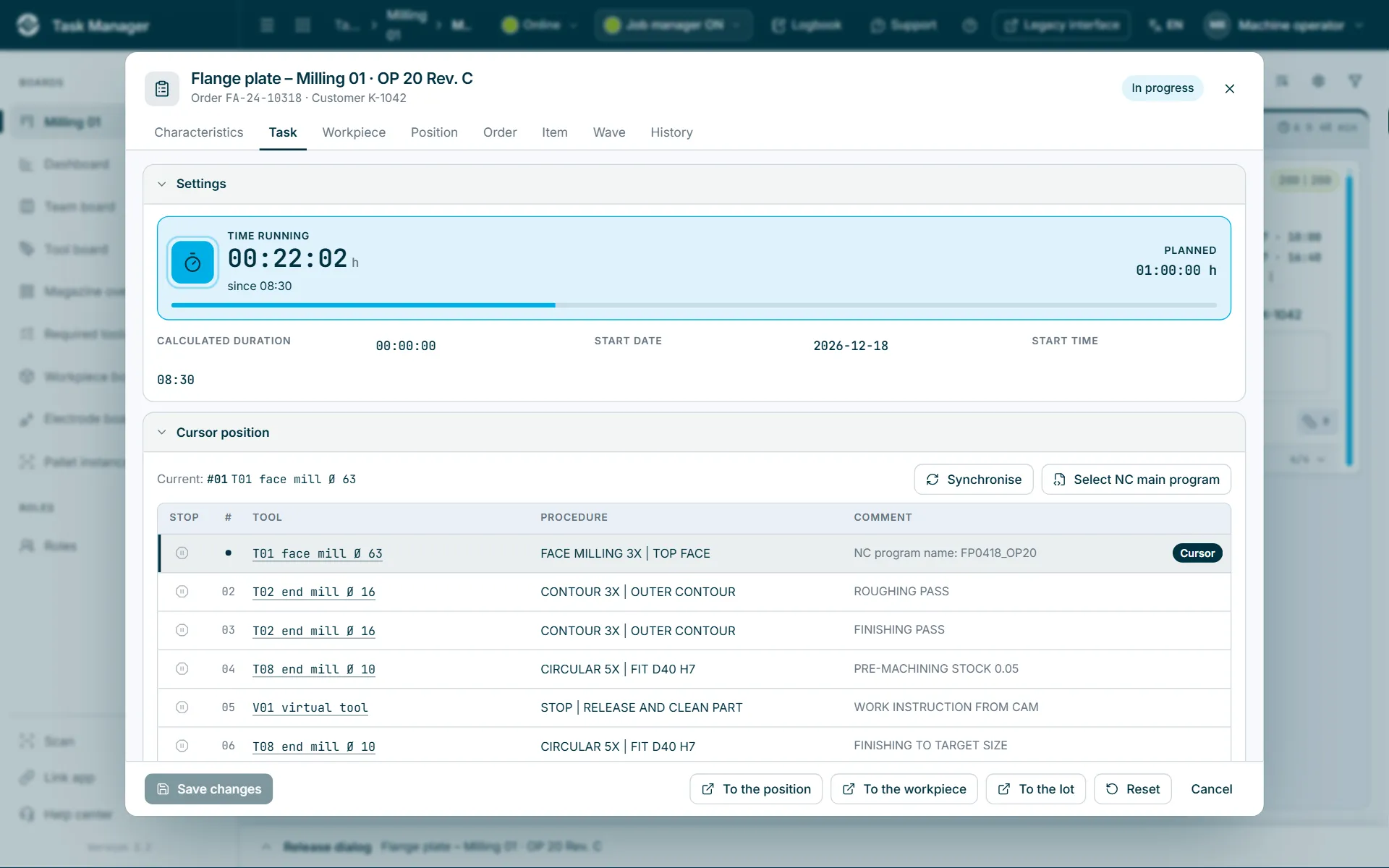
Characteristics, task, workpiece, position, order and article data, history and attachments, plus direct access to the operation's settings and NC programs.
Card terminal
Operators sign in at a shared terminal with their badge, so bookings are always attributed to the right person.
Live everywhere
Changes made on one board appear on every other board and in the other apps immediately.
Why it matters
- No paper, no guessingOperators work from the same, current data that planning prepared — the right NC program, the right checklist, the right workpiece.
- Fewer stoppagesReadiness states and the required-tools view show problems before a machine is waiting.
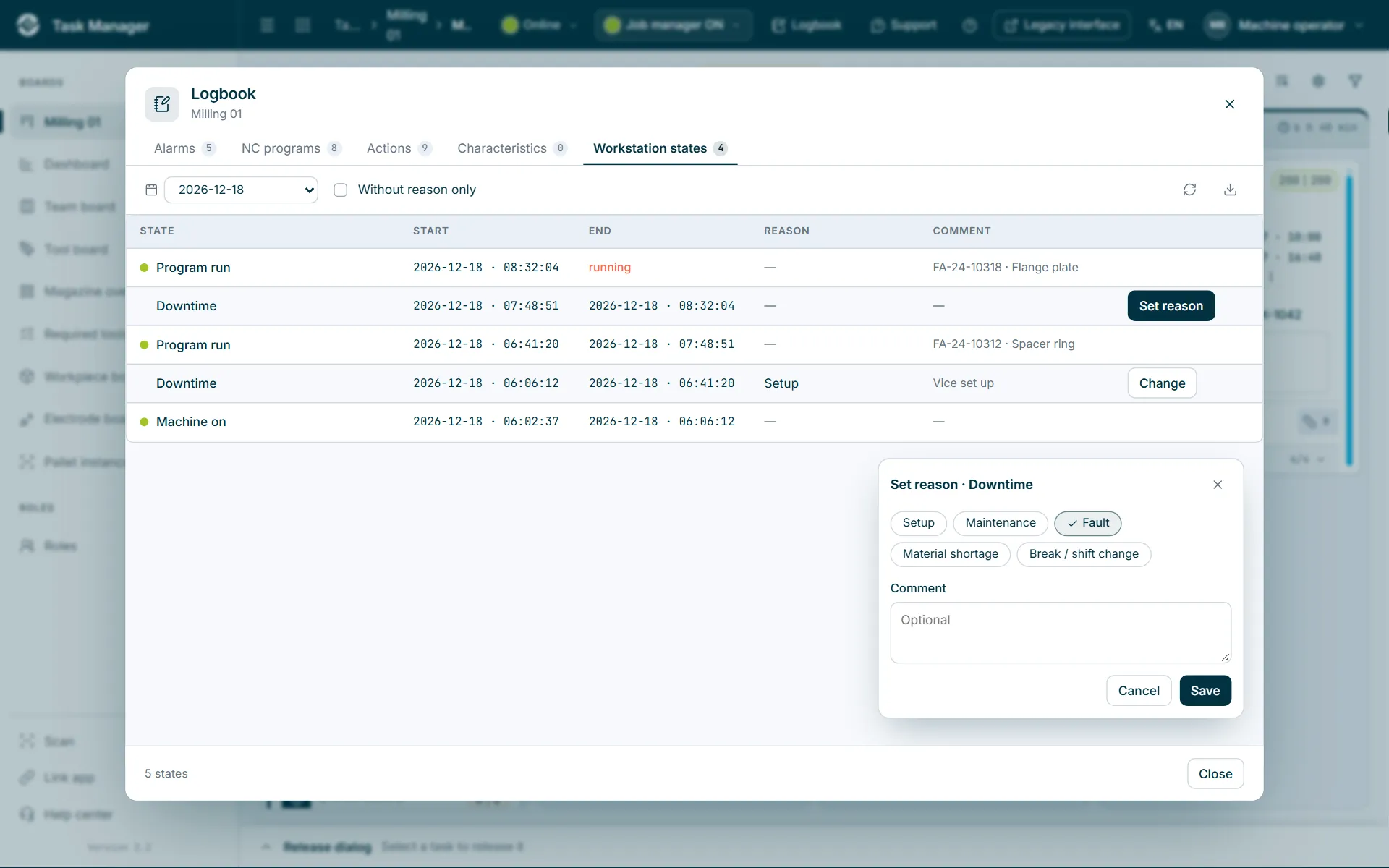
- Traceable productionWho did what, when, on which machine, and with which approval — recorded as it happens.
- Built for the shop floorLarge, clear cards, touch-friendly controls, badge sign-in and phone layouts make it work at the machine, not only in the office.
Part of the EVOMECS suite
Task Manager executes the work that the Project Manager prepares, on the machines and workplaces defined in the Infrastructure Manager, and feeds the live data that the Dashboard reports on.

Benjamin Neubauer
Chief Executive Officer (CEO), EVOMECS
How to get started
Your demo – tailored to your production.
In the first meeting we show you EVOMECS in a live demo tailored to your company. Afterwards you can try EVOMECS free of charge for two weeks in your own demo system.
- 1First meeting · 30 minutes onlineWe introduce EVOMECS, show it in a short live demo and clarify your needs.
- 2Your demo systemIf you wish, we set up your own demo system in Shopfloor Light – with your machines and sample data. You receive the invitation by email.
- 3Try it yourself for two weeksYou and your colleagues try out how orders, feedback, machine status and downtimes work together. Free of charge, without installation and without connecting machines.
- 4Connect your machinesIn Shopfloor Light you connect your machines yourself using our guide. If you wish, we support you in a pilot project.
First meeting: 30 minutes · online · free of charge