
Plan and prepare
EVOMECS Project Manager
From customer order to a ready-to-run job — planned, prepared and released in one place.
Project Manager is the order and work-preparation application of the EVOMECS manufacturing suite. It is where production is planned: what has to be made, how it is made, on which machines, and when. Everything the shop floor needs to start working — operations, NC programs, approvals, workpieces, pallets — is prepared here and handed over to the Task Manager as ready tasks.
You can try the Project Manager click prototype in the desktop view – on a computer or tablet.
What the app does
Orders and positions
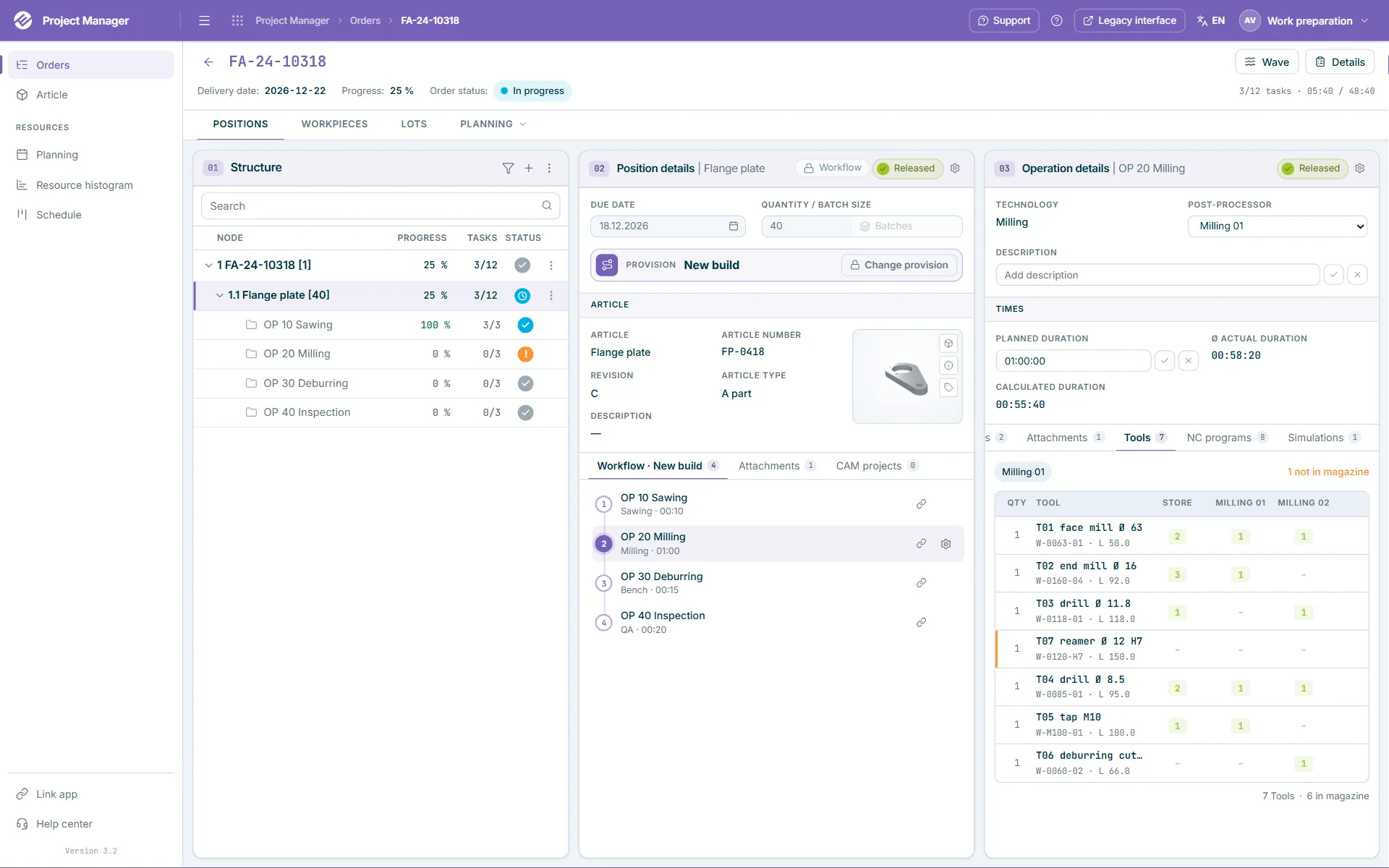
Capture customer and internal orders with delivery dates, projects and order states. Each order is broken down into positions: which article, how many pieces, in which batch sizes — including custom batch splits.
Articles and how they are made
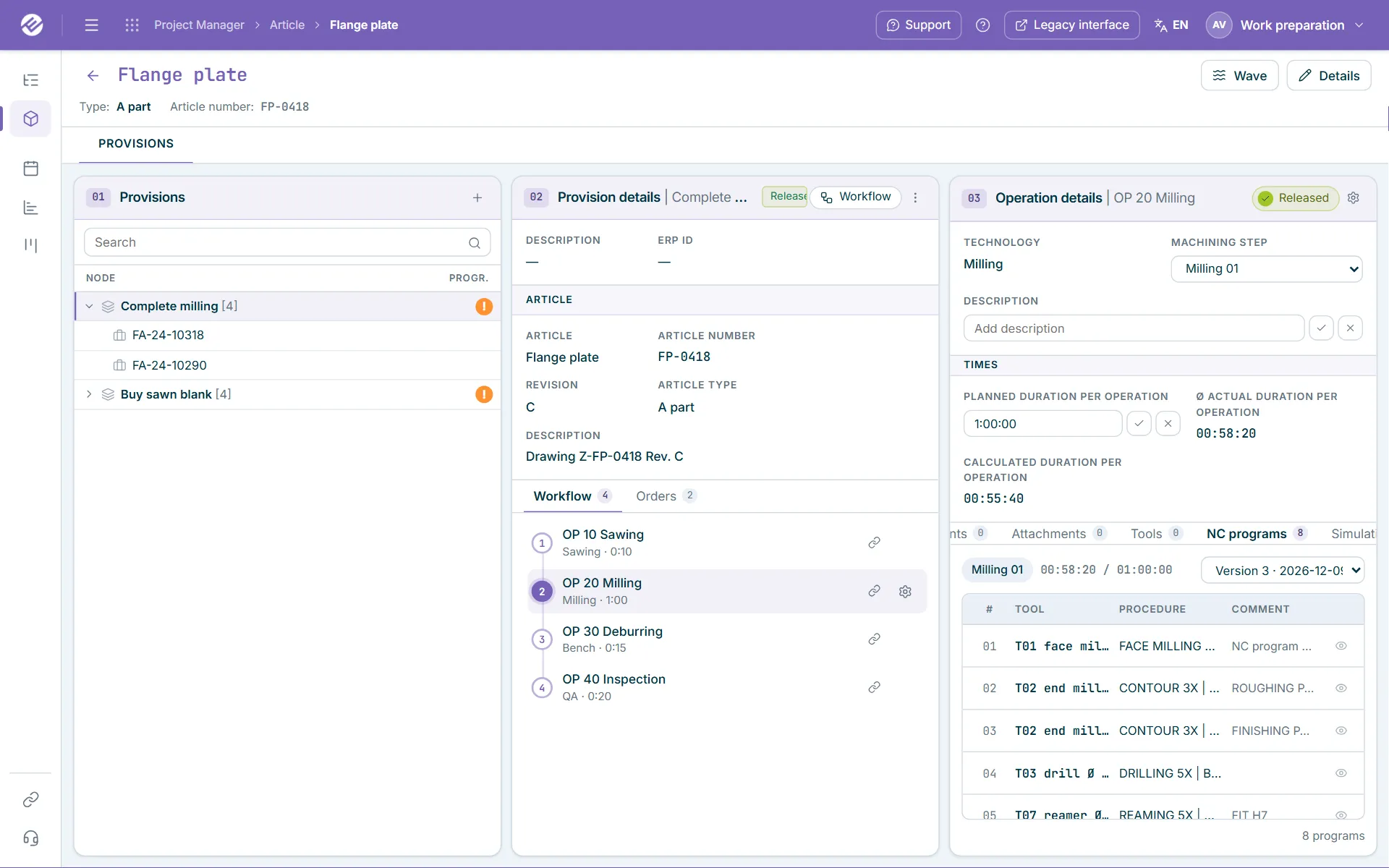
Every article has one or more provisions — the recipe for making it: a workflow of operations, raw material and requirements. Provisions are versioned, so a change never silently overwrites what was produced before.
Visual workflow builder
Assemble a part's process from an operations library grouped by technology family (CAM, milling, EDM, mounting, CAD …), with drag and drop, groups, parallel steps, templates and a version timeline.
NC programs per machine
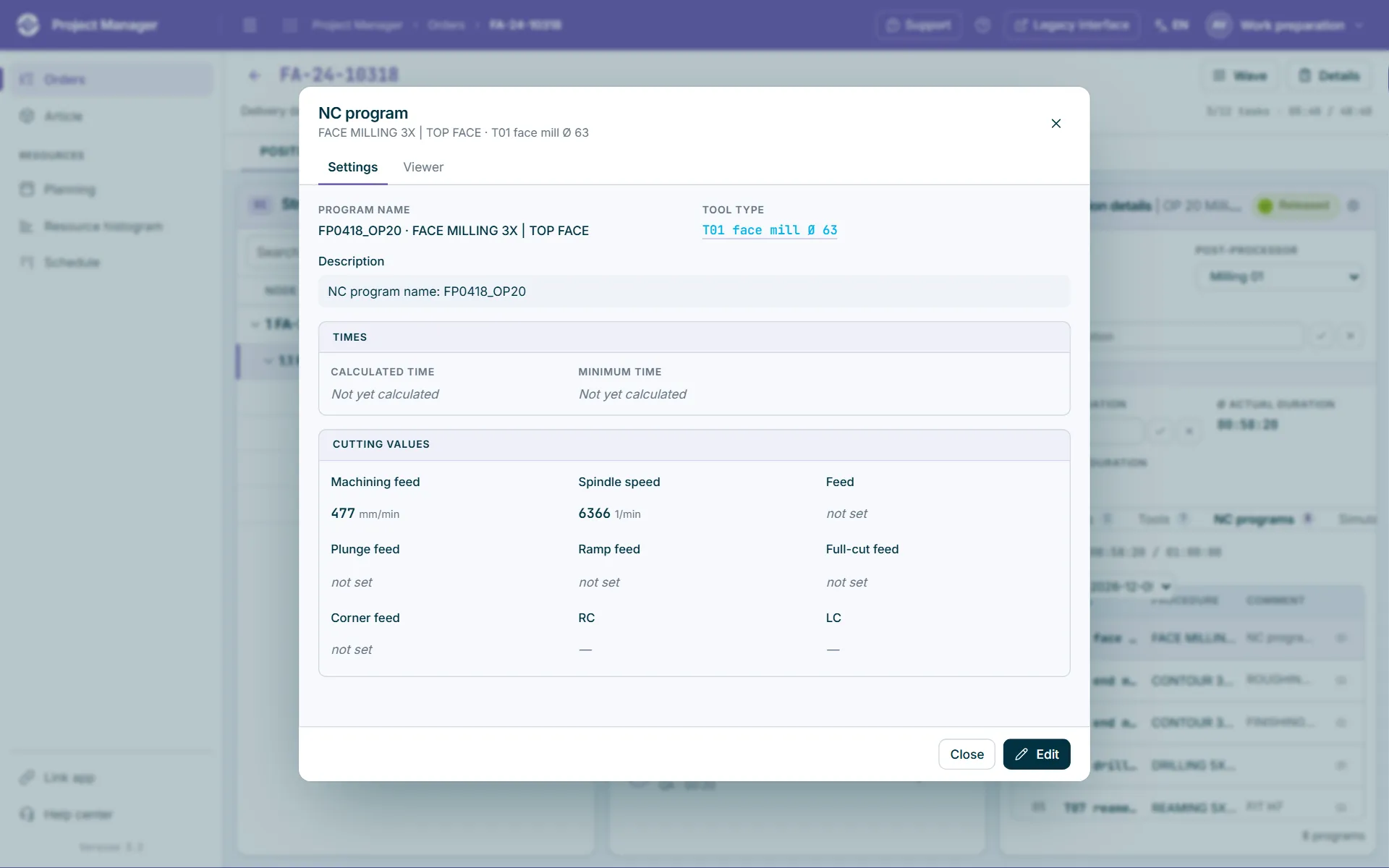
Attach NC programs to each operation and machine, release them, keep their versions, browse the program's tool list and inspect the toolpath in 3D.
Workpieces, pallets and lots
Follow every physical piece, mount and align workpieces on pallets with the clamping assistant, label them with a QR code and scan them with the camera — and bundle them into lots that the shop floor processes as one job.
Approvals and checklists
Define what has to be checked and released before and after each operation, so quality steps are built into the process instead of added on paper.
3D and CAD intelligence
Upload STEP and IGES models: the part is shown in 3D, and features such as holes, fillets, cavities and shafts are recognised automatically.
Planning and capacity
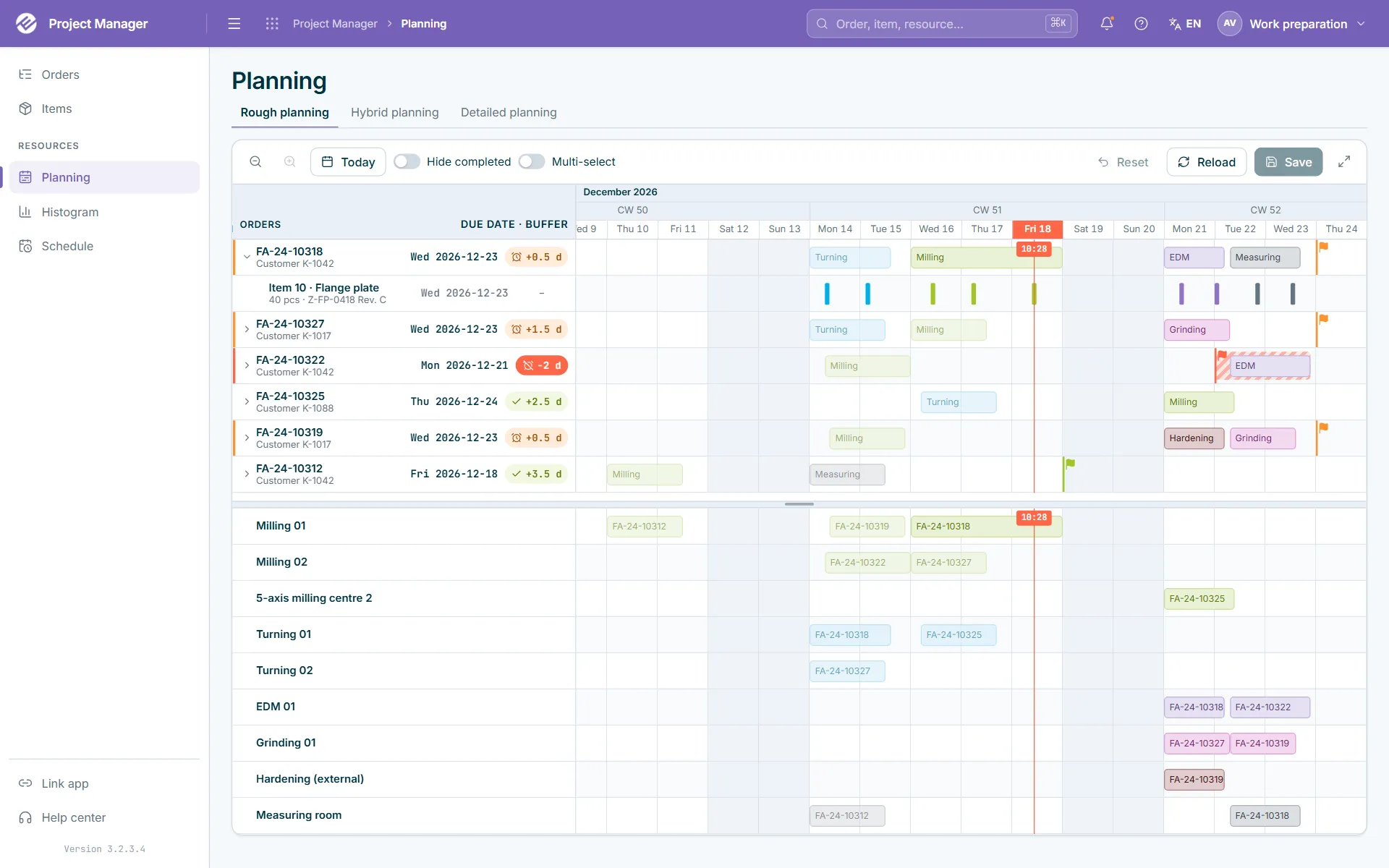
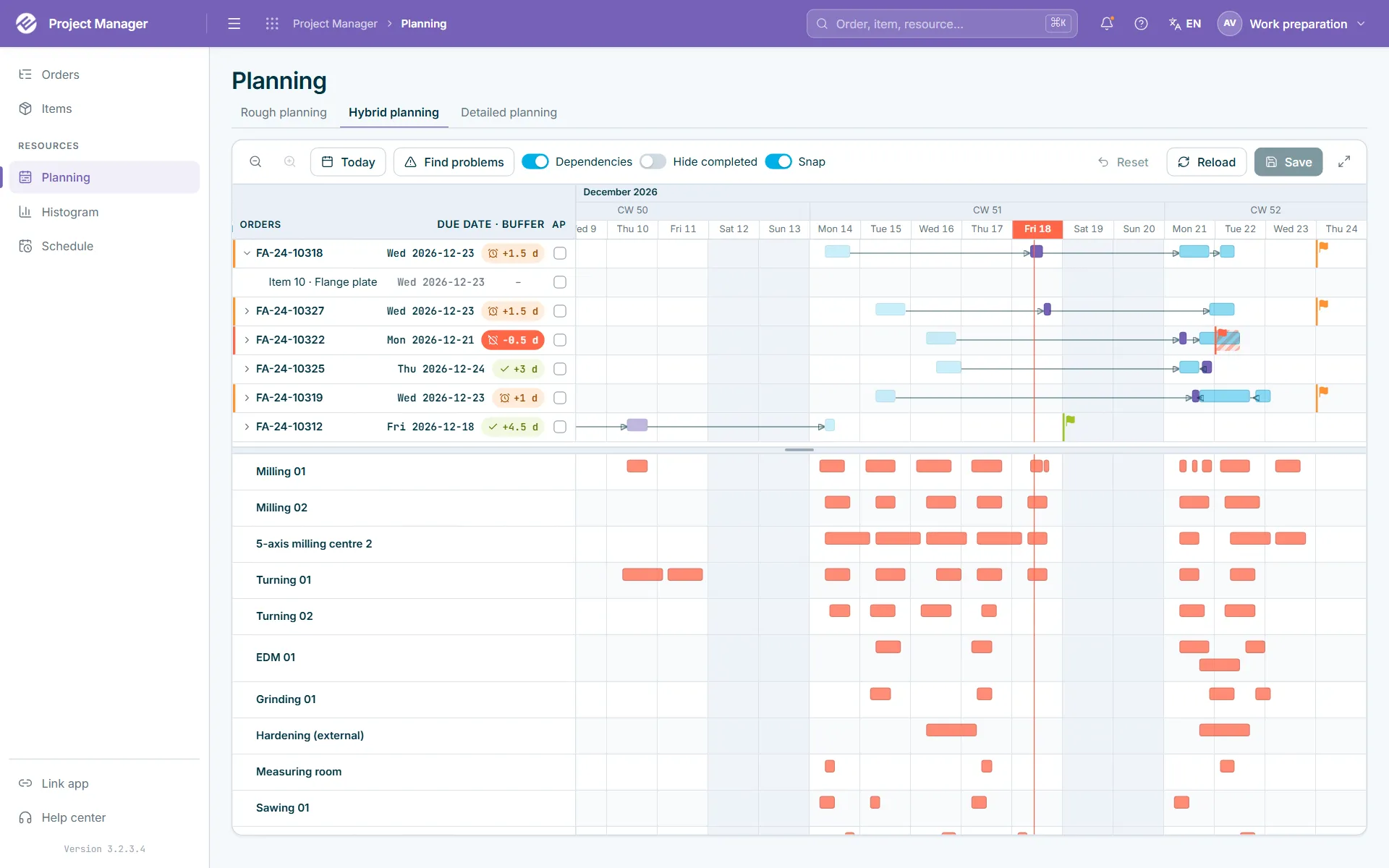
Rough, hybrid and fine planning per order on a timeline with delivery dates and non-working times. Move operations by drag and drop — checked against predecessors and the past, with planning problems pointed out. Plus a resource timetable with availability and blocked times, and a resource histogram that sets demand against capacity per calendar week. Automatic scheduling respects machine calendars and working time and places tasks around existing bookings. Planning is available as the optional Planning Module for any edition.
Attachments everywhere
Drawings, documents and images at the order, position, article and operation level, with revisions, history and an in-app preview for PDFs, images, office documents and 3D models.
Why it matters
- One source of truthOrders, process knowledge and NC data live together, so preparation and production never work from different versions.
- Less manual hand-overReleasing a position generates the shop-floor tasks automatically — per operation and per workpiece or lot.
- Plans that holdScheduling that knows machine calendars, existing bookings and the real order of operations produces dates the shop floor can actually meet.
- Help built in"Talk to support" starts a conversation about the record on screen, and an AI assistant can answer questions about screens, fields and processes.
Part of the EVOMECS suite
Project Manager prepares the work, the Task Manager executes it on the shop floor, the Infrastructure Manager holds the plant's machines and master data, and the Dashboard shows what is happening. Commercial orders from the Order Manager are linked to production positions, and tool details come straight from AssetHub — all connected, all sharing the same data.

Benjamin Neubauer
Chief Executive Officer (CEO), EVOMECS
How to get started
Your demo – tailored to your production.
In the first meeting we show you EVOMECS in a live demo tailored to your company. Afterwards you can try EVOMECS free of charge for two weeks in your own demo system.
- 1First meeting · 30 minutes onlineWe introduce EVOMECS, show it in a short live demo and clarify your needs.
- 2Your demo systemIf you wish, we set up your own demo system in Shopfloor Light – with your machines and sample data. You receive the invitation by email.
- 3Try it yourself for two weeksYou and your colleagues try out how orders, feedback, machine status and downtimes work together. Free of charge, without installation and without connecting machines.
- 4Connect your machinesIn Shopfloor Light you connect your machines yourself using our guide. If you wish, we support you in a pilot project.
First meeting: 30 minutes · online · free of charge