
Plan and prepare
EVOMECS Order Manager
The commercial side of production — orders, prices, stock and margins, connected to the shop floor.
Order Manager is the business application of the EVOMECS suite. It handles everything commercial around manufacturing: customer orders and purchase orders, price lists and conditions, stock and material planning, costing and margins, documents and open items — and it connects them to accounting and to customers' and suppliers' systems. Because it is linked to the Project Manager, an order line knows what production it triggers and what it really costs.
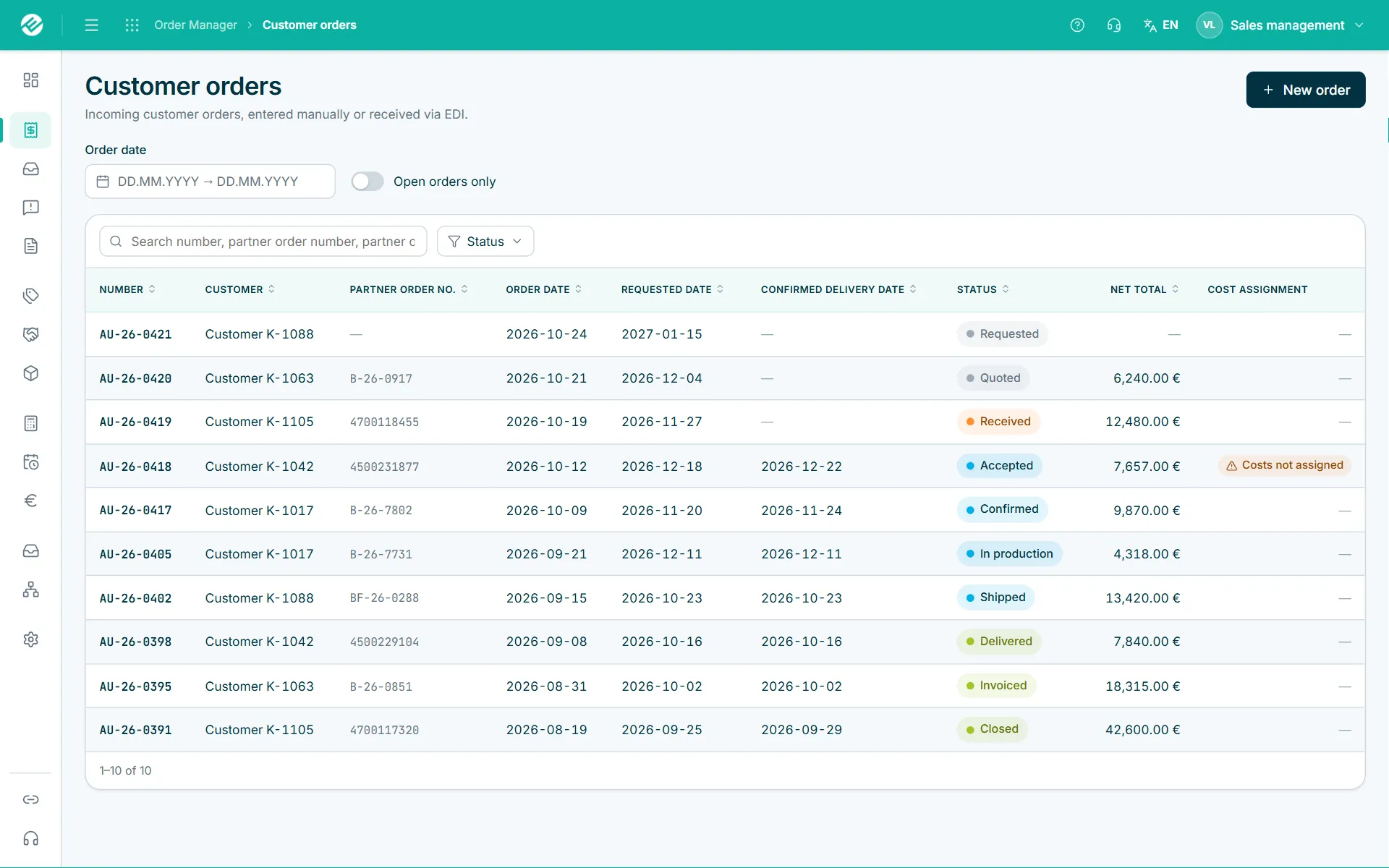
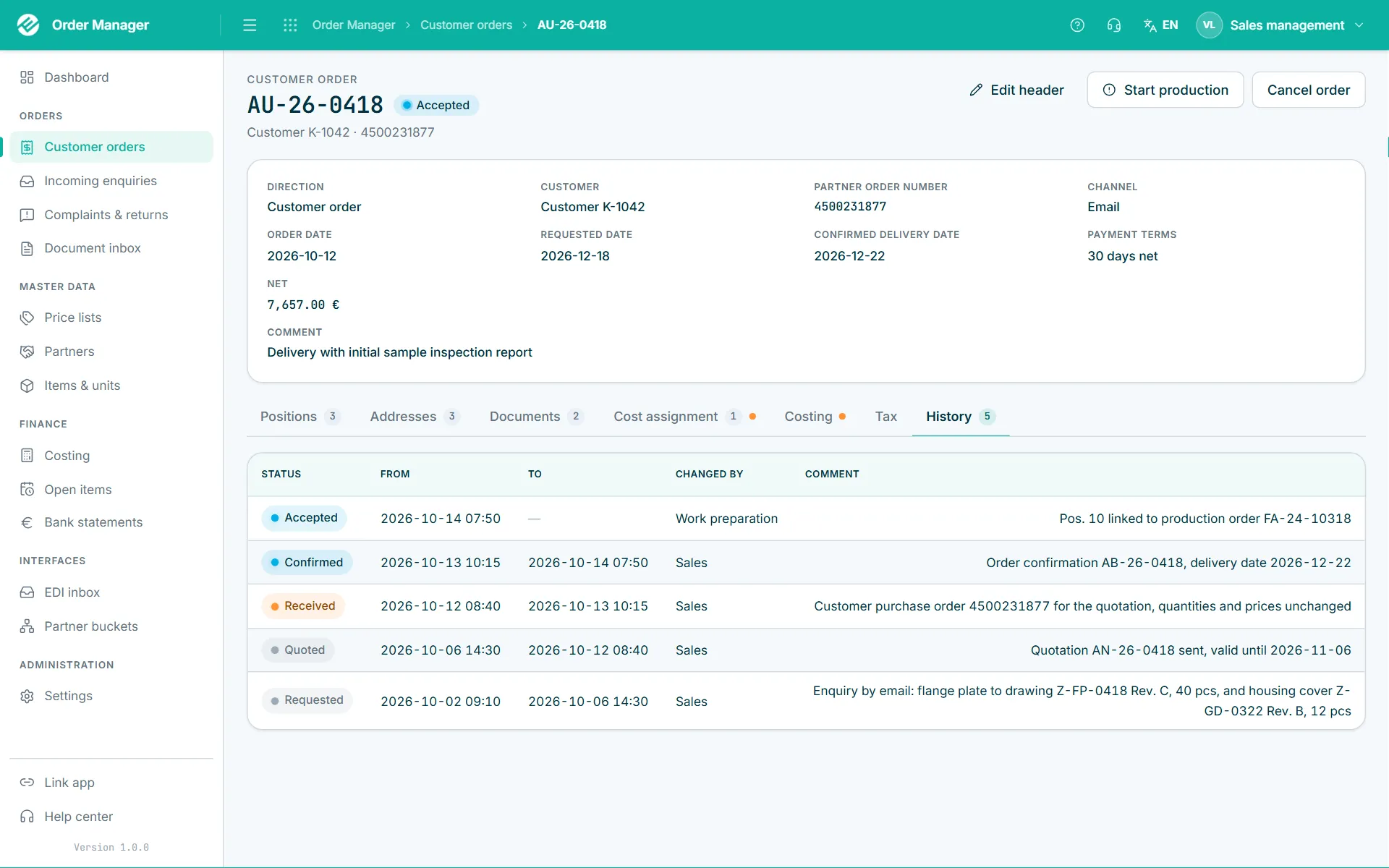
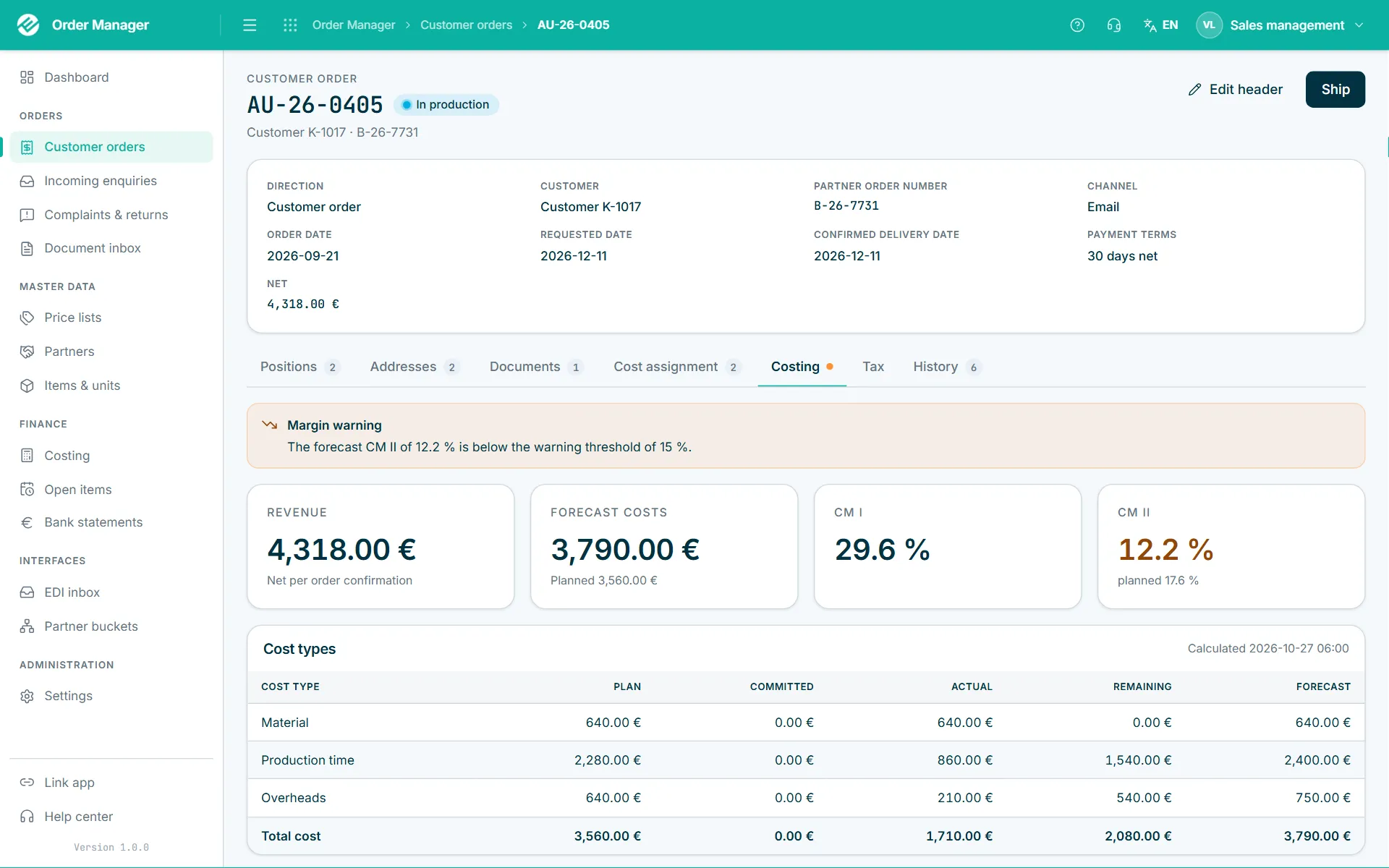
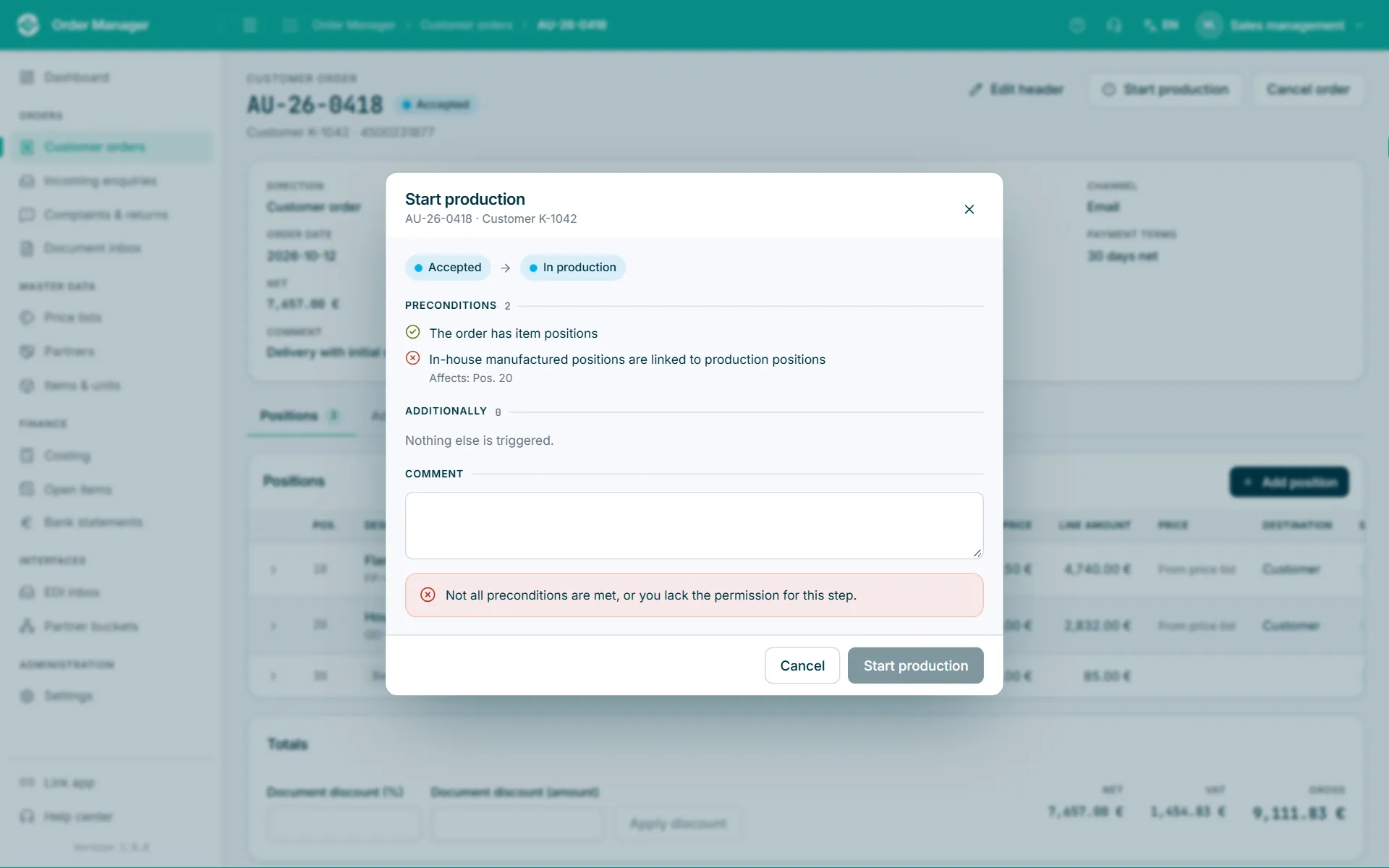
You can try the Order Manager click prototype in the desktop view – on a computer or tablet.
What the app does
Customer and purchase orders
Sales orders, purchase orders and stock orders in one place, with partner order numbers, requested and confirmed delivery dates, status and totals — plus a guided assistant for new orders.
Status changes you can trust
Each order moves through clear states — confirm, ship, receive, invoice. Before a change, Order Manager shows what must be fulfilled and what will happen as a result (documents, e-mails, stock bookings), including partial quantities for shipping, receiving and invoicing. Cancellations and changes to binding orders require a reason and stay traceable in the history.
Prices and conditions
Price lists per direction with validity dates, scales and a release step — released price lists are locked against changes; partner prices next to your own, so a price deviation is resolved with one decision.
Costing and margins
Revenue, forecast costs and contribution margins per order, with warnings when an order falls below its target or minimum margin.
Link to production
Assign order lines to Project Manager production positions — or, for trading goods, to the purchase order that supplies them — so costs and progress follow the real work. Production only starts once every in-house position is assigned.
Stock and material planning
Storage locations and movements, and a disposition that forecasts each article against its minimum and safety stock, points out the first shortage and proposes stock orders.
Open items
Receivables and payables at a glance, with overdue items highlighted.
Connected to accounting and partners
Quotations, order confirmations, delivery notes and invoices are created in the connected accounting software when an order changes status. Orders, order confirmations, delivery notifications and purchase orders via EDI arrive in a dedicated inbox and are checked and released before processing.
Rights by role
Sales, purchasing, warehouse and management each see what they need; prices and margins are visible only to those allowed to see them.
Why it matters
- No order falls through the cracksClear states, required checks and visible next steps keep every order moving.
- Margins you can see before it's too lateCosting linked to production shows a loss-making order while it can still be changed.
- Less typing, fewer errorsElectronic orders, partner prices and accounting interfaces replace manual re-entry.
- Commerce and production in one pictureSales and planning look at the same order, not two versions of it.
Part of the EVOMECS suite
Order Manager starts the work that the Project Manager plans and the Task Manager executes. Tools can be ordered from AssetHub directly in Order Manager, and users and roles come from the Infrastructure Manager — commerce and production on one platform.

Benjamin Neubauer
Chief Executive Officer (CEO), EVOMECS
How to get started
Your demo – tailored to your production.
In the first meeting we show you EVOMECS in a live demo tailored to your company. Afterwards you can try EVOMECS free of charge for two weeks in your own demo system.
- 1First meeting · 30 minutes onlineWe introduce EVOMECS, show it in a short live demo and clarify your needs.
- 2Your demo systemIf you wish, we set up your own demo system in Shopfloor Light – with your machines and sample data. You receive the invitation by email.
- 3Try it yourself for two weeksYou and your colleagues try out how orders, feedback, machine status and downtimes work together. Free of charge, without installation and without connecting machines.
- 4Connect your machinesIn Shopfloor Light you connect your machines yourself using our guide. If you wish, we support you in a pilot project.
First meeting: 30 minutes · online · free of charge