
Execute on the shop floor
EVOMECS AssetHub
Every tool, holder and cutting edge — known, assembled, ready and traceable.
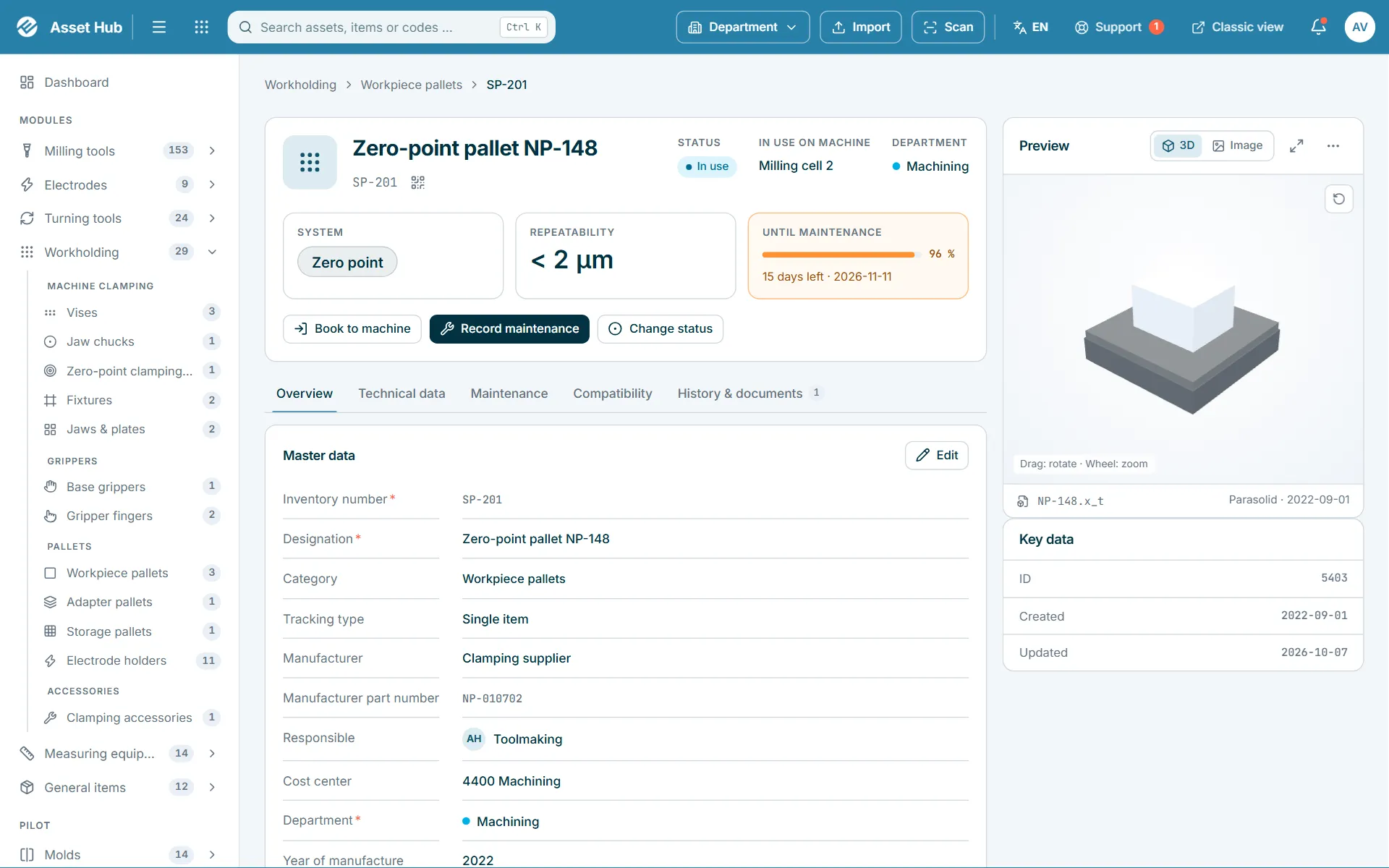
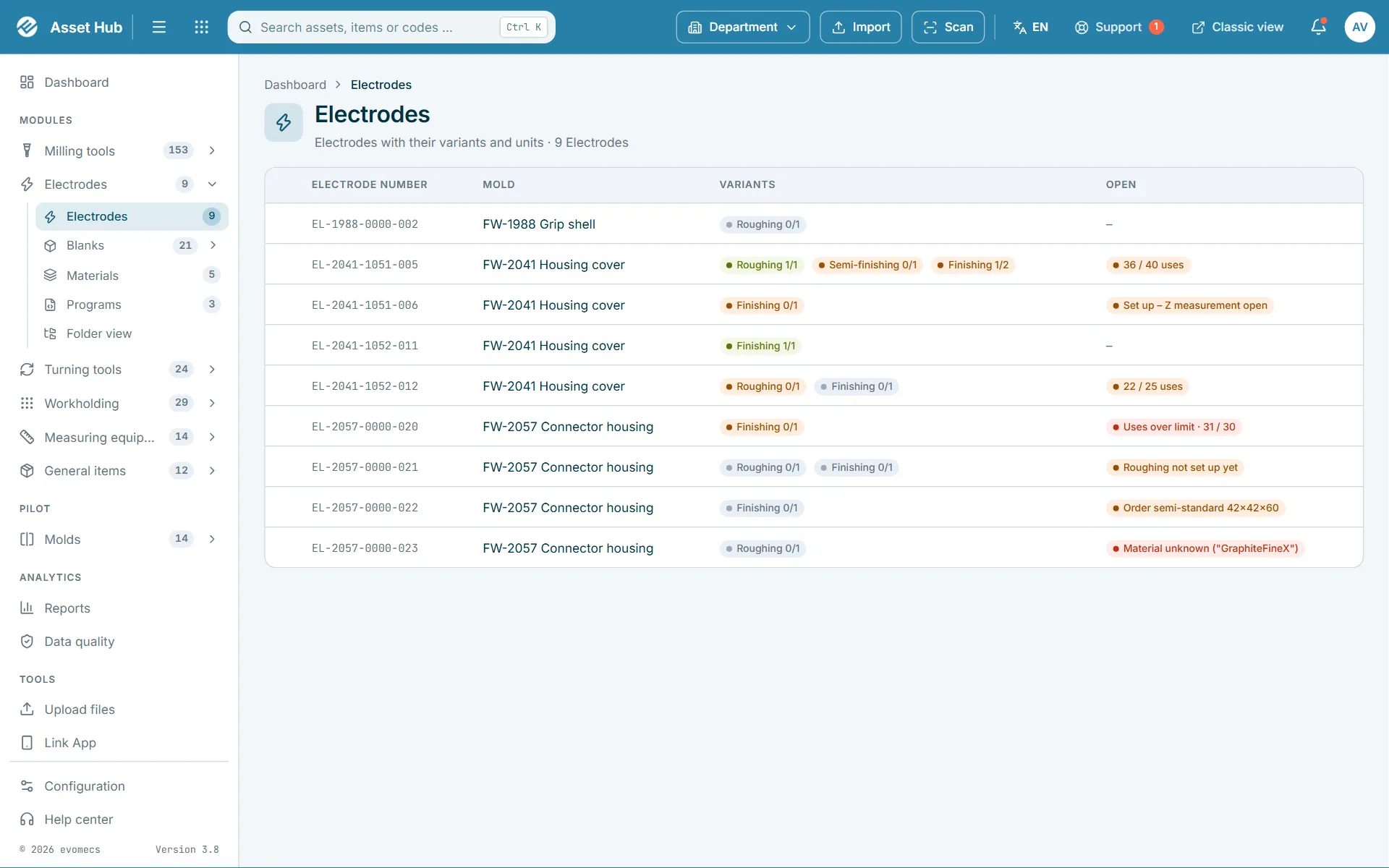
AssetHub is the asset management of the EVOMECS suite. It knows every tool the plant owns: which assemblies exist, which holders, cutting edges and couplings they are built from, which physical instances are in circulation, and whether they are ready for the next job. CAM, presetting, the shop floor and the machines all work from the same tool data. As standard, AssetHub manages milling tools; the optional add-on modules AssetHub – Fixtures and equipment, AssetHub – Measuring and inspection equipment and AssetHub – Electrodes extend it to further asset types.
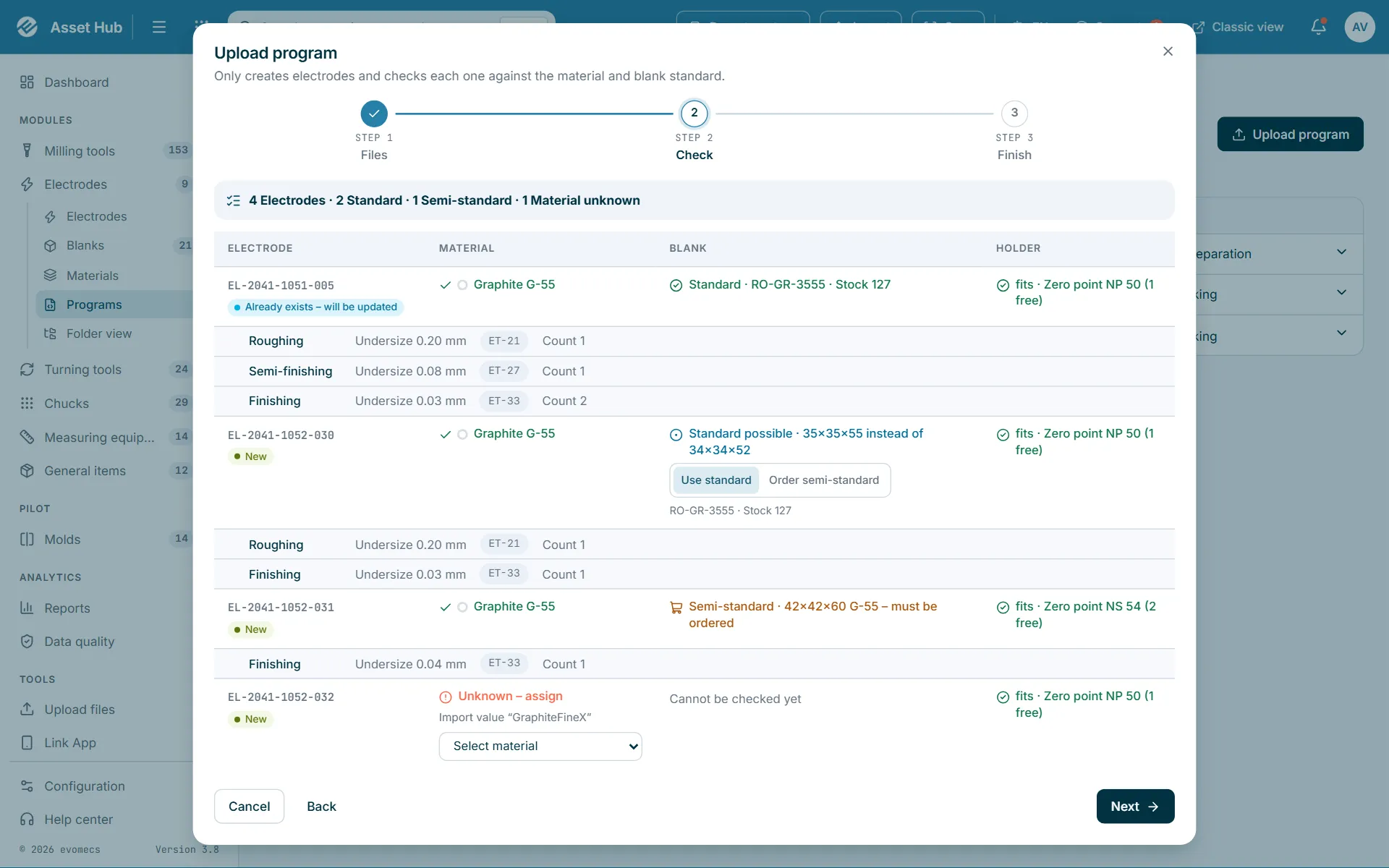
You can try the AssetHub click prototype in the desktop view – on a computer or tablet.
What the app does
Tool assemblies and their components
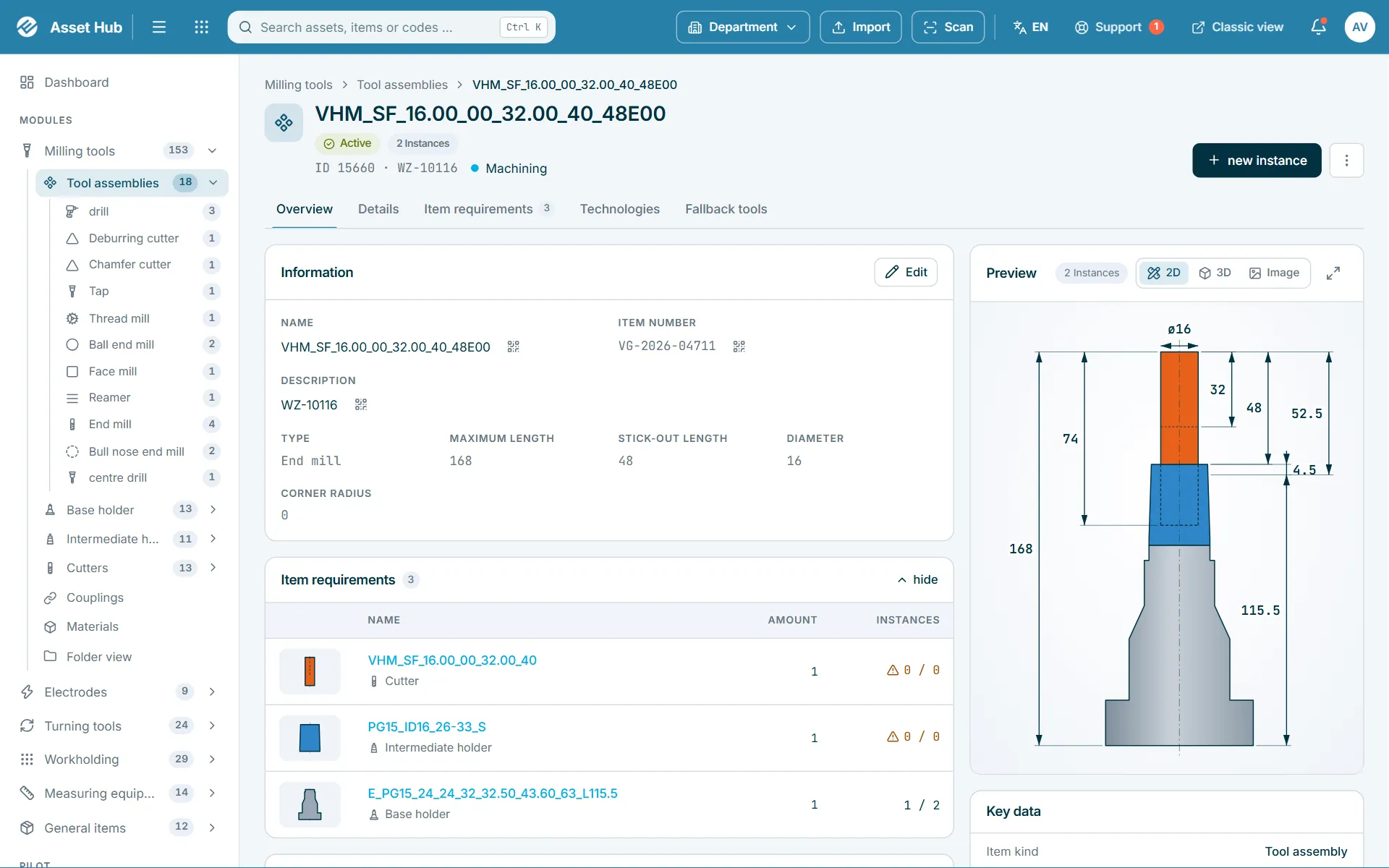
A structured catalogue of tool assemblies, base holders, intermediate holders, cutting edges, couplings and cutting materials — browsable by category, folder or search, with list, 2D drawing, 3D and image views. New assemblies are built in a wizard — from coupling through holder and cutting edge to tool life.
Technical drawing built in
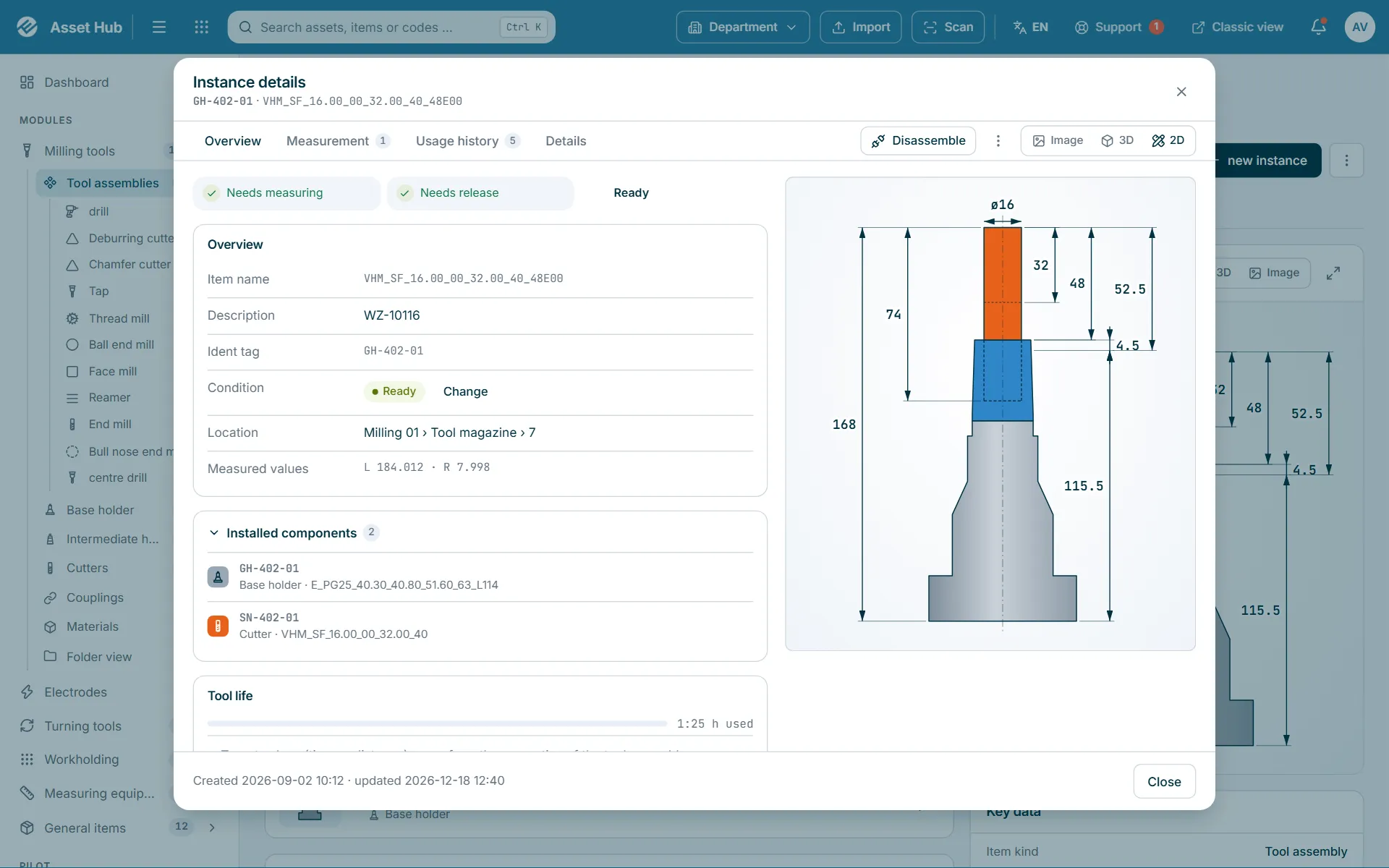
Every assembly is shown as a 2D drawing of its components; selecting a component highlights it in the drawing.
Physical instances
Track every real tool in circulation. A guided scan wizard builds a new instance: scan the holder, clear old components, scan the new ones — and the system knows exactly what is mounted where. Instances are measured, released and disassembled again.
See what needs doing next
The start page shows where action is needed — tools with critical tool life, tools that need measuring, locked tools — and what to do next.
One status model, full history
Every asset is in use, available, in maintenance, locked or retired; a lock always needs a reason. Every change of status or master data is recorded in the history with its old and new value.
CAM import
Import tool libraries from common CAM systems or from spreadsheets (CSV, TXT, Excel), with a preview of what is new, what already exists and what will change before anything is written.
Data quality
Inconsistencies are found automatically and grouped by their root cause, so one fix repairs every affected assembly.
Reports
A report library with standard reports and your own analyses of instances, tool usage and stock movements, exported to CSV, Excel or PDF.
Fast search and scanning
Find any tool by name, number or code from the top bar, or scan it with the camera or a handheld scanner — barcode, QR code or RFID. Labels are printed straight from AssetHub.
Departments and modules
Organise tool types by department and grow AssetHub module by module as more asset types are added.
Why it matters
- The right tool, ready on timeKnowing what is assembled, where it is and whether it is released prevents machines waiting for tools.
- One tool database for everyoneCAM programmers, tool setters and machine operators use the same data — no parallel lists, no surprises at the machine.
- Clean data, less effortAutomatic consistency checks and guided fixes keep a large tool catalogue reliable without manual auditing.
- Ready for more than cutting toolsThe modular design makes AssetHub the place for all the plant's equipment over time.
Part of the EVOMECS suite
AssetHub supplies the tools that the Project Manager plans with, that the Task Manager shows as required at each machine, and that presetters and CAM systems exchange data about — on the plant model of the Infrastructure Manager. Tool details open directly in the Task Manager and the Project Manager, and orders are placed in the Order Manager.

Benjamin Neubauer
Chief Executive Officer (CEO), EVOMECS
How to get started
Your demo – tailored to your production.
In the first meeting we show you EVOMECS in a live demo tailored to your company. Afterwards you can try EVOMECS free of charge for two weeks in your own demo system.
- 1First meeting · 30 minutes onlineWe introduce EVOMECS, show it in a short live demo and clarify your needs.
- 2Your demo systemIf you wish, we set up your own demo system in Shopfloor Light – with your machines and sample data. You receive the invitation by email.
- 3Try it yourself for two weeksYou and your colleagues try out how orders, feedback, machine status and downtimes work together. Free of charge, without installation and without connecting machines.
- 4Connect your machinesIn Shopfloor Light you connect your machines yourself using our guide. If you wish, we support you in a pilot project.
First meeting: 30 minutes · online · free of charge