
Plan and prepare
EVOMECS Shape
Find the part you already made — by its shape.
Shape is the geometry intelligence of the EVOMECS suite. It turns every part's 3D model into a geometric fingerprint and uses it to find similar parts, recognise manufacturing features and connect a new part with the experience of the ones already produced. Instead of searching by name or number, you search by what the part looks like.
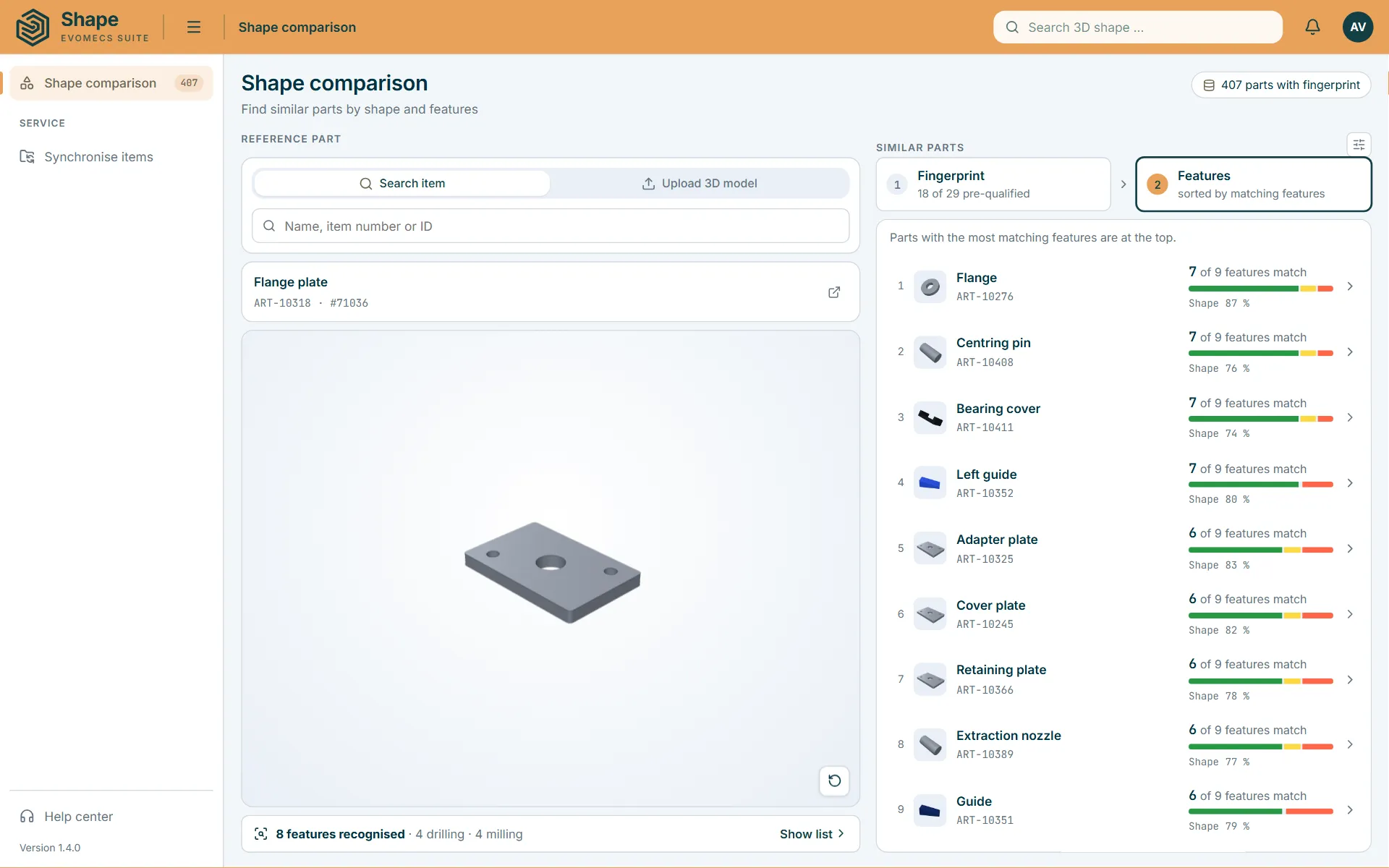
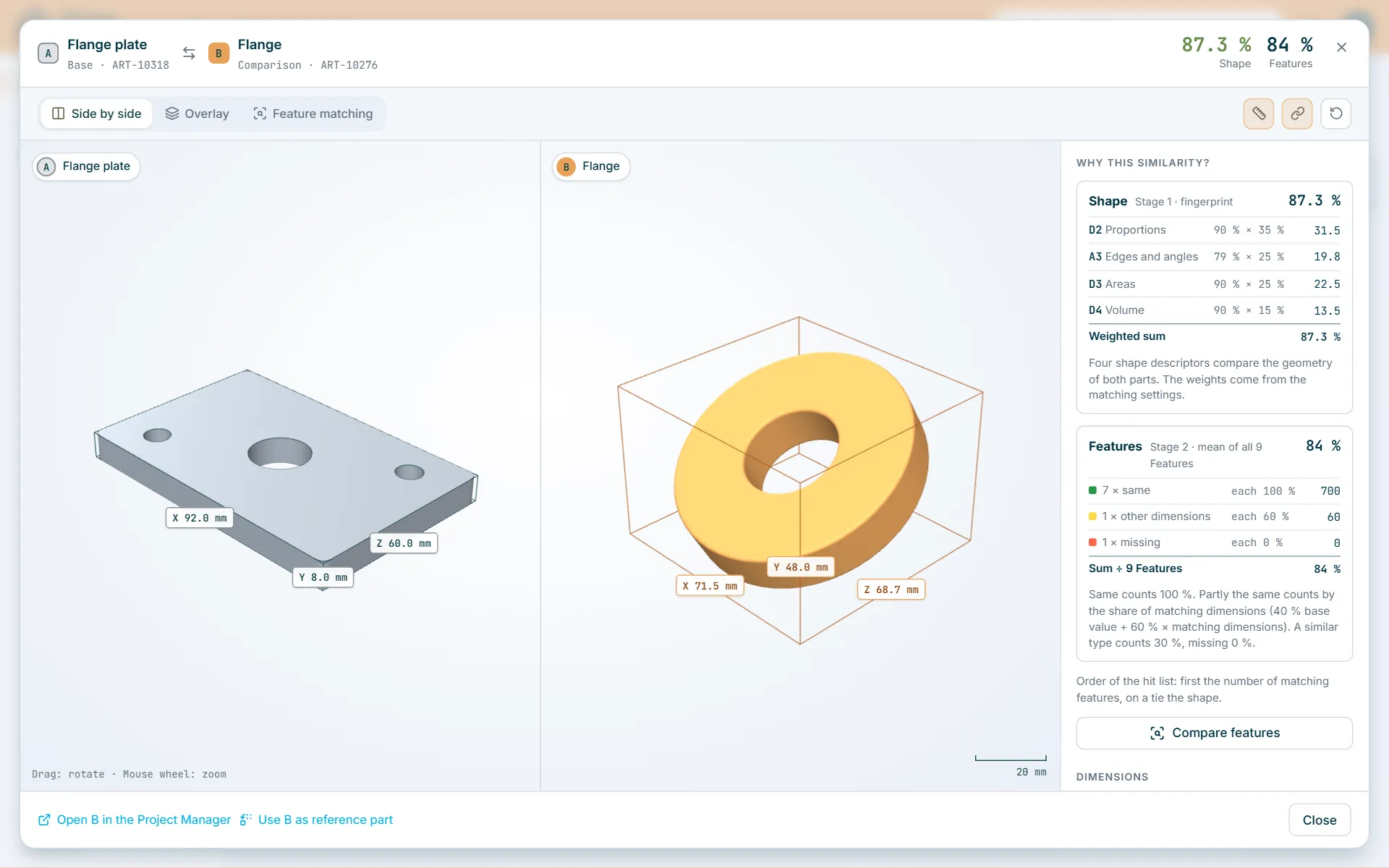
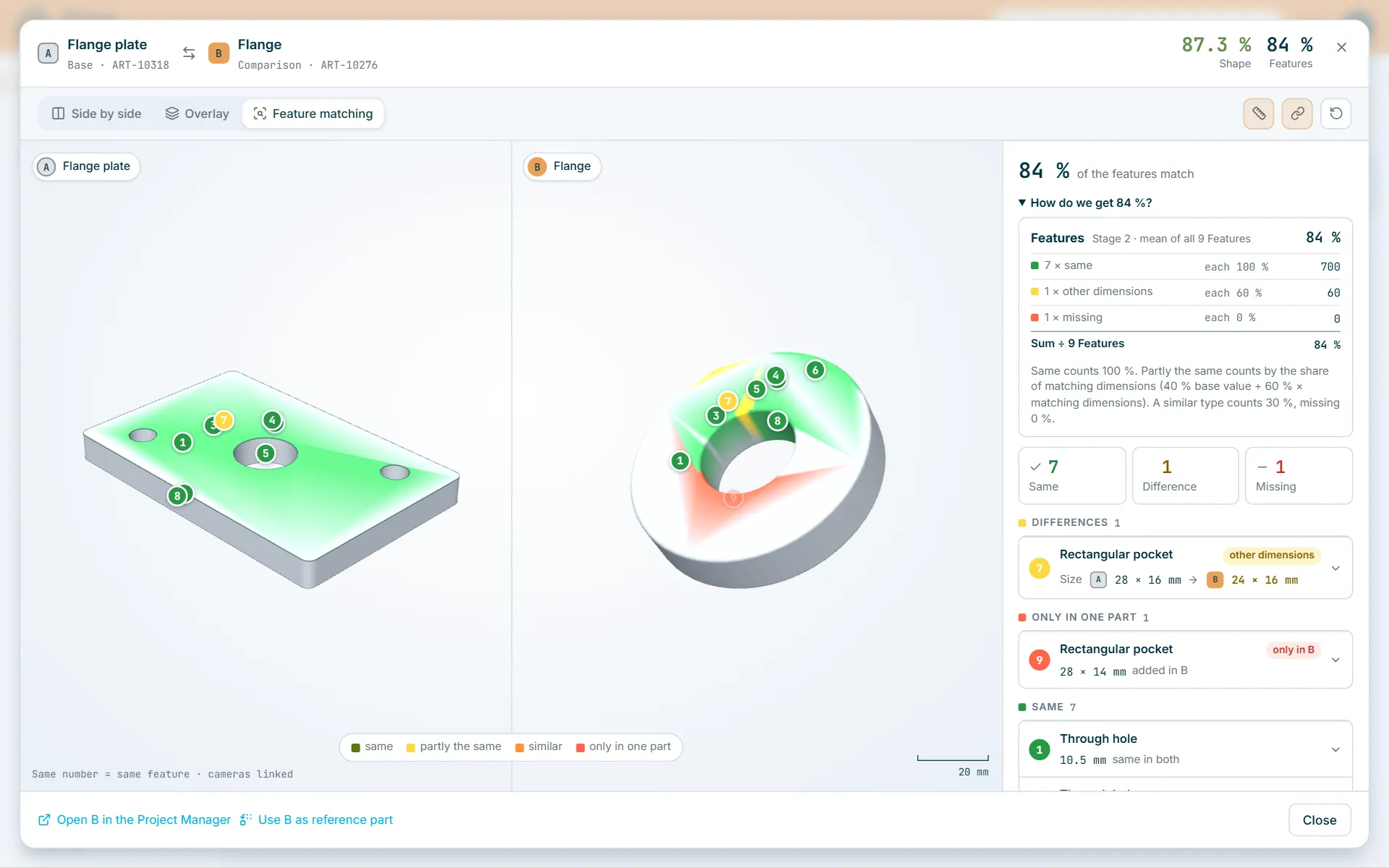
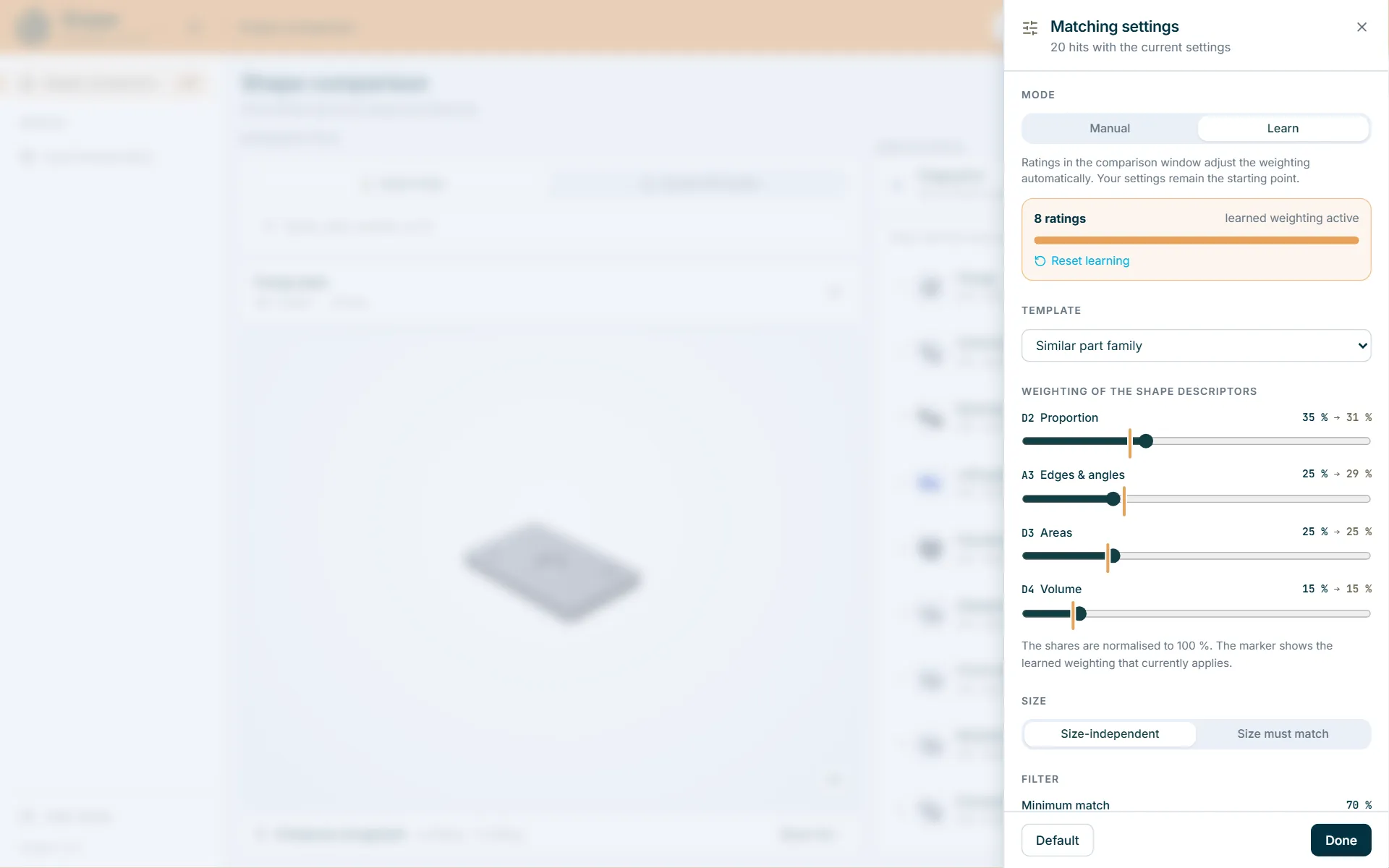
You can try the Shape click prototype in the desktop view – on a computer or tablet.
What the app does
Article library in 3D
Every article with its 3D model — rotate, zoom and compare right in the browser.
Similar-part search
Shape finds the parts most similar to the one on screen from their geometric fingerprint, ranked by match. Adjust how strictly it compares — presets for same part, similar part family or rough shape, plus size weighting, minimum match and same basic shape only. The match list recalculates instantly with every change.
Learns from your judgement
Rate matches as fitting or not, and in learning mode Shape adapts its weighting to what "similar" means in your production. Alternatively, set the weights manually — and reset what it has learned at any time.
Side-by-side comparison
Compare two parts directly, with their recognised features matched up: what is the same, what differs, and what exists only in one of them.
Feature recognition
Holes, fillets, cavities and shafts are recognised automatically from STEP and IGES models — the same analysis that powers the 3D view in the Project Manager.
Article sync
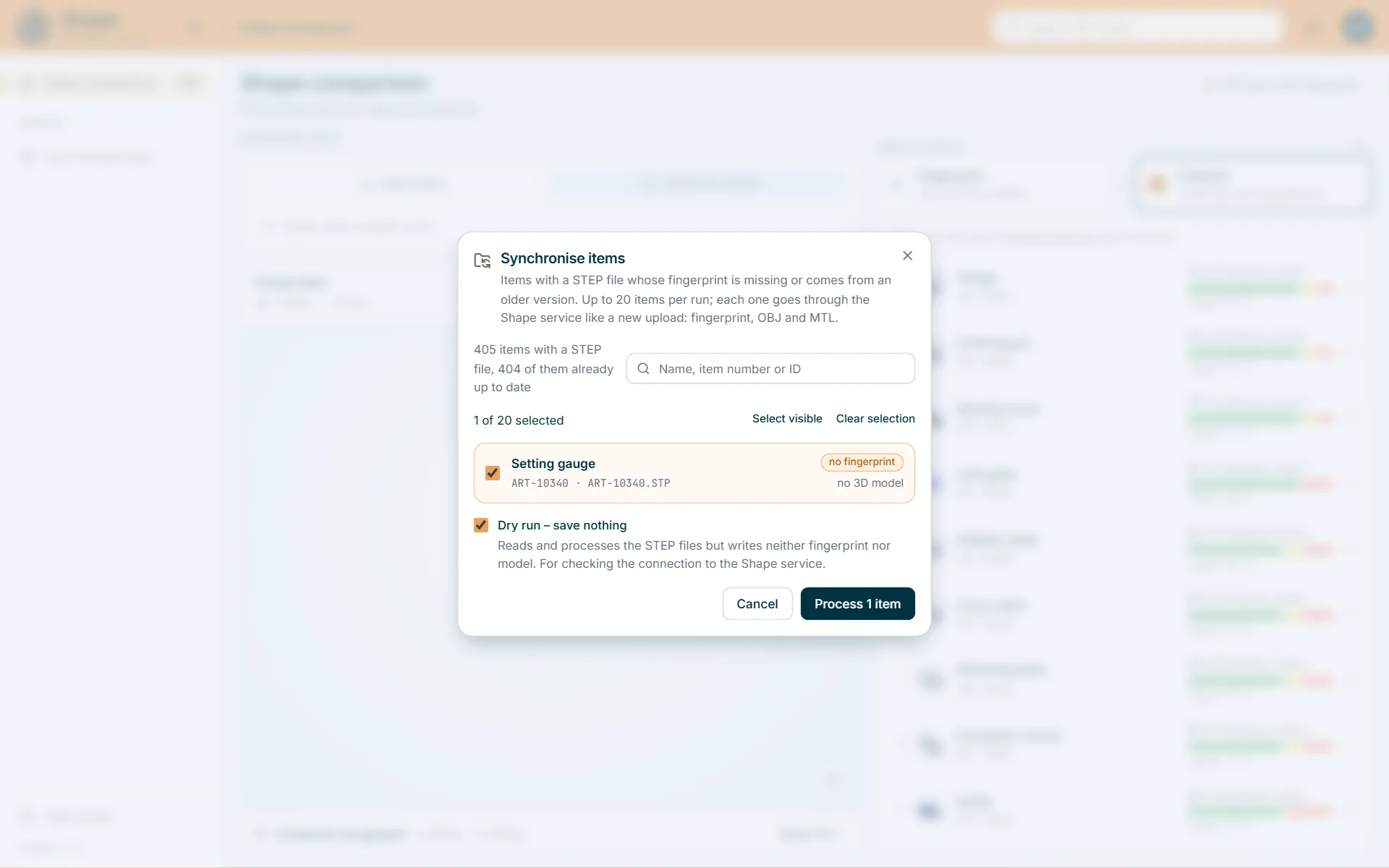
Bring articles and their models in from the other EVOMECS applications, with a test run before anything changes.
Why it matters
- Reuse instead of reinventingA part that resembles one made before can start from that part's process, NC programs and real production times.
- Faster quoting and preparationSimilar parts and their history give a reliable starting point for time and cost estimates.
- Knowledge that doesn't walk out the doorExperience is stored in the part data, not only in people's heads.
Part of the EVOMECS suite
Shape works on the articles of the Project Manager and the Infrastructure Manager, and its feature recognition shows up wherever a 3D part is displayed in the suite.

Benjamin Neubauer
Chief Executive Officer (CEO), EVOMECS
How to get started
Your demo – tailored to your production.
In the first meeting we show you EVOMECS in a live demo tailored to your company. Afterwards you can try EVOMECS free of charge for two weeks in your own demo system.
- 1First meeting · 30 minutes onlineWe introduce EVOMECS, show it in a short live demo and clarify your needs.
- 2Your demo systemIf you wish, we set up your own demo system in Shopfloor Light – with your machines and sample data. You receive the invitation by email.
- 3Try it yourself for two weeksYou and your colleagues try out how orders, feedback, machine status and downtimes work together. Free of charge, without installation and without connecting machines.
- 4Connect your machinesIn Shopfloor Light you connect your machines yourself using our guide. If you wish, we support you in a pilot project.
First meeting: 30 minutes · online · free of charge